Mineuniverse
Resource Packs
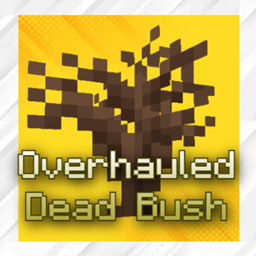
Prex's Overhauled Dead Bushes

Prex's Overhauled Dead Bushes

RESOURCE PACK
An unofficial revamp from Mo's Desert Bloom, to update it to the current versions
by Prex9000
Download Claim this project
Add a badge to your pageLink to Prex's Overhauled Dead Bushes from a README, website or forum post.
Preview: Badge

Badges update automatically and link to the resource pack page on MineUniverse.

598 downloads
0 likes
0 followers
Updated Oct 14, 2026
0 hypes
Follow0
16x Modern
Advertisement Remove ads with Premium →

*NEEDED FOR DIFFERENT BIOME TEXTURES. CAN ALSO USE THE CONTINUITY MOD.


This is a Resource pack (originally created by mo_shark)

https://www.curseforge.com/minecraft/texture-packs/desert-bloom

that I have updated to the current versions of minecraft. I have also updated the dead bush for every single biome type. The Biomes are as follows:


DESERT (Basic):


MESA/BADLANDS:


TAIGA:


SWAMP:


NOTE: ALL  TEXTURES ARE MADE BY MO_SHARK. I HAVE JUST REFINED THE DEFAULT DEAD BUSH. THE REST IS UNTOUCHED.

Prex's Overhauled Dead Bush 1.0.zip
MC 1.21, 1.19.3, 1.20.2, 1.19.4, 1.21.8, 1.20.5, 1.21.5, 1.21.4, 1.20.1, 1.20, 1.20.6, 1.21.1, 1.21.6, 1.21.3, 1.21.7, 1.19.1, 1.20.4, 1.18.2, 1.19.2, 1.20.3, 1.19, 1.21.2
Release 2026-01-16 Get

Requirements & install

How to use this resource pack in Minecraft
Resolution
16x
Minecraft
1.21.1 – 1.21.8
Install folder
.minecraft/resourcepacks

How to install resource packs

  1. Download the resource pack .zip file (do not extract it).
  2. In Minecraft open Options → Resource Packs → Open Pack Folder.
  3. Drop the .zip into the resourcepacks folder (.minecraft/resourcepacks).
  4. Move the pack to the Selected column and click Done.
Browse more: 16x resource packs 32x resource packs 64x resource packs 128x resource packs 256x resource packs 512x+ resource packs Resource Packs for 1.21.8 All resource packs

More from Prex9000

Advertisement Remove ads with Premium →

You Might Also Like