Mineuniverse
Resource Packs
Dinosaur Sounds - Prehistoric Ambience

Dinosaur Sounds - Prehistoric Ambience

RESOURCE PACK
Bringing Dinosaur Sounds to Minecraft's Ambience Mods!
by Prex9000
Download Claim this project
Add a badge to your pageLink to Dinosaur Sounds - Prehistoric Ambience from a README, website or forum post.
Preview: Badge

Badges update automatically and link to the resource pack page on MineUniverse.

914 downloads
0 likes
0 followers
Updated Oct 14, 2026
0 hypes
Follow0
16x Miscellaneous Mod Support
Advertisement Remove ads with Premium →

*NOTE: The Resource Pack logo comes from Yaju Senpai - I don't own it:

https://www.youtube.com/@YajuSenpai11451/featured


*NOTE: The Pack will only work with either Dynamic Surroundings or Ambient Sounds 6.

DYNAMIC SURROUNDINGS:     https://www.curseforge.com/minecraft/mc-mods/dynamic-surroundings

AMBIENT SOUNDS 6:     https://www.curseforge.com/minecraft/mc-mods/ambientsounds

FOSSILS AND ARCHEOLOGY : REVIVAL:     https://www.curseforge.com/minecraft/mc-mods/fossils

JURASSIC REBORN:     https://www.curseforge.com/minecraft/mc-mods/jurassic-reborn


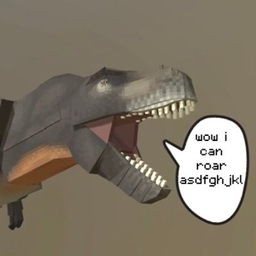
This is a Resource Pack that replaces some of the sounds in Ambient Sounds 6 and Dynamic Surroundings with dinosaur sounds from Fossils and Archeology : Revival and Jurassic Reborn. This is meant to be used with any dinosaur mod (preferably the 2 dinosaur mods listed above)

SOUNDS:

There are 32 different sounds in the pack; ranging from peaceful herbivores, to carnivores and even underwater creatures. Ambient Sound 6's Dinosaur sounds are quieter, and are more subtle, while Dynamic Surroundings' Dinosaur sounds are louder.

 

AMBIENT SOUNDS 6 Prehistoric Ambience.zip
MC 1.16.3, 1.17.1, 1.21, 1.16.1, 1.18.1, 1.14.3, 1.16.5, 1.10.2, 1.19.3, 1.20.2, 1.19.4, 1.21.8, 1.9.4, 1.14.4, 1.12.1, 1.12, 1.21.5, 1.18, 1.21.4, 1.11, 1.20.1, 1.20, 1.20.6
Release 2026-07-17 Get
DYNAMIC SURROUNDINGS Prehistoric Ambience.zip
MC 1.16.5, 1.10.2, 1.12.1, 1.12, 1.11, 1.21.1, 1.7.10, 1.11.1, 1.11.2, 1.8.9, 1.12.2, 1.16.4
Release 2026-07-16 Get

Requirements & install

How to use this resource pack in Minecraft
Resolution
16x
Minecraft
1.20.1 – 1.21.8
Install folder
.minecraft/resourcepacks

How to install resource packs

  1. Download the resource pack .zip file (do not extract it).
  2. In Minecraft open Options → Resource Packs → Open Pack Folder.
  3. Drop the .zip into the resourcepacks folder (.minecraft/resourcepacks).
  4. Move the pack to the Selected column and click Done.
Browse more: 16x resource packs 32x resource packs 64x resource packs 128x resource packs 256x resource packs 512x+ resource packs Resource Packs for 1.21.8 All resource packs

More from Prex9000

Advertisement Remove ads with Premium →

You Might Also Like