Mineuniverse
Resource Packs
Portable Vintage Radio HD

Portable Vintage Radio HD

RESOURCE PACK
High-detail vintage casing textures for all four Portable Vintage Radio styles.
by Chiilax
Download Claim this project
Add a badge to your pageLink to Portable Vintage Radio HD from a README, website or forum post.
Preview: Badge

Badges update automatically and link to the resource pack page on MineUniverse.

19 downloads
0 likes
0 followers
Updated Oct 14, 2026
0 hypes
Follow0
256x Mod Support Photo Realistic Traditional
Advertisement Remove ads with Premium →

Portable Vintage Radio HD

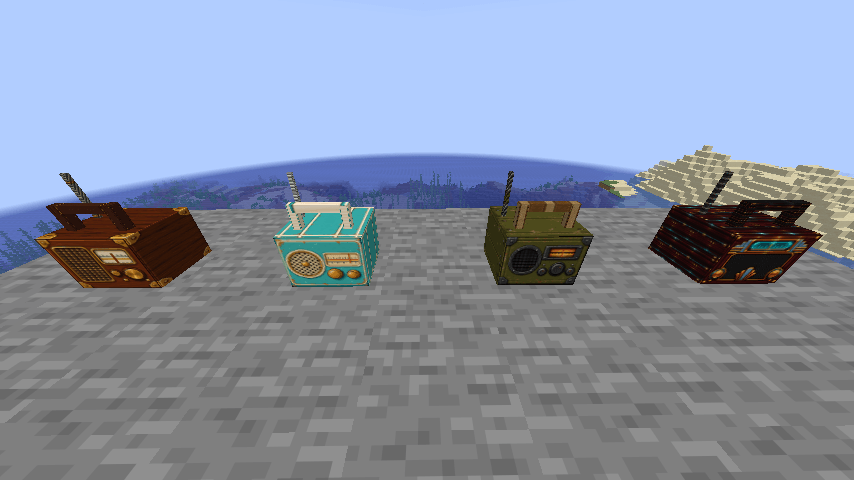
Portable Vintage Radio HD is the optional high-detail resource pack for the Portable Vintage Radio mod.

It provides complete vintage-themed texture coverage for all four radio styles—Heritage, Riviera, Field, and Midnight Deco—including the front and back, side panels, top, casing corners, handles, trim, rope wrapping, controls, and antennae.
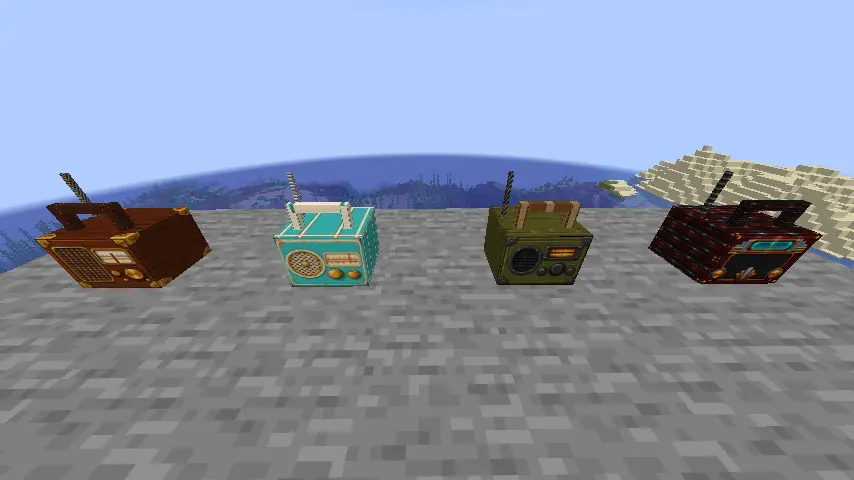
Portable Vintage Radio - Four Variety With Resource Pack

Requirements

  • Minecraft: Java Edition 26.2
  • Portable Vintage Radio 0.4.4
  • Works with the Fabric/Quilt, Forge, and NeoForge editions of the mod
  • Client-side resource pack; no server installation is necessary unless a server distributes it to players

Installation

  1. Install Portable Vintage Radio 0.4.4 for your mod loader.
  2. Place portable-vintage-radio-hd-resource-pack-0.4.4.zip in the Minecraft resourcepacks folder.
  3. Enable Portable Vintage Radio HD v0.4.4 in the Resource Packs menu.
  4. Place it above lower-priority packs that also modify Portable Vintage Radio.

Created by Chiilax. Original pack assets are distributed as All Rights Reserved unless the author publishes a different license.

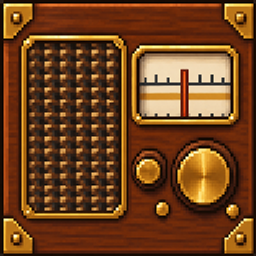
Portable Vintage Radio HD
MC 26.2
Release 2026-09-08 Get

Requirements & install

How to use this resource pack in Minecraft
Resolution
256x
Minecraft
26.2
Install folder
.minecraft/resourcepacks

How to install resource packs

  1. Download the resource pack .zip file (do not extract it).
  2. In Minecraft open Options → Resource Packs → Open Pack Folder.
  3. Drop the .zip into the resourcepacks folder (.minecraft/resourcepacks).
  4. Move the pack to the Selected column and click Done.

Packs from 128x upwards need more video memory: install a performance mod such as Sodium for smooth frame rates.

Browse more: 16x resource packs 32x resource packs 64x resource packs 128x resource packs 256x resource packs 512x+ resource packs Resource Packs for 26.2 All resource packs

More from Chiilax

Advertisement Remove ads with Premium →

You Might Also Like