Mineuniverse
Resource Packs
Pluto-randoum - [x32]

Pluto-randoum - [x32]

RESOURCE PACK
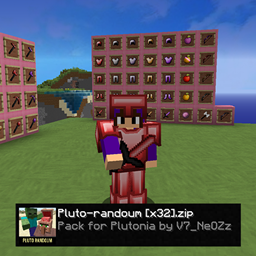
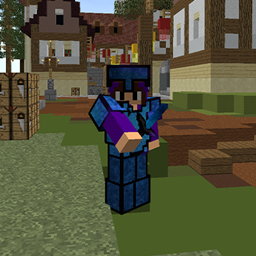
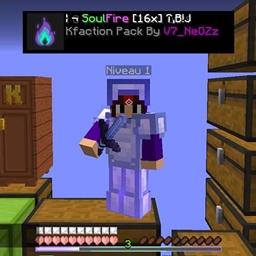
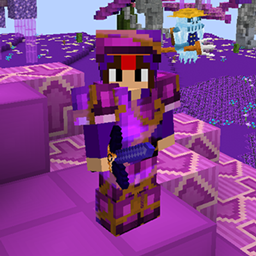
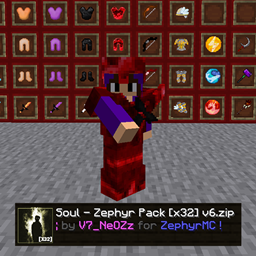
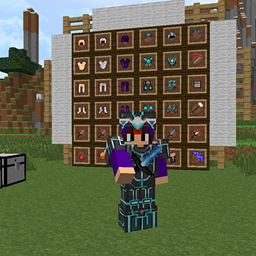
PvP Faction texture pack with clear, performance-boosting visuals designed for intense combat, ideal for elevating your experience in both PvP fights and Skyblock journeys!
by V7_NeOZz
Download Claim this project
323 downloads
0 likes
Updated Oct 14, 2026
0 hypes
32x
Advertisement Remove ads with Premium →

Texture pack for PvP and skyblock.

Expand your Minecraft experience with this unique texture pack, designed to seamlessly blend into both Vanilla and modded gameplay. Featuring exclusive items such as custom weapons, tools, machines, and modded ores, this pack enhances the game with new, detailed textures that elevate your world.

Whether you’re playing in a purely Vanilla environment or using a modded launcher, this pack ensures that your new items are beautifully integrated and visually consistent. With a wide range of new textures for modded items, you'll enjoy an enriched gameplay experience that feels fresh and immersive.

Unlock new possibilities as you explore a variety of custom-designed items, tools, and resources that offer new gameplay features, making your Minecraft journey even more exciting. Add more depth and creativity to your world with this modded item texture pack!

This description highlights the versatility of the texture pack and its compatibility with both Vanilla and modded setups.

Let me know if you'd like adjustments!


Version: Java 1.7 - 1.8.9

Video of the pack: https://www.youtube.com/watch?v=qbPxYB-U_uc&t

Discord link for more pack:  https://discord.gg/xUQwpKs9hf

Pluto-Randoum [x32].zip
MC 1.7.6, 1.8.7, 1.7.4, 1.7.7, 1.7.5, 1.8.4, 1.7.9, 1.8.8, 1.7.3, 1.7.2, 1.8-Snapshot, 1.8.3, 1.8.6, 1.7.8, 1.7.10, 1.8, 1.8.2, 1.8.5, 1.8.9, 1.8.1
Release 2024-12-12 Get

Requirements & install

How to use this resource pack in Minecraft
Resolution
32x
Minecraft
1.8.2 – 1.8.9
Install folder
.minecraft/resourcepacks

How to install resource packs

  1. Download the resource pack .zip file (do not extract it).
  2. In Minecraft open Options → Resource Packs → Open Pack Folder.
  3. Drop the .zip into the resourcepacks folder (.minecraft/resourcepacks).
  4. Move the pack to the Selected column and click Done.
Browse more: 16x resource packs 32x resource packs 64x resource packs 128x resource packs 256x resource packs 512x+ resource packs Resource Packs for 1.8.9 All resource packs

More from V7_NeOZz

Advertisement Remove ads with Premium →

You Might Also Like