Mineuniverse
Resource Packs
PeekRay

PeekRay

RESOURCE PACK
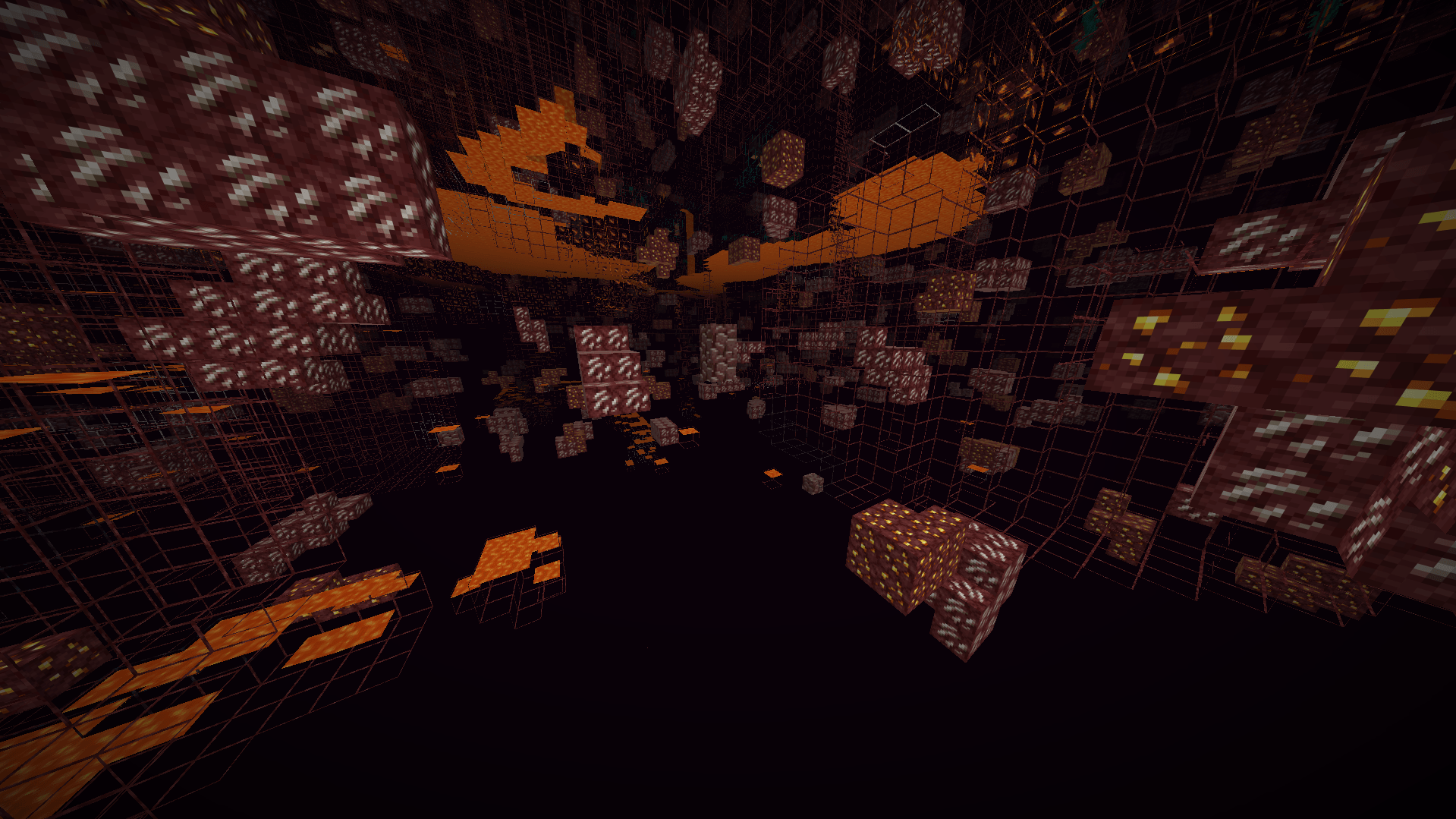
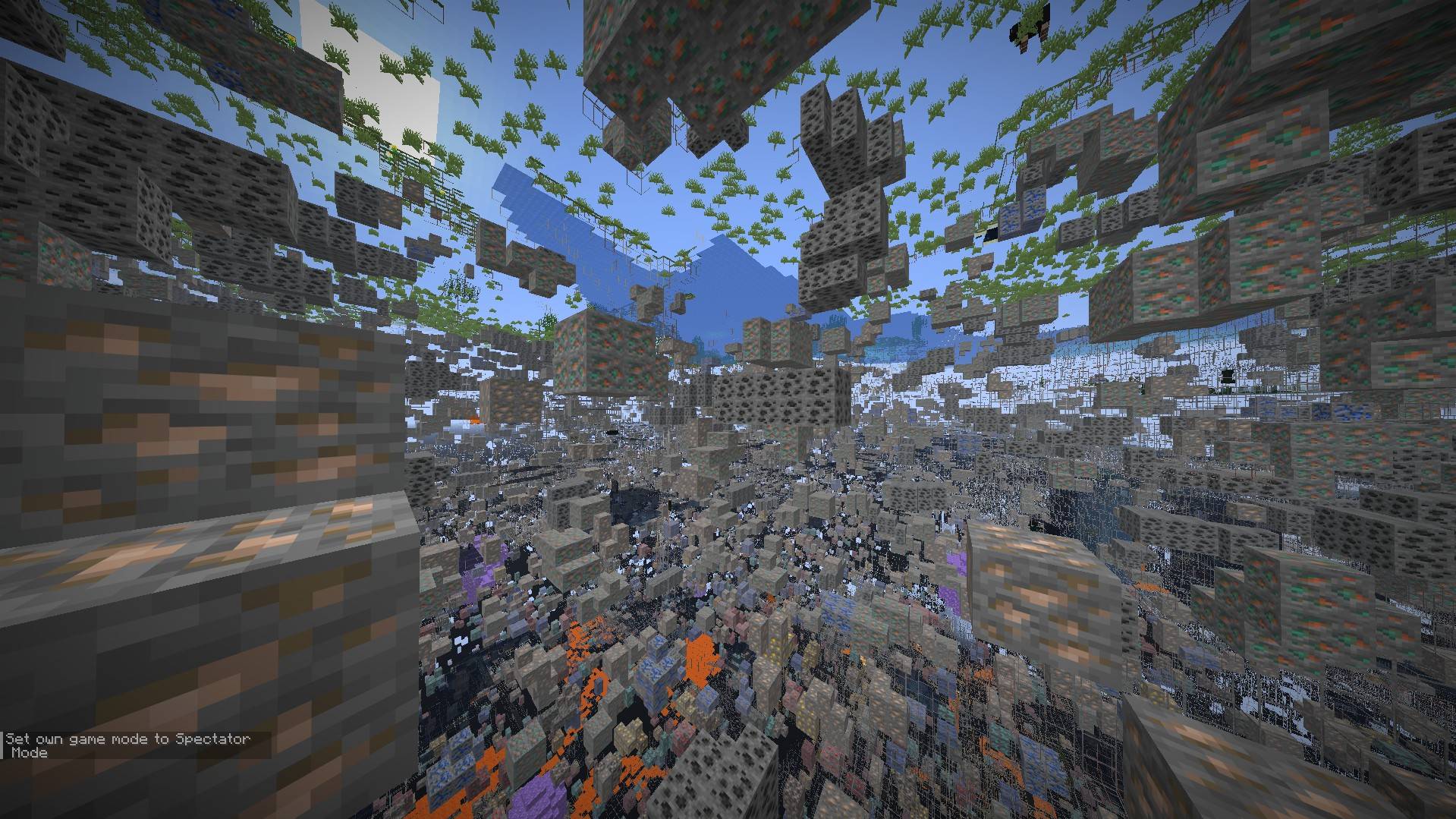
PeekRay is an X-Ray vision resource pack that lets you see valuable ores and blocks through terrain!
by Tav642
Download Claim this project
Add a badge to your pageLink to PeekRay from a README, website or forum post.
Preview: Badge

Badges update automatically and link to the resource pack page on MineUniverse.

468 downloads
0 likes
0 followers
Updated Oct 14, 2026
0 hypes
Follow0
16x
Advertisement Remove ads with Premium →

PeekRay — X-Ray Vision Resource Pack

PeekRay makes ores and key blocks visible through stone, dirt, and other terrain, so you can spot what matters without digging blind. It works entirely through model overrides — no textures are replaced, so everything keeps its original look, just visible from further away.

-- -- Features
- See-through terrain rendering for ores and valuable blocks
- Wide mod compatibility — works across a large range of popular modpacks and mod ores, not just vanilla
- No performance hit — pure model/render-layer changes, no shaders or extra textures
- Clean, minimal setup — just drop it in and go

-- -- Requirements
- OptiFine or Iris (required for the custom model/render-layer overrides to work)

**Notes**
This pack changes how existing blocks render — it does not add, remove, or reskin any blocks or items. Safe to use alongside other resource packs (load order matters if combining with other X-ray or texture packs).

PeekRay_v1.2.1_MC26.zip
MC 26.1, 26.1.1, 26.1.2, 26.2
Release 2026-09-15 Get
PeekRay_v1.1.0_26.zip
MC 26.1, 26.1.1, 26.1.2, 26.2
Release 2026-09-01 Get
PeekRay_v1.0.3_26.zip
MC 26.1, 26.1.1, 26.1.2, 26.2
Release 2026-08-28 Get
PeekRay_v1.0.2.zip
MC 26.1, 26.1.1, 26.1.2, 26.2
Release 2026-08-26 Get
PeekRay_v1.0.1.zip
MC 26.1, 26.1.1, 26.1.2, 26.2
Release 2026-08-18 Get
PeekRay_26.2.zip
MC 26.2
Release 2026-08-13 Get

Requirements & install

How to use this resource pack in Minecraft
Resolution
16x
Minecraft
26.1 – 26.2
Install folder
.minecraft/resourcepacks

How to install resource packs

  1. Download the resource pack .zip file (do not extract it).
  2. In Minecraft open Options → Resource Packs → Open Pack Folder.
  3. Drop the .zip into the resourcepacks folder (.minecraft/resourcepacks).
  4. Move the pack to the Selected column and click Done.
Browse more: 16x resource packs 32x resource packs 64x resource packs 128x resource packs 256x resource packs 512x+ resource packs Resource Packs for 26.2 All resource packs

More from Tav642

Advertisement Remove ads with Premium →

You Might Also Like