Mineuniverse
Resource Packs
Particle Lite + Fps Boost

Particle Lite + Fps Boost

RESOURCE PACK
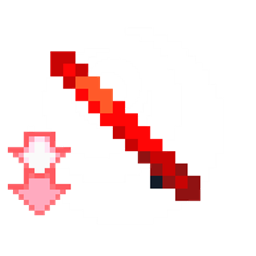
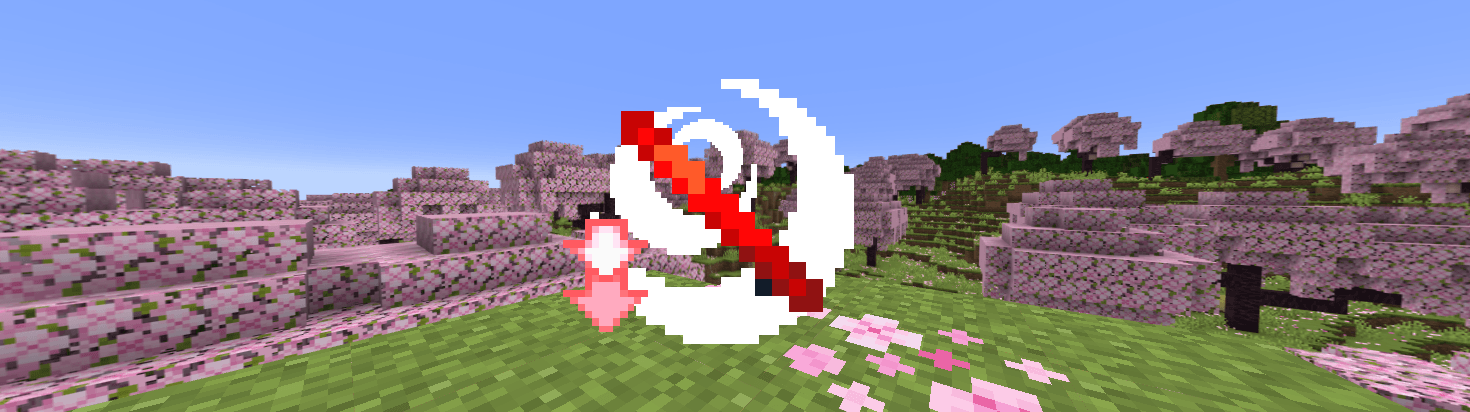
Particle Lite reduces Minecraft particles for cleaner PvP without changing your textures! โš”๏ธ๐Ÿ’ฅ
by Own_Studio
Download Claim this project
Add a badge to your pageLink to Particle Lite + Fps Boost from a README, website or forum post.
Preview: Badge

Badges update automatically and link to the resource pack page on MineUniverse.

535 downloads
0 likes
0 followers
Updated Oct 14, 2026
0 hypes
Follow0
Data Packs Photo Realistic
Advertisement Remove ads with Premium →

Particle Lite โœจโš”๏ธ

Tired of too many particles cluttering your Minecraft PvP? Particle Lite is the solution!

This lightweight texturepack reduces particles without changing your favorite textures, so you can enjoy cleaner, smoother visuals while keeping your main pack intact.


Features ๐Ÿ”น

  • ๐Ÿ’ฅ Removes explosion particles
  • โœจ Reduces glitter particles
  • ๐Ÿงช Reduces potion effect particles
  • ๐ŸŒซ๏ธ Reduces generic particles
  • โœ… Works with any other texturepack

Server.pro

own

Server.pro

Looking for reliable game hosting & domains?

๐ŸŽฎ Host your favorite games
๐ŸŒ Servers + Domains
โšก Fast & Reliable Hosting
๐Ÿ› ๏ธ Easy Server Management
๐Ÿ’™ Perfect for Gaming Communities

LINKS

๐Ÿ‘‰ Start hosting with Server.pro today!


๐Ÿ“ฉ Contact Us:

CurseForge Profile Join Discord Own Studio on Modrinth

Keep your battles clean, fast, and beautiful with Particle Lite! โš”๏ธ๐Ÿ›ก๏ธ

Particle Lite 1.20-26 v.1.0.zip
MC 1.21, 1.20.2, 1.21.8, 1.20.5, 1.21.5, 1.21.4, 1.20.1, 1.20, 1.20.6, 1.21.1, 1.21.6, 1.21.3, 1.21.7, 1.20.4, 1.20.3, 1.21.2, 1.21.9, 1.21.10, 1.21.11, 26.1, 26.1.1, 26.1.2
Release 2026-08-26 Get

Requirements & install

How to use this resource pack in Minecraft
Resolution
Not specified
Minecraft
1.21.7 โ€“ 26.1.2
Install folder
.minecraft/resourcepacks

How to install resource packs

  1. Download the resource pack .zip file (do not extract it).
  2. In Minecraft open Options โ†’ Resource Packs โ†’ Open Pack Folder.
  3. Drop the .zip into the resourcepacks folder (.minecraft/resourcepacks).
  4. Move the pack to the Selected column and click Done.
Browse more: 16x resource packs 32x resource packs 64x resource packs 128x resource packs 256x resource packs 512x+ resource packs Resource Packs for 26.1.2 All resource packs

More from Own_Studio

Advertisement Remove ads with Premium →

You Might Also Like