Mineuniverse
Resource Packs
No Shade + FPS Boost

No Shade + FPS Boost

RESOURCE PACK
A clean, bright no-shading resource pack with no mods required.
by Own_Studio
Download Claim this project
859 downloads
0 likes
0 followers
Updated Oct 14, 2026
0 hypes
Follow0
Data Packs Photo Realistic
Advertisement Remove ads with Premium →

🌟 NoShade + FPS Boost

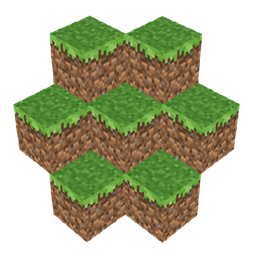
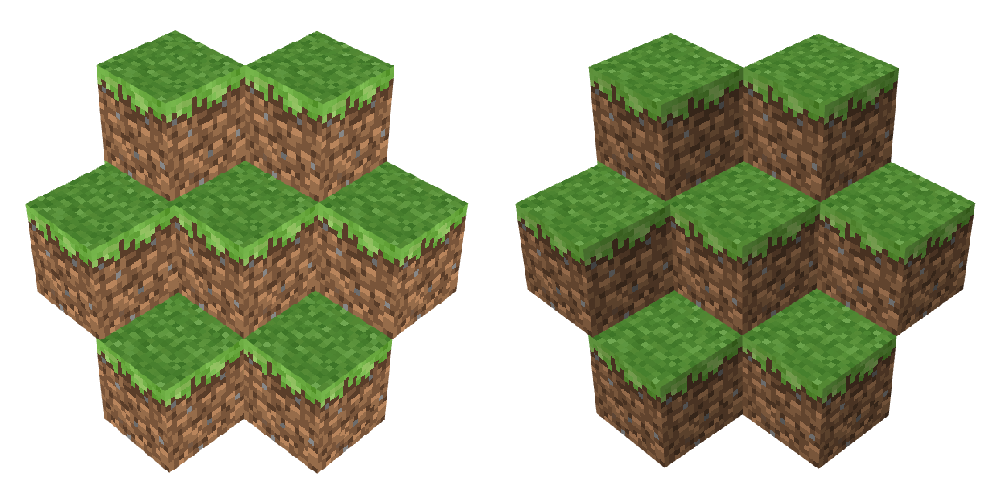
NoShade+ is a lightweight Minecraft resource pack designed to remove dull block shading and give your world a clean, bright, and lively look.
If you’ve ever used the Simply No Shading mod, you’ll instantly recognize the effect — but NoShade+ achieves it using only a resource pack, meaning no mods required.

By flattening harsh shadows and smoothing color tones, NoShade+ makes blocks appear clearer, more vibrant, and easier on the eyes. It’s perfect for PvP, building, screenshots, and players who prefer a minimalist, modern visual style.


✨ Features

  • Removes vanilla block shading
  • Brighter and more vibrant colors
  • Clean, flat, and smooth visuals
  • Resource pack only (no mods required)
  • Compatible with all Minecraft versions
  • Improved visibility for PvP and building

Upgrade your visuals and experience Minecraft in a clearer, more alive way with **NoShade + FPS Boost **.


Server.pro

own


📩 Contact Us:

CurseForge Profile Join Discord Own Studio on Modrinth

NoShade+ 26x v.02
MC 1.21, 1.20.2, 1.21.8, 1.21.5, 1.21.4, 1.20.1, 1.20, 1.20.6, 1.21.1, 1.21.6, 1.21.3, 1.21.7, 1.20.4, 1.20.3, 1.21.2, 1.21.9, 1.21.10, 1.21.11, 26.1, 26.1.1, 26.1.2, 26.2, 26.3
Release 2026-10-14 Get
NoShade+ 1.20-26 v.1.0.zip
MC 1.21, 1.20.2, 1.21.8, 1.21.5, 1.21.4, 1.20.1, 1.20, 1.20.6, 1.21.1, 1.21.6, 1.21.3, 1.21.7, 1.20.4, 1.20.3, 1.21.2, 1.21.9, 1.21.10, 1.21.11, 26.1, 26.1.1, 26.1.2
Release 2026-08-25 Get

Requirements & install

How to use this resource pack in Minecraft
Resolution
Not specified
Minecraft
1.21.9 – 26.3
Install folder
.minecraft/resourcepacks

How to install resource packs

  1. Download the resource pack .zip file (do not extract it).
  2. In Minecraft open Options → Resource Packs → Open Pack Folder.
  3. Drop the .zip into the resourcepacks folder (.minecraft/resourcepacks).
  4. Move the pack to the Selected column and click Done.
Browse more: 16x resource packs 32x resource packs 64x resource packs 128x resource packs 256x resource packs 512x+ resource packs Resource Packs for 26.3 All resource packs

More from Own_Studio

Advertisement Remove ads with Premium →

You Might Also Like