Mineuniverse
Resource Packs
OdarIs Overlay

OdarIs Overlay

RESOURCE PACK
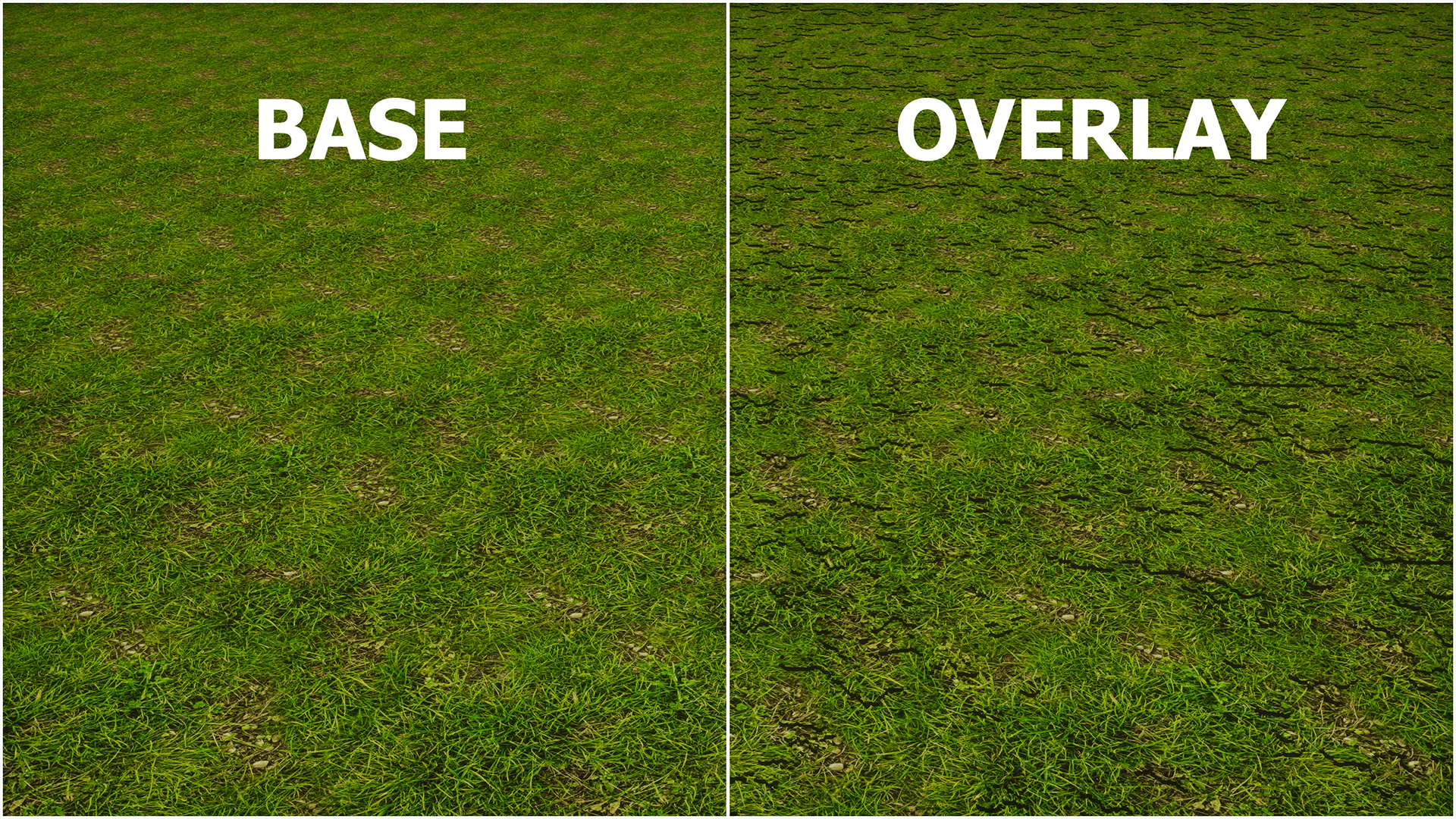
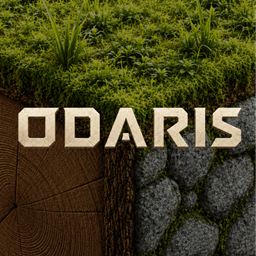
Adds subtle plants and surface details to OdarIs grass blocks, giving terrain more depth and variety while keeping the enhanced-vanilla look. Optional add-on; requires OdarIs Base.
by Im_Teodor
Download Claim this project
Add a badge to your pageLink to OdarIs Overlay from a README, website or forum post.
Preview: Badge

Badges update automatically and link to the resource pack page on MineUniverse.

318 downloads
0 likes
0 followers
Updated Oct 14, 2026
0 hypes
Follow0
512x and Higher Photo Realistic Traditional
Advertisement Remove ads with Premium →

OdarIs Overlay

More detail where the ground meets the world.

OdarIs Overlay is an optional add-on that adds extra vegetation and small surface details to grass.

I wanted grassy areas to feel a little fuller and less flat without changing the terrain textures themselves. The overlay sits on top of the Base Pack, so the original OdarIs grass remains visible underneath.


Alpha 0.1

The first release focuses on subtle extra detail for grass surfaces.

The goal is not to cover every block with vegetation. I try to keep the added detail controlled enough that it feels like part of the terrain rather than something placed on top of it.


Requirements & load order

OdarIs Base is required.

Recommended load order:

30 - OdarIs Overlay
10 - OdarIs Base

Overlay should be placed above the Base Pack in the Minecraft resource-pack list.

OdarIs Overlay is completely optional. The Base Pack works normally without it.


OdarIs Packs

OdarIs is split into the main Base Pack and several optional add-ons.

You do not need every OdarIs add-on. Just use the ones you actually want.


Resolutions

OdarIs Overlay is available in the same 7 resolutions as the Base Pack:

32x • 64x • 128x • 256x • 512x • 1024x • 2048x

I recommend using the same resolution for OdarIs Overlay and your OdarIs Base Pack.


Compatibility

  • Minecraft Java Edition
  • No required mods
  • Works with vanilla Minecraft
  • Compatible with shader packs
  • Designed to work together with other OdarIs add-ons

Shaders are optional. Different shader packs and settings can change how the overlays look in-game.


Installation

  1. Download OdarIs Base and the add-ons you want to use
  2. Open Minecraft.
  3. Go to Options → Resource Packs.
  4. Click Open Pack Folder.
  5. Move the downloaded `.zip` files into the folder. Do not extract them.
  6. Return to Minecraft and enable the packs.
  7. Arrange them using the load order shown above.


Overlay or Random Overlay?

If you also use OdarIs Random Blocks, add OdarIs Random Overlay so the extra vegetation can match the randomized terrain variants.

Recommended setup with Random Blocks:

31 - OdarIs Random Overlay
30 - OdarIs Overlay
20 - OdarIs Random Blocks
10 - OdarIs Base

Random Overlay does not replace Overlay. It works alongside it.


Feedback

Feedback is genuinely useful while these add-ons are still being developed.

If an overlay does not match correctly, tiles strangely, looks wrong with a shader, or causes another visual problem, I'd rather know about it.

When reporting an issue, please include:

• Minecraft version
• OdarIs resolution
• Shader pack, if used
• Other visual mods or resource packs
• Screenshots when possible

The OdarIs Discord is the best place for bug reports, performance feedback, suggestions, and general discussion.

Thanks for checking out OdarIs.

*Gallery screenshots were captured with Photon Shaders. Some images also show optional OdarIs add-ons.*

OdarIs Overlay Alpha 0.1 — 32x
MC 1.21, 1.20.2, 1.21.8, 1.20.5, 1.21.5, 1.21.4, 1.20.1, 1.20, 1.20.6, 1.21.1, 1.21.6, 1.21.3, 1.21.7, 1.20.4, 1.20.3, 1.21.2, 1.21.9, 1.21.10, 1.21.11, 26.1, 26.1.1, 26.1.2
Release 2026-08-18 Get
OdarIs Overlay Alpha 0.1 — 64x
MC 1.21, 1.20.2, 1.21.8, 1.20.5, 1.21.5, 1.21.4, 1.20.1, 1.20, 1.20.6, 1.21.1, 1.21.6, 1.21.3, 1.21.7, 1.20.4, 1.20.3, 1.21.2, 1.21.9, 1.21.10, 1.21.11, 26.1, 26.1.1, 26.1.2
Release 2026-08-18 Get
OdarIs Overlay Alpha 0.1 — 128x
MC 1.21, 1.20.2, 1.21.8, 1.20.5, 1.21.5, 1.21.4, 1.20.1, 1.20, 1.20.6, 1.21.1, 1.21.6, 1.21.3, 1.21.7, 1.20.4, 1.20.3, 1.21.2, 1.21.9, 1.21.10, 1.21.11, 26.1, 26.1.1, 26.1.2
Release 2026-08-18 Get
OdarIs Overlay Alpha 0.1 — 256x
MC 1.21, 1.20.2, 1.21.8, 1.20.5, 1.21.5, 1.21.4, 1.20.1, 1.20, 1.20.6, 1.21.1, 1.21.6, 1.21.3, 1.21.7, 1.20.4, 1.20.3, 1.21.2, 1.21.9, 1.21.10, 1.21.11, 26.1, 26.1.1, 26.1.2
Release 2026-08-18 Get
OdarIs Overlay Alpha 0.1 — 512x
MC 1.21, 1.20.2, 1.21.8, 1.20.5, 1.21.5, 1.21.4, 1.20.1, 1.20, 1.20.6, 1.21.1, 1.21.6, 1.21.3, 1.21.7, 1.20.4, 1.20.3, 1.21.2, 1.21.9, 1.21.10, 1.21.11, 26.1, 26.1.1, 26.1.2
Release 2026-08-18 Get
OdarIs Overlay Alpha 0.1 — 1024x
MC 1.21, 1.20.2, 1.21.8, 1.20.5, 1.21.5, 1.21.4, 1.20.1, 1.20, 1.20.6, 1.21.1, 1.21.6, 1.21.3, 1.21.7, 1.20.4, 1.20.3, 1.21.2, 1.21.9, 1.21.10, 1.21.11, 26.1, 26.1.1, 26.1.2
Release 2026-08-18 Get
OdarIs Overlay Alpha 0.1 — 2048x
MC 1.21, 1.20.2, 1.21.8, 1.20.5, 1.21.5, 1.21.4, 1.20.1, 1.20, 1.20.6, 1.21.1, 1.21.6, 1.21.3, 1.21.7, 1.20.4, 1.20.3, 1.21.2, 1.21.9, 1.21.10, 1.21.11, 26.1, 26.1.1, 26.1.2
Release 2026-08-18 Get

Requirements & install

How to use this resource pack in Minecraft
Resolution
512x+
Minecraft
1.21.7 – 26.1.2
Install folder
.minecraft/resourcepacks

How to install resource packs

  1. Download the resource pack .zip file (do not extract it).
  2. In Minecraft open Options → Resource Packs → Open Pack Folder.
  3. Drop the .zip into the resourcepacks folder (.minecraft/resourcepacks).
  4. Move the pack to the Selected column and click Done.

512x packs need a strong GPU and at least 4 GB of RAM for Minecraft; a performance mod such as Sodium is strongly recommended.

Browse more: 16x resource packs 32x resource packs 64x resource packs 128x resource packs 256x resource packs 512x+ resource packs Resource Packs for 26.1.2 All resource packs

More from Im_Teodor

Advertisement Remove ads with Premium →

You Might Also Like