Mineuniverse
Resource Packs
Ocean Sky (Java Edition) - Custom Sky

Ocean Sky (Java Edition) - Custom Sky

RESOURCE PACK
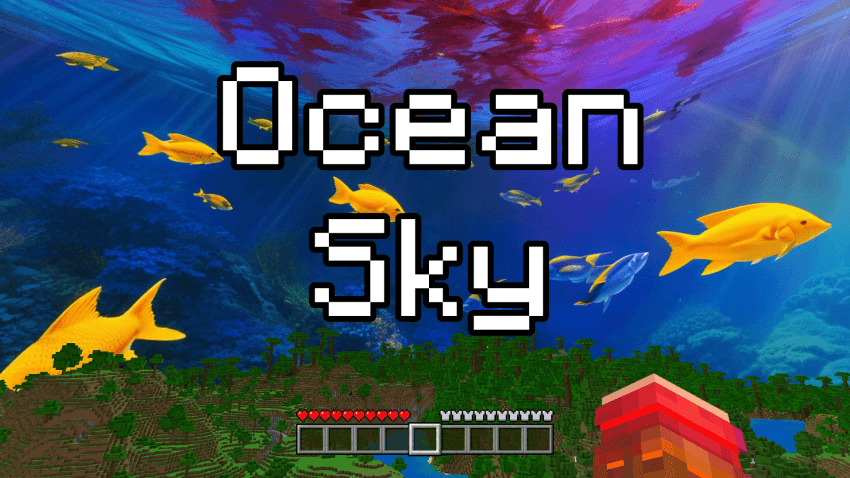
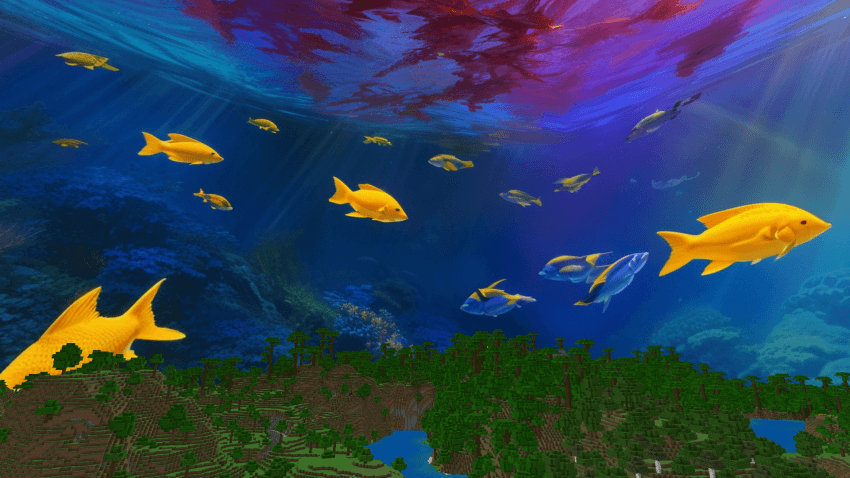
[1.21+] This texture pack changes the sky into a magical underwater world! When you look up, you won't see clouds, but you'll see the ocean! There are fish swimming, turtles floating, and the whole sky looks like you're deep under the sea.
by Sodvic
Download Claim this project
92 downloads
0 likes
Updated Oct 14, 2026
0 hypes
512x and Higher Miscellaneous Modern Photo Realistic Traditional
Advertisement Remove ads with Premium →

This texture pack changes the sky into a magical underwater world!
When you look up, you won't see clouds, but you'll see the ocean! There are fish swimming, turtles floating, and the whole sky looks like you're deep under the sea.
It's perfect if you love the ocean and want your Minecraft world to feel like a big underwater adventure!
 

EXAMPLE IMAGE:
 

AVAILABLE VERSIONS & RESOLUTIONS:

You can download and choose between different variants to best suit your preferences and performance:

  • Standard (24h): The custom sky remains permanently visible day and night.
  • Only Day: Beautiful custom daytime sky active from morning to evening (05:00 – 19:00) with smooth sunrise and sunset fade transitions, keeping the classic starry sky at night.

    Each variant is available in 3 resolutions:
  • 💎 2048x (Ultra HD / Maximum Detail)
  • ⚡ 1024x (Balanced Quality & Performance)
  • 🍃 512x (Fast & Performance-Friendly for Low-End PCs)


🔧 REQUIREMENTS & MOD COMPATIBILITY:

This pack is built using the standard custom sky format and is 100% compatible with both OptiFine and modern performance mod setups:

  • OptiFine (Standalone): Fully supported natively! (Make sure Options -> Video Settings -> Quality -> Custom Sky is set to ON).
  • Fabric / NeoForge / Forge (Sodium & Iris users): You do not need OptiFine! You can use either:


TERMS OF USE & SHARING:

If you want to share, review, or showcase this texture pack, please always provide the direct link to this official CURSEFORGE page. Please do not re-upload, host on external websites, or put this content behind unauthorized links.


Thanks and have fun! :D

OceanSky [Only Day] [2048x].zip
MC 1.21
Release 2026-10-06 Get
OceanSky [512x].zip
MC 1.21
Release 2026-09-09 Get
OceanSky [1024x].zip
MC 1.21
Release 2026-09-09 Get
OceanSky [2048x].zip
MC 1.21
Release 2026-09-09 Get
OceanSky [Only Day] [512x].zip
MC 1.21
Release 2026-09-09 Get
OceanSky [Only Day] [1024x].zip
MC 1.21
Release 2026-09-09 Get

Requirements & install

How to use this resource pack in Minecraft
Resolution
512x+
Minecraft
1.21
Install folder
.minecraft/resourcepacks

How to install resource packs

  1. Download the resource pack .zip file (do not extract it).
  2. In Minecraft open Options → Resource Packs → Open Pack Folder.
  3. Drop the .zip into the resourcepacks folder (.minecraft/resourcepacks).
  4. Move the pack to the Selected column and click Done.

512x packs need a strong GPU and at least 4 GB of RAM for Minecraft; a performance mod such as Sodium is strongly recommended.

Browse more: 16x resource packs 32x resource packs 64x resource packs 128x resource packs 256x resource packs 512x+ resource packs Resource Packs for 1.21 All resource packs

More from Sodvic

Advertisement Remove ads with Premium →

You Might Also Like