Mineuniverse
Resource Packs
Fantasy Sky (Java Edition) - Custom Sky

Fantasy Sky (Java Edition) - Custom Sky

RESOURCE PACK
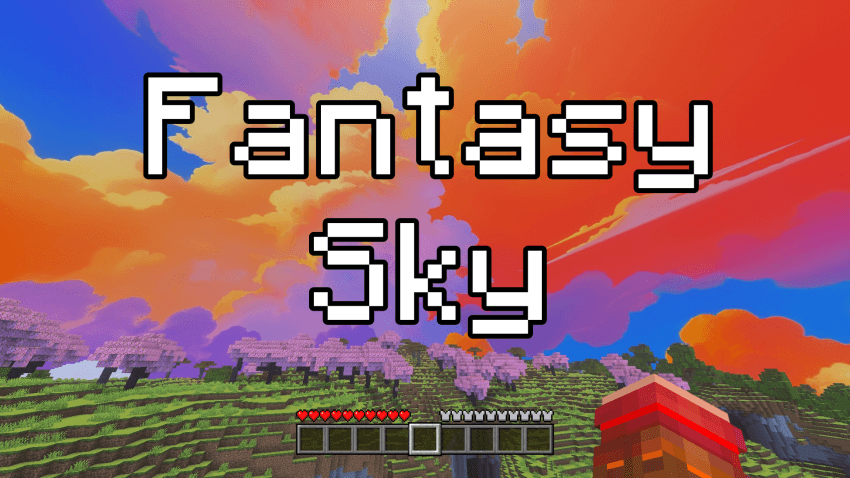
[1.21+] This pack adds a beautiful fantasy-style sky full of magical clouds and dreamy colors. It makes your world feel more magical and fun, just like in a fairytale. Perfect for building, exploring, or just relaxing and watching the sky!
by Sodvic
Download Claim this project
76 downloads
0 likes
Updated Oct 14, 2026
0 hypes
512x and Higher Medieval Modern Photo Realistic Traditional
Advertisement Remove ads with Premium →

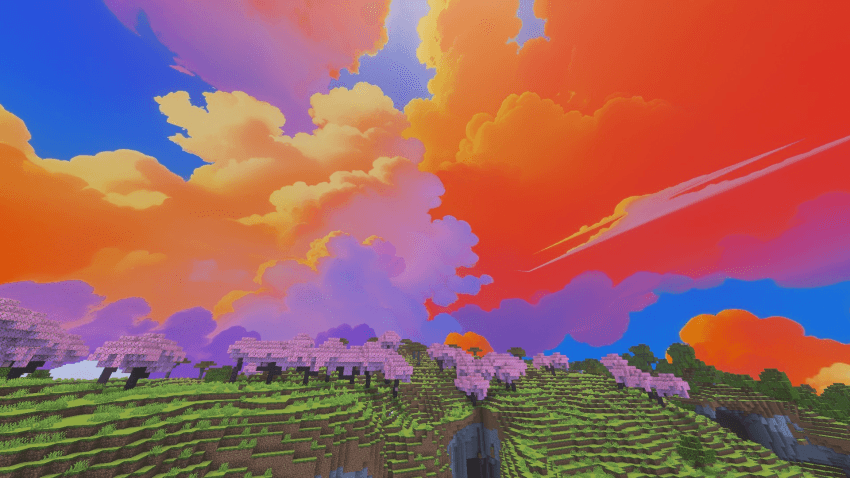
This pack adds a beautiful fantasy-style sky full of magical clouds and dreamy colors. It makes your world feel more magical and fun, just like in a fairytale. Perfect for building, exploring, or just relaxing and watching the sky!


EXAMPLE IMAGE:
 

AVAILABLE VERSIONS & RESOLUTIONS:

You can download and choose between different variants to best suit your preferences and performance:

  • Standard (24h): The custom sky remains permanently visible day and night.
  • Only Day: Beautiful custom daytime sky active from morning to evening (05:00 – 19:00) with smooth sunrise and sunset fade transitions, keeping the classic starry sky at night.

    Each variant is available in 3 resolutions:
  • 💎 2048x (Ultra HD / Maximum Detail)
  • ⚡ 1024x (Balanced Quality & Performance)
  • 🍃 512x (Fast & Performance-Friendly for Low-End PCs)


🔧 REQUIREMENTS & MOD COMPATIBILITY:

This pack is built using the standard custom sky format and is 100% compatible with both OptiFine and modern performance mod setups:

  • OptiFine (Standalone): Fully supported natively! (Make sure Options -> Video Settings -> Quality -> Custom Sky is set to ON).
  • Fabric / NeoForge / Forge (Sodium & Iris users): You do not need OptiFine! You can use either:


TERMS OF USE & SHARING:

If you want to share, review, or showcase this texture pack, please always provide the direct link to this official CURSEFORGE page. Please do not re-upload, host on external websites, or put this content behind unauthorized links.


Thanks and have fun! :D

FantasySky [Only Day] [2048x].zip
MC 1.21
Release 2026-09-28 Get

Requirements & install

How to use this resource pack in Minecraft
Resolution
512x+
Minecraft
1.21
Install folder
.minecraft/resourcepacks

How to install resource packs

  1. Download the resource pack .zip file (do not extract it).
  2. In Minecraft open Options → Resource Packs → Open Pack Folder.
  3. Drop the .zip into the resourcepacks folder (.minecraft/resourcepacks).
  4. Move the pack to the Selected column and click Done.

512x packs need a strong GPU and at least 4 GB of RAM for Minecraft; a performance mod such as Sodium is strongly recommended.

Browse more: 16x resource packs 32x resource packs 64x resource packs 128x resource packs 256x resource packs 512x+ resource packs Resource Packs for 1.21 All resource packs

More from Sodvic

Advertisement Remove ads with Premium →

You Might Also Like