Mineuniverse
Resource Packs
NOTLIVES's Samurai dog Armor V1

NOTLIVES's Samurai dog Armor V1

RESOURCE PACK
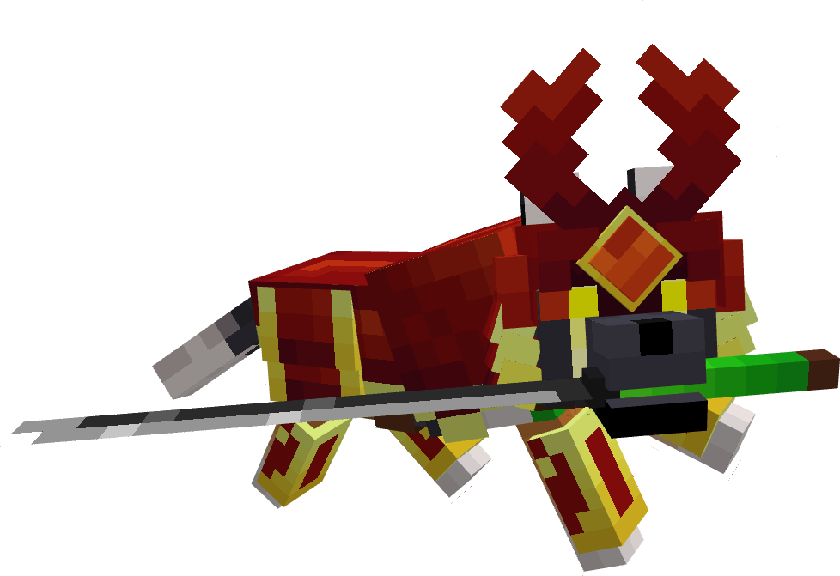
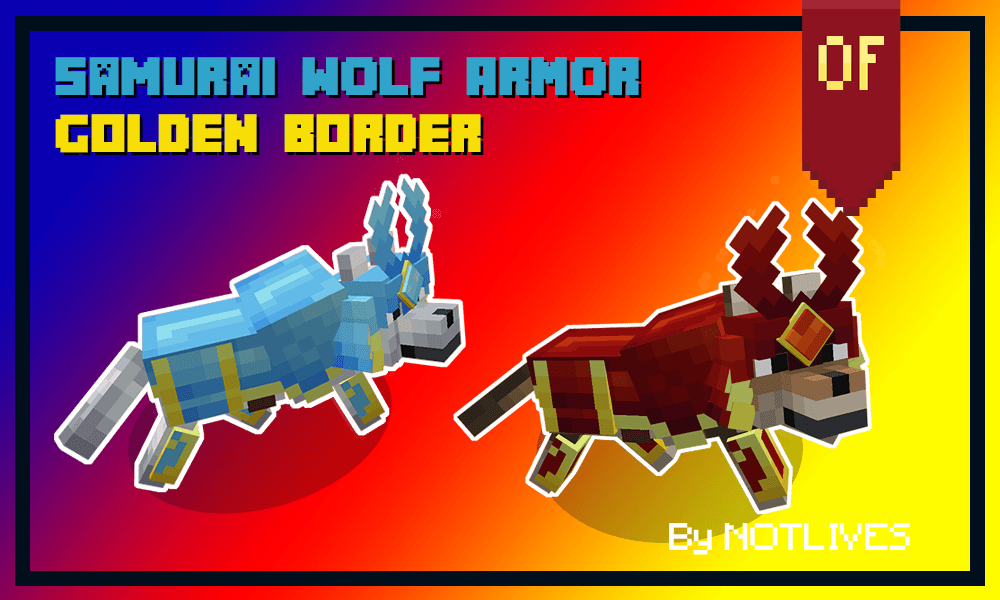
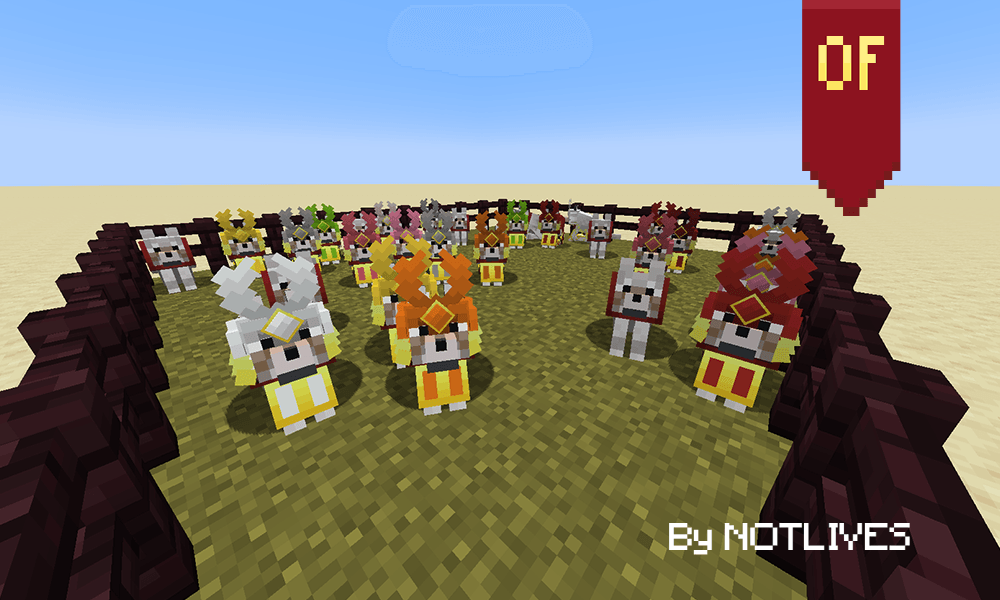
This texture pack transforms the wolf armor into a samurai-style design. The base is recolorable, with fixed golden edges for luxury.
by notl1ves
Download Claim this project
Add a badge to your pageLink to NOTLIVES's Samurai dog Armor V1 from a README, website or forum post.
Preview: Badge

Badges update automatically and link to the resource pack page on MineUniverse.

706 downloads
0 likes
0 followers
Updated Oct 14, 2026
0 hypes
Follow0
16x Medieval Miscellaneous Traditional
Advertisement Remove ads with Premium →

This texture pack includes a remodel and retexture of the wolf armor in Minecraft, inspired by traditional samurai armor.
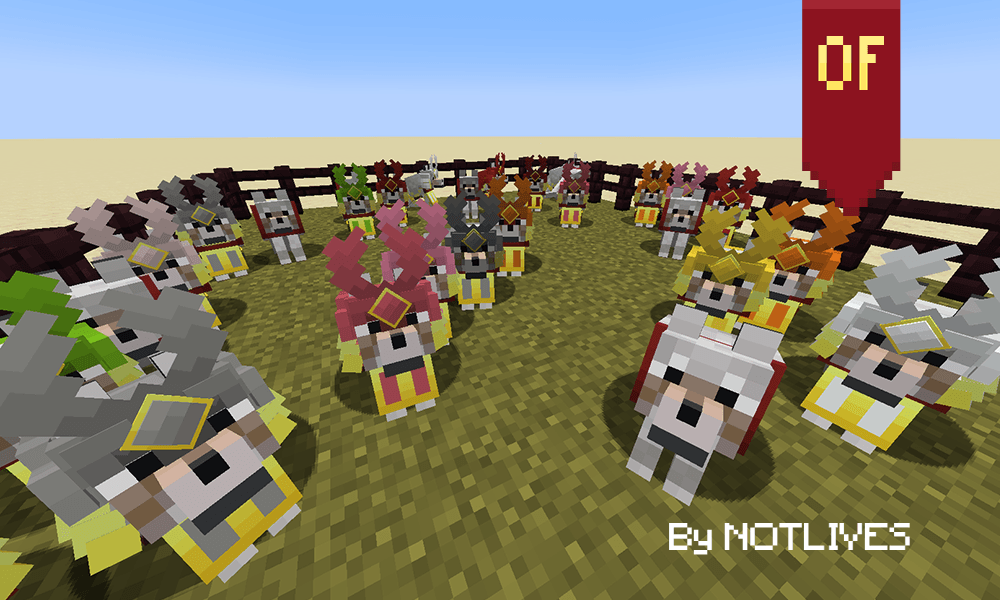
The main part of the frame is recolorable, allowing you to customize the style to your liking, although the edges are detailed in an elegant gold tone that matches the design.

Key Features:

  • Complete redesign of the wolf armor.
  • Samurai style inspired by Japanese tradition.
  • The frame can be recolored for further customization.
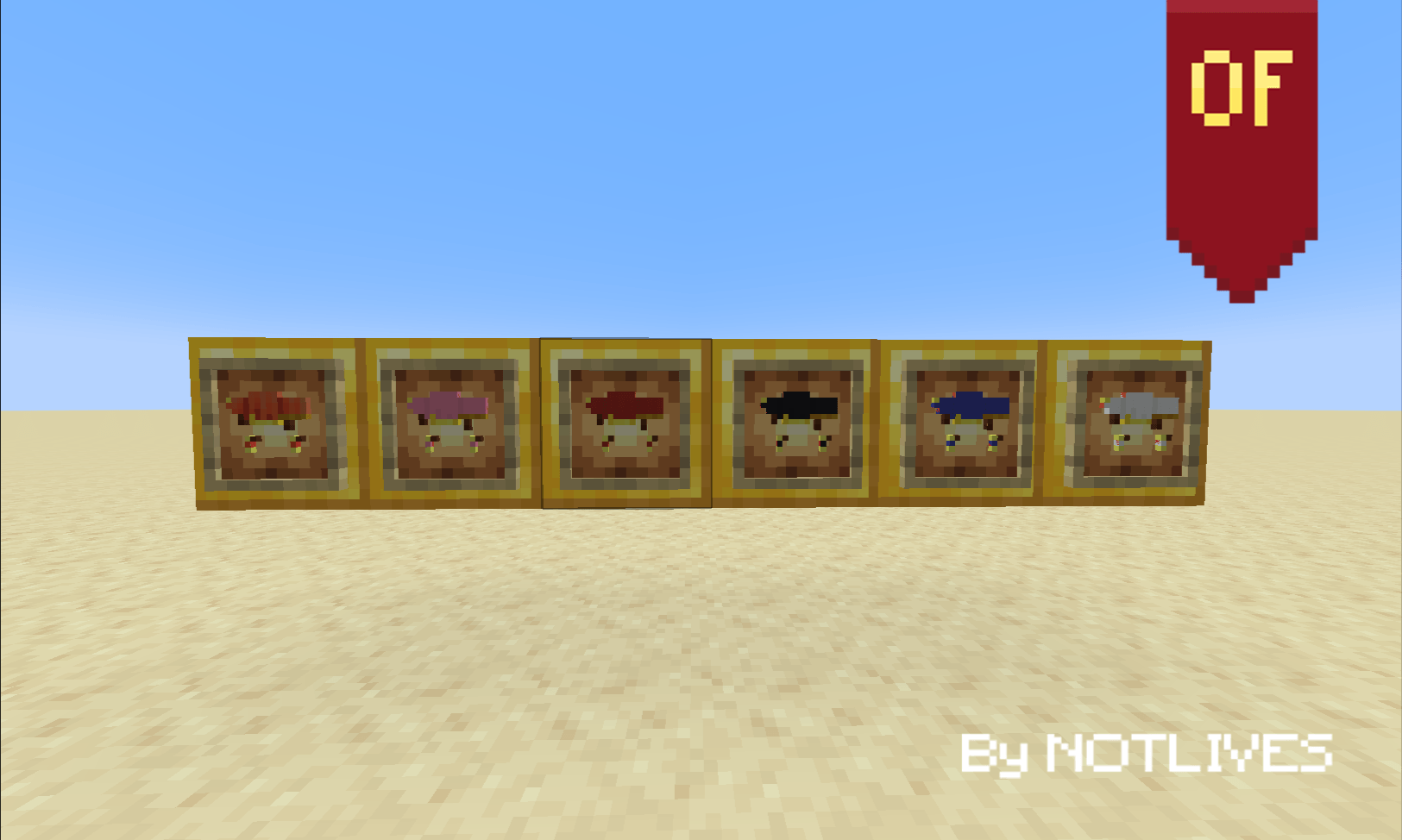
  • Custom item texture.
  • The gold wire edges add a distinctive touch.

Compatible with all the versions that include the wolf armor :D.

Compatible with Samurai wolf for 1.21+
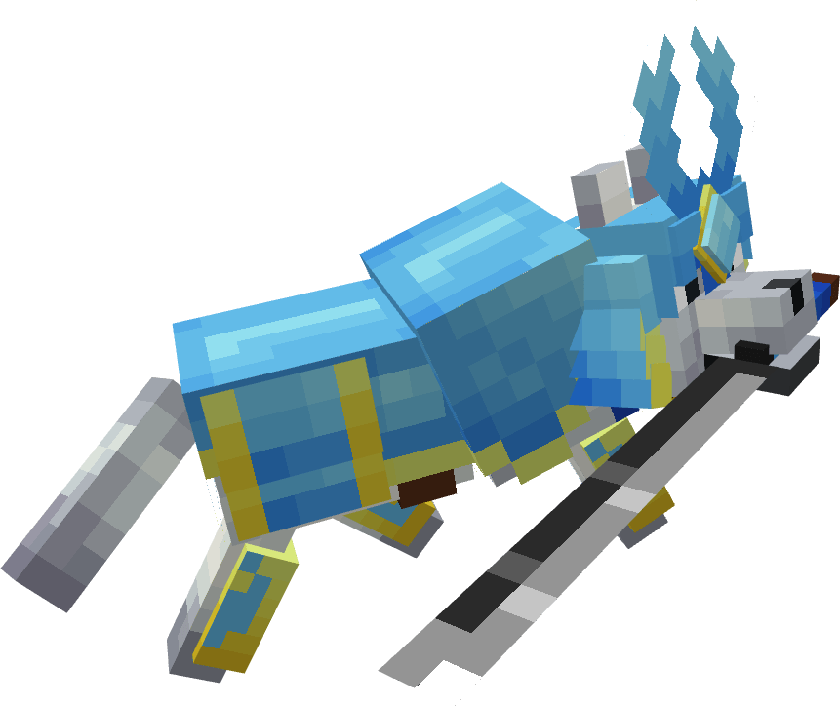
Ideal for enjoying the aesthetic details, Japanese culture, and combat style of Minecraft.

NOTLIVES's Samurai Wolf Armour V1 1.21.2-1.21.3
MC 1.21.3, 1.21.2
Release 2025-08-30 Get
NOTLIVES's Samurai Wolf Armour V1 1.21.4
MC 1.21.4
Release 2025-08-30 Get
NOTLIVES's Samurai Wolf Armour V1 1.21.5
MC 1.21.5
Release 2025-08-30 Get
NOTLIVES's Samurai Wolf Armour V1 1.21.6
MC 1.21.6
Release 2025-08-30 Get
NOTLIVES's Samurai Wolf Armour V1 1.21.7-1.21.8
MC 1.21.8, 1.21.7
Release 2025-08-30 Get
NOTLIVES's Samurai Wolf Armour V1 1.21-1.21.1
MC 1.21, 1.21.1
Release 2025-08-30 Get

Requirements & install

How to use this resource pack in Minecraft
Resolution
16x
Minecraft
1.21.1 – 1.21.8
Install folder
.minecraft/resourcepacks

How to install resource packs

  1. Download the resource pack .zip file (do not extract it).
  2. In Minecraft open Options → Resource Packs → Open Pack Folder.
  3. Drop the .zip into the resourcepacks folder (.minecraft/resourcepacks).
  4. Move the pack to the Selected column and click Done.
Browse more: 16x resource packs 32x resource packs 64x resource packs 128x resource packs 256x resource packs 512x+ resource packs Resource Packs for 1.21.8 All resource packs

More from notl1ves

Advertisement Remove ads with Premium →

You Might Also Like