Mineuniverse
Resource Packs
NOTLIVES's Jax Plushie

NOTLIVES's Jax Plushie

RESOURCE PACK
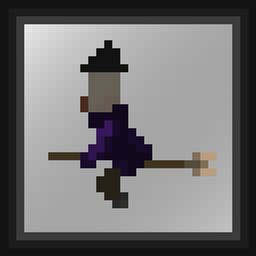
Adds a custom Plushie of Jax the rabbit to your game
by notl1ves
Download Claim this project
Add a badge to your pageLink to NOTLIVES's Jax Plushie from a README, website or forum post.
Preview: Badge

Badges update automatically and link to the resource pack page on MineUniverse.

940 downloads
0 likes
0 followers
Updated Oct 14, 2026
0 hypes
Follow0
16x Miscellaneous
Advertisement Remove ads with Premium →

JAX YOURE A MARKETABLE PLUSHIE NOW!

Enjoy this custom model of Jax.... wait, didn't i do this before?... oh! this must be digital halucinations! yeah, that's it

Anyways, -from The Amazing Digital Circus! do whatever you want with it!, throw it to mobs, explore with it, put it in your head!, watch him annoy every other human from the digital realm and make them suffer in disperation!, you could even put it in a jar and *%$!# wherever you go!.... maybe not that last one.

Anyway, enjoy your Jax!

NOTES:


RENAME A CARVED PUMPKIN: Jax Plush


NOTLIVES's Jax_plushie 1.20.2
MC 1.20.2
Release 2024-11-25 Get
NOTLIVES's Jax_plushie 1.20.3-1.20.4
MC 1.20.3, 1.20.4
Release 2024-11-25 Get
NOTLIVES's Jax_plushie 1.20.5
MC 1.20.5
Release 2024-11-25 Get
NOTLIVES's Jax_plushie 1.19.4
MC 1.19.4
Release 2024-04-13 Get
NOTLIVES's Jax_plushie 1.20-1.20.1
MC 1.20.1, 1.20
Release 2024-04-13 Get
NOTLIVES's Jax_plushie 1.19-1.19.2
MC 1.19.2, 1.19.1, 1.19
Release 2024-04-13 Get
NOTLIVES's Jax_plushie 1.19.3
MC 1.19.3
Release 2024-04-13 Get
NOTLIVES's Jax_plushie 1.18-1.18.2
MC 1.18.1, 1.18.2, 1.18
Release 2024-04-13 Get
NOTLIVES's Jax_plushie 1.17-1.17.1
MC 1.17.1, 1.17, 1.17-Snapshot
Release 2024-04-13 Get
NOTLIVES's Jax_plushie 1.16.2-1.16.5
MC 1.16.3, 1.16.5, 1.16.4, 1.16.2
Release 2024-04-13 Get

Requirements & install

How to use this resource pack in Minecraft
Resolution
16x
Minecraft
1.19.3 – 1.20.5
Install folder
.minecraft/resourcepacks

How to install resource packs

  1. Download the resource pack .zip file (do not extract it).
  2. In Minecraft open Options → Resource Packs → Open Pack Folder.
  3. Drop the .zip into the resourcepacks folder (.minecraft/resourcepacks).
  4. Move the pack to the Selected column and click Done.
Browse more: 16x resource packs 32x resource packs 64x resource packs 128x resource packs 256x resource packs 512x+ resource packs Resource Packs for 1.20.5 All resource packs

More from notl1ves

Advertisement Remove ads with Premium →

You Might Also Like