No Particles+ is the ultimate performance-focused utility resource pack for Minecraft Java Edition, designed specifically to maximize your FPS and clear up your screen. By completely disabling heavy, distracting, and non-essential particle effects, this pack provides a cleaner, smoother, and much more competitive gaming experience without altering the beloved look of vanilla Minecraft blocks and items.
__________________________________________________________________________________________________________
Key Benefits & Enhancements
- Maximum FPS Boost: Eliminates frame drops caused by dense particle clusters. By stopping the game from rendering hundreds of individual physics-based particles at once, it significantly lowers the workload on your CPU and GPU.
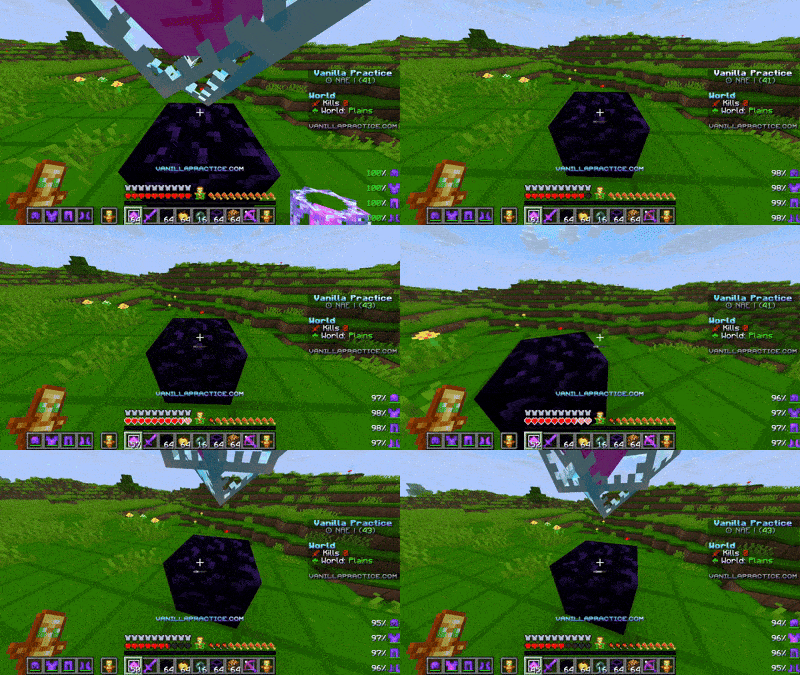
- Ultimate PvP & Performance Advantage: Standard Minecraft particles like critical hit markers, sweeping edge slashes, potion swirls, and block-breaking debris can easily block your sight during intense combat. No Particles+ keeps your screen crystal clear, ensuring you never lose track of an opponent or a target.
- Reduced Clutter in Mob Farms & Nether: Say goodbye to the lagging screens caused by massive mob farms emitting endless potion bubbles, or the dense ash and fire sparks floating around the Nether. Exploring hazard-heavy environments becomes smooth and visually clean.
- 100% Vanilla Friendly: This pack only modifies particle textures and visibility. Your favorite blocks, armor, weapons, and UI remain completely untouched, making it perfect to pair on top of any other standard resource pack.
___________________________________________________________________________________________________________________
What It Removes
- Combat Particles: Sharp critical hits, magic crits, enchanted weapon sweeps, and potion effect swirls.
- Environmental Particles: Nether ash, campfire smoke, exploding fireworks, and torch/furnace fire sparks.
- Action Particles: Explosion smoke, block-breaking debris, sprint dust, and water/lava splashes.
- Everything Else: This pack removes all other particles using just shader files.