Mineuniverse
Resource Packs
Meatokki Pack

Meatokki Pack

RESOURCE PACK
A resource pack based on Meatokki
by matze149
Download Claim this project
100 downloads
0 likes
Updated Oct 14, 2026
0 hypes
64x
Advertisement Remove ads with Premium →

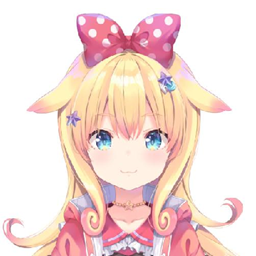
This is a fun resource pack based on the vtuber Meatokki aka "Meat":

MEAT - YouTube

Features:

  • Rework of the GUI to fit the theme
  • New faces for rabbits
  • Sunglasses instead of Diamond and Netherite helmets
  • Animated Paintings
  • A different design for the shield
  • An extra sound pack with currently 3 creepy cave sounds


More will be added as time passes. Feel free to give me ideas.

There's also some creepy cave sounds included in the sound project file.

 I do not claim ownership to any of the pictures/designs used.


Please note that this time, I split the sounds into their own addon pack. The sound packs do not have any graphical changes.


Special thanks to:

  • Meatokki for all the suggestions for the armor
  • TheGodfather for suggestions for the cave sounds and helping with lots of the pictures used.
  • SleepingSlime for designing the broken look for the potions (heart replacements)
  • Kirk for suggesting the new look for the rabbits
  • Miimoo for suggesting the new color for the shield
  • Everyone that helped with their opinions and votes on the designs
  • Everyone I did not mention because I'm sometimes a bit of a scatterbrain...

This pack is officially compatible with 1.21.1, but should also work just fine with lower versions.


Meat1.00_Sound.zip
MC 1.20.2, 1.21.2-Snapshot, 1.21, 1.20.5, 1.20.2-Snapshot, 1.20.5-Snapshot, 1.21.1-Snapshot, 1.20.3-Snapshot, 1.20.3, 1.20.1, 1.20, 1.20.6, 1.20.4, 1.21-Snapshot, 1.20-Snapshot, 1.21.1
Release 2024-09-28 Get
Meat1.00.zip
MC 1.20.2, 1.21.2-Snapshot, 1.21, 1.20.5, 1.20.2-Snapshot, 1.20.5-Snapshot, 1.21.1-Snapshot, 1.20.3-Snapshot, 1.20.3, 1.20.1, 1.20, 1.20.6, 1.20.4, 1.21-Snapshot, 1.20-Snapshot, 1.21.1
Release 2024-09-27 Get

Requirements & install

How to use this resource pack in Minecraft
Resolution
64x
Minecraft
1.20.5-Snapshot – 1.21.2-Snapshot
Install folder
.minecraft/resourcepacks

How to install resource packs

  1. Download the resource pack .zip file (do not extract it).
  2. In Minecraft open Options → Resource Packs → Open Pack Folder.
  3. Drop the .zip into the resourcepacks folder (.minecraft/resourcepacks).
  4. Move the pack to the Selected column and click Done.
Browse more: 16x resource packs 32x resource packs 64x resource packs 128x resource packs 256x resource packs 512x+ resource packs Resource Packs for 1.21.2-Snapshot All resource packs

More from matze149

Advertisement Remove ads with Premium →

You Might Also Like