Mineuniverse
Resource Packs
MC POM + PBR 256x

MC POM + PBR 256x

RESOURCE PACK
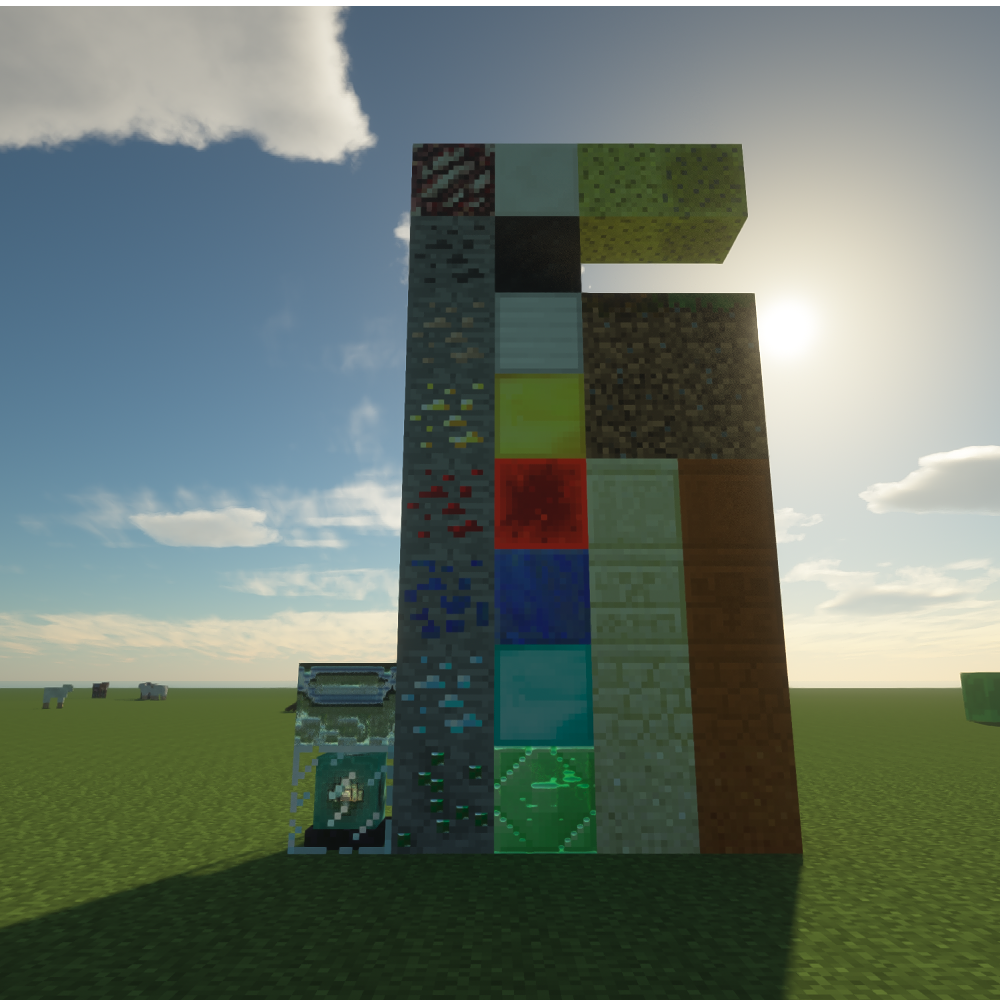
This Resource Pack turns all Vanilla Textures into POM & PBR Textures Compatible with both RTX & GTX. This pack also is compatible with most mods.
by CalebPlaysGames1
Download Claim this project
6,550 downloads
0 likes
0 followers
Updated Oct 14, 2026
0 hypes
Follow0
256x Photo Realistic
Advertisement Remove ads with Premium →

Vanilla POM+PBR is as it says. it turns Vanilla textures & Mod textures into PBR + POM Textures.
It is in a 256x256 Format. I plan to make one higher but it wont change how the purpose of this pack works, due to the fact that this pack doesnt make the textures higher quality, just adds pbr. i might make a 512x one for reflections or a 4k one that one has to pay for.
512x can make reflections on reflective surfaces like iron blocks will show higher quality. 4k will make these reflections basically clear. like a mirror. that would be the only reason i'd make any higher texture format. I'm starting with 1.12.2 then will immediately jump to 1.18 when 1.12.2 textures are finished. sometime I will open a patreon and when that happens thats where you'd get the 4k version, and be able to make suggestions. I dont take public suggestions due to the chaos and problems it causes.
Recommended Shaders:
SEUS PTGI HRR 2.1
Silder's Vibrant Shaders v1.32 Extreme https://www.curseforge.com/minecraft/customization/sildurs-vibrant-shaders/files

Vanilla PBR POM V1
MC 1.12.1, 1.12, 1.11, 1.11.1, 1.11.2, 1.11-Snapshot, 1.12.2, 1.12-Snapshot
Beta 2022-06-03 Get
assets.zip
MC 1.12.2
Release 2022-06-02 Get

Requirements & install

How to use this resource pack in Minecraft
Resolution
256x
Minecraft
1.11-Snapshot – 1.12.2
Install folder
.minecraft/resourcepacks

How to install resource packs

  1. Download the resource pack .zip file (do not extract it).
  2. In Minecraft open Options → Resource Packs → Open Pack Folder.
  3. Drop the .zip into the resourcepacks folder (.minecraft/resourcepacks).
  4. Move the pack to the Selected column and click Done.

Packs from 128x upwards need more video memory: install a performance mod such as Sodium for smooth frame rates.

Browse more: 16x resource packs 32x resource packs 64x resource packs 128x resource packs 256x resource packs 512x+ resource packs Resource Packs for 1.12.2 All resource packs

More from CalebPlaysGames1

Advertisement Remove ads with Premium →

You Might Also Like