Mineuniverse
Resource Packs
Kagic HD Resource Pack x11p13

Kagic HD Resource Pack x11p13

RESOURCE PACK
A Resource Pack That Turns Kagic HD
by CalebPlaysGames1
Download Claim this project
Add a badge to your pageLink to Kagic HD Resource Pack x11p13 from a README, website or forum post.
Preview: Badge

Badges update automatically and link to the resource pack page on MineUniverse.

1,686 downloads
0 likes
0 followers
Updated Oct 14, 2026
0 hypes
Follow0
128x Miscellaneous
Advertisement Remove ads with Premium →

Kagic HD Resource Pack
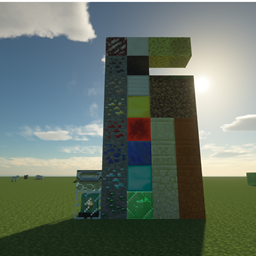
Exactly The Name. the x11p13 is the kagic version, and this also changes the textures of the addons too. which the only addons it doesnt change is the ones not downloadable, and mikeaddon.
Yes I know theres bugs with the textures, and this might not be released to Kagic 2.0 until later dates when everyone has their addons going. unless everyone is gonna keep their addons textures names the same and I dont have to remake this. but kagics textures names will be different since the head developer is different now than it was in kagic x10. With that said. this pack will be updates every so often to make it load faster when you activate it. it takes like 30 seconds for it to load but then it runs fine the whole gameplay, so I will be working on making that not take as long, and if this message is read after the problem is fixed then just comment. cause most likely im just gonna be using this post for updating and reupdateing and relogging new versions of this resource pack, such as if a new addon is made for kagic then ill add hd textures for that, or if a new update for an addon has came and I need to add textures for that. But I have most of this resource packs stuff planned for the next few months of this project, so if a new addon is coming then its gonna be a bit before I add it for what I already have to catch up on.which can be found in this
Discord: https://discord.gg/T4fn4Fg

KAART-V12.zip
MC 1.12.2
Release 2019-08-24 Get
KAART-V10.zip
MC 1.12.2
Release 2019-08-21 Get
KAART-V9.zip
MC 1.12.2
Release 2019-08-20 Get
KAART-V5.zip
MC 1.12.2
Release 2019-08-19 Get
KAART-V6.zip
MC 1.12.2
Beta 2019-08-19 Get
Release-1 KAART-V8
MC 1.12.2
Release 2019-08-19 Get
KAART-V7.zip
MC 1.12.2
Beta 2019-08-19 Get

Requirements & install

How to use this resource pack in Minecraft
Resolution
128x
Minecraft
1.12.2
Install folder
.minecraft/resourcepacks

How to install resource packs

  1. Download the resource pack .zip file (do not extract it).
  2. In Minecraft open Options → Resource Packs → Open Pack Folder.
  3. Drop the .zip into the resourcepacks folder (.minecraft/resourcepacks).
  4. Move the pack to the Selected column and click Done.

Packs from 128x upwards need more video memory: install a performance mod such as Sodium for smooth frame rates.

Browse more: 16x resource packs 32x resource packs 64x resource packs 128x resource packs 256x resource packs 512x+ resource packs Resource Packs for 1.12.2 All resource packs

More from CalebPlaysGames1

Advertisement Remove ads with Premium →

You Might Also Like