Mineuniverse
Resource Packs
[Immersive Railroading] {discontinued} Shaded's Custom Train Pack Classic

[Immersive Railroading] {discontinued} Shaded's Custom Train Pack Classic

RESOURCE PACK
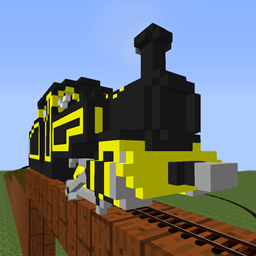
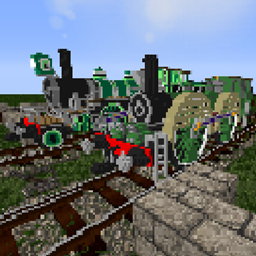
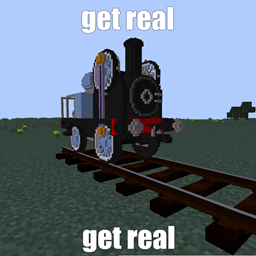
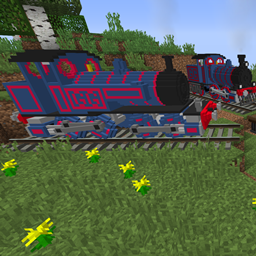
Fictional and real voxel-styled stock and engines.
by ShadedPixture
Download Claim this project
Add a badge to your pageLink to [Immersive Railroading] {discontinued} Shaded's Custom Train Pack Classic from a README, website or forum post.
Preview: Badge

Badges update automatically and link to the resource pack page on MineUniverse.

4,113 downloads
0 likes
0 followers
Updated Oct 14, 2026
0 hypes
Follow0
64x Mod Support
Advertisement Remove ads with Premium →

This pack has been discontinued! While it may still receive some bugfixes, it will not receive any more major updates.

Also if you want some of the legacy models that were in the pack before but not anymore they can be downloaded here:
https://mega.nz/file/OgUD2bqC#yv-5DkfrwSFn0BnkPjJ25i4_xo1ZQw0WuaS4BmT6wgc


This pack does not change vanilla textures! It only adds stock to the Immersive Railroading mod. As an IR pack, it works in all version IR also works in.


Also this front page is heavily outdated but I'm too tired to add 20 new images to it and delete the outdated ones.


What happens when you give someone who likes trains and has a lot of imagination a mod that adds realistically animated trains to Minecraft and a modeling program? Well, you get this pack. Not every engine in this pack is 100% original of course, there is some inspiration going on (in some cases more so than others). It's not just engines that can be found here, there is a little bit of basic rolling stock in here too. 
NOTE: this pack is not finished, there are bound to be additions to the pack later, mostly rolling stock.


The current lineup:


Open Wagon

Boxvan


2-6-0 Mogul inside motion + tender


2-4-8 Forney

2 Truck Climax


0-8-4 Heavy Freighter

0-8-4 Heavy Freighter (Old model)


Decalless liveries coming soon!

Pixture's Pack Classic Anniversary Edition.zip
MC 1.14.4, 1.16.5, 1.10.2, 1.15.2, 1.7.10, 1.12.2, 1.13.2
Release 2023-07-07 Get
Pixture's Pack Classic v0.3 dev build
MC 1.16.5, 1.10.2, 1.7.10, 1.11.2, 1.12.2
Beta 2022-07-07 Get
Pixture's Pack version 0.25.5
MC 1.14.4, 1.16.5, 1.10.2, 1.15.2, 1.7.10, 1.11.2, 1.12.2
Release 2022-05-27 Get
Pixture's Pack version 0.25
MC 1.14.4, 1.16.5, 1.10.2, 1.15.2, 1.7.10, 1.11.2, 1.12.2
Release 2022-05-26 Get
Pixtures Pack release 0.2.zip
MC 1.14.4, 1.16.5, 1.10.2, 1.15.2, 1.7.10, 1.12.2
Release 2022-03-25 Get
Pixtures Pack release 0.1
MC 1.12.2
Release 2021-10-26 Get
Pixtures Pack release 0.1.zip
MC 1.12.2
Release 2021-10-25 Get

Requirements & install

How to use this resource pack in Minecraft
Resolution
64x
Minecraft
1.7.10 – 1.16.5
Install folder
.minecraft/resourcepacks

How to install resource packs

  1. Download the resource pack .zip file (do not extract it).
  2. In Minecraft open Options → Resource Packs → Open Pack Folder.
  3. Drop the .zip into the resourcepacks folder (.minecraft/resourcepacks).
  4. Move the pack to the Selected column and click Done.
Browse more: 16x resource packs 32x resource packs 64x resource packs 128x resource packs 256x resource packs 512x+ resource packs Resource Packs for 1.16.5 All resource packs

More from ShadedPixture

Advertisement Remove ads with Premium →

You Might Also Like