Mineuniverse
Resource Packs
Fake_Hardcore_Heartss

Fake_Hardcore_Heartss

RESOURCE PACK
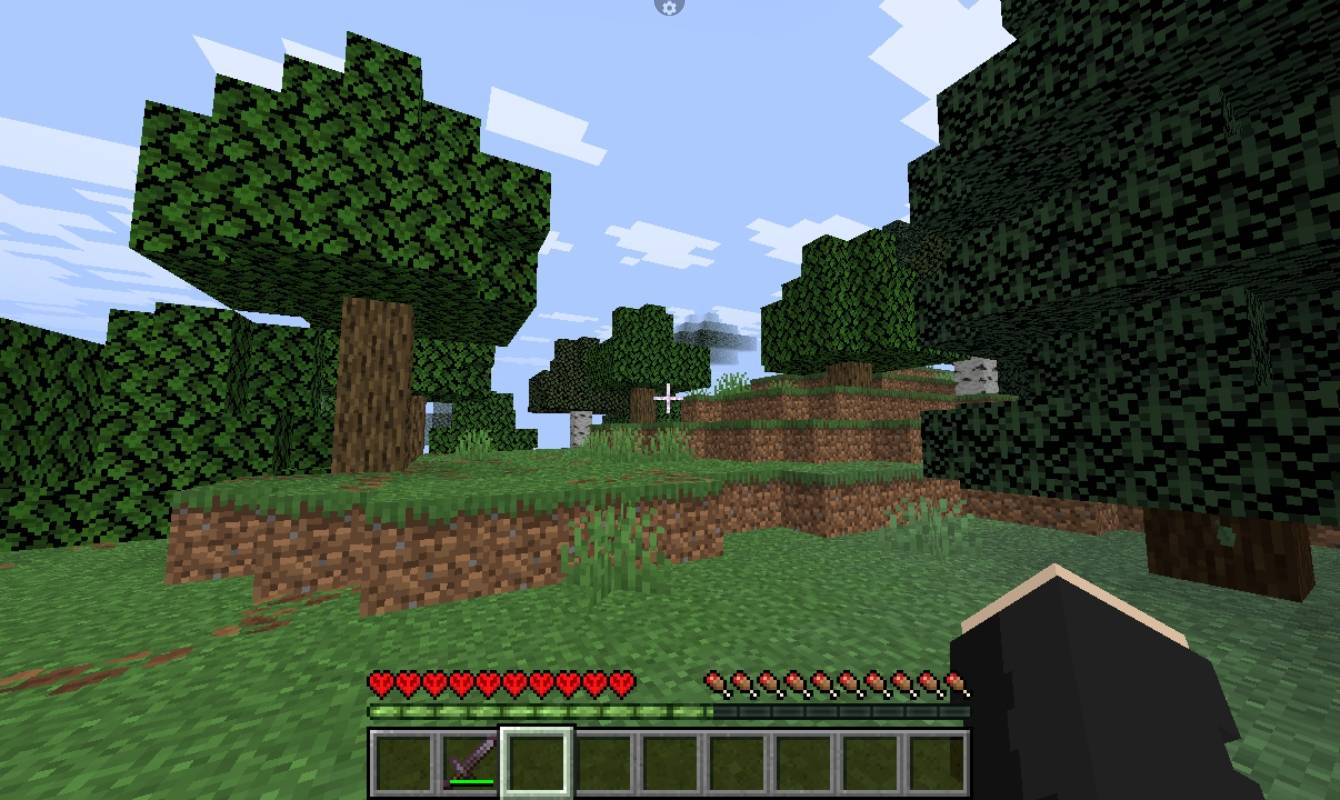
Transform your standard Survival health bar into iconic Hardcore hearts with custom details. Works 100% on vanilla Minecraft with zero performance lag and no mods required. Includes updated sprites for full, half, and low-health blinking heart animations.
by MODMYTH
Download Claim this project
160 downloads
0 likes
0 followers
Updated Oct 14, 2026
0 hypes
Follow0
512x and Higher Miscellaneous
Advertisement Remove ads with Premium →

==================================================

  FAKE HARDCORE HEARTS - RESOURCE PACK DESCRIPTION

==================================================


Get the iconic, aggressive look of Hardcore Mode in your regular Survival worlds! This resource pack replaces the standard health bar with the legendary Hardcore hearts—complete with custom shapes and dark outline detailing.


[+] KEY FEATURES

- Hardcore Visuals: Transforms normal red hearts into official Hardcore hearts.

- Fully Compatible: Works seamlessly with vanilla Minecraft without requiring OptiFine or extra mods.

- Minimalist & Lightweight: Zero performance drop, pure texture override.

- Custom Sprites: Updated texture mapping supporting new HUD sprite systems.


[+] INCLUDED TEXTURES

- Full Hardcore Hearts

- Half Hardcore Hearts

- Low-Health Blinking Animations

- Hardcore Heart Containers


[+] HOW TO INSTALL

1. Download the ZIP file corresponding to your Minecraft version.

2. Place the file in your .minecraft/resourcepacks folder.

3. Open Minecraft, go to Options > Resource Packs, and move it to the right column.

 

FakeHardcoreHearts
MC 1.21.6
Release 2026-10-12 Get
FakeHardcoreHearts
MC 1.21.5
Release 2026-10-11 Get
FakeHardcoreHearts
MC 1.21.4
Release 2026-10-09 Get
FakeHardcoreHearts
MC 1.21.3
Release 2026-10-07 Get
FakeHardcoreHearts
MC 1.21.2
Release 2026-10-06 Get
FakeHardcoreHearts
MC 1.21.1
Release 2026-10-05 Get

Requirements & install

How to use this resource pack in Minecraft
Resolution
512x+
Minecraft
1.21.1 – 1.21.6
Install folder
.minecraft/resourcepacks

How to install resource packs

  1. Download the resource pack .zip file (do not extract it).
  2. In Minecraft open Options → Resource Packs → Open Pack Folder.
  3. Drop the .zip into the resourcepacks folder (.minecraft/resourcepacks).
  4. Move the pack to the Selected column and click Done.

512x packs need a strong GPU and at least 4 GB of RAM for Minecraft; a performance mod such as Sodium is strongly recommended.

Browse more: 16x resource packs 32x resource packs 64x resource packs 128x resource packs 256x resource packs 512x+ resource packs Resource Packs for 1.21.6 All resource packs

More from MODMYTH

Advertisement Remove ads with Premium →

You Might Also Like