Mineuniverse
Resource Packs
Enchant Icons Reforged

Enchant Icons Reforged

RESOURCE PACK
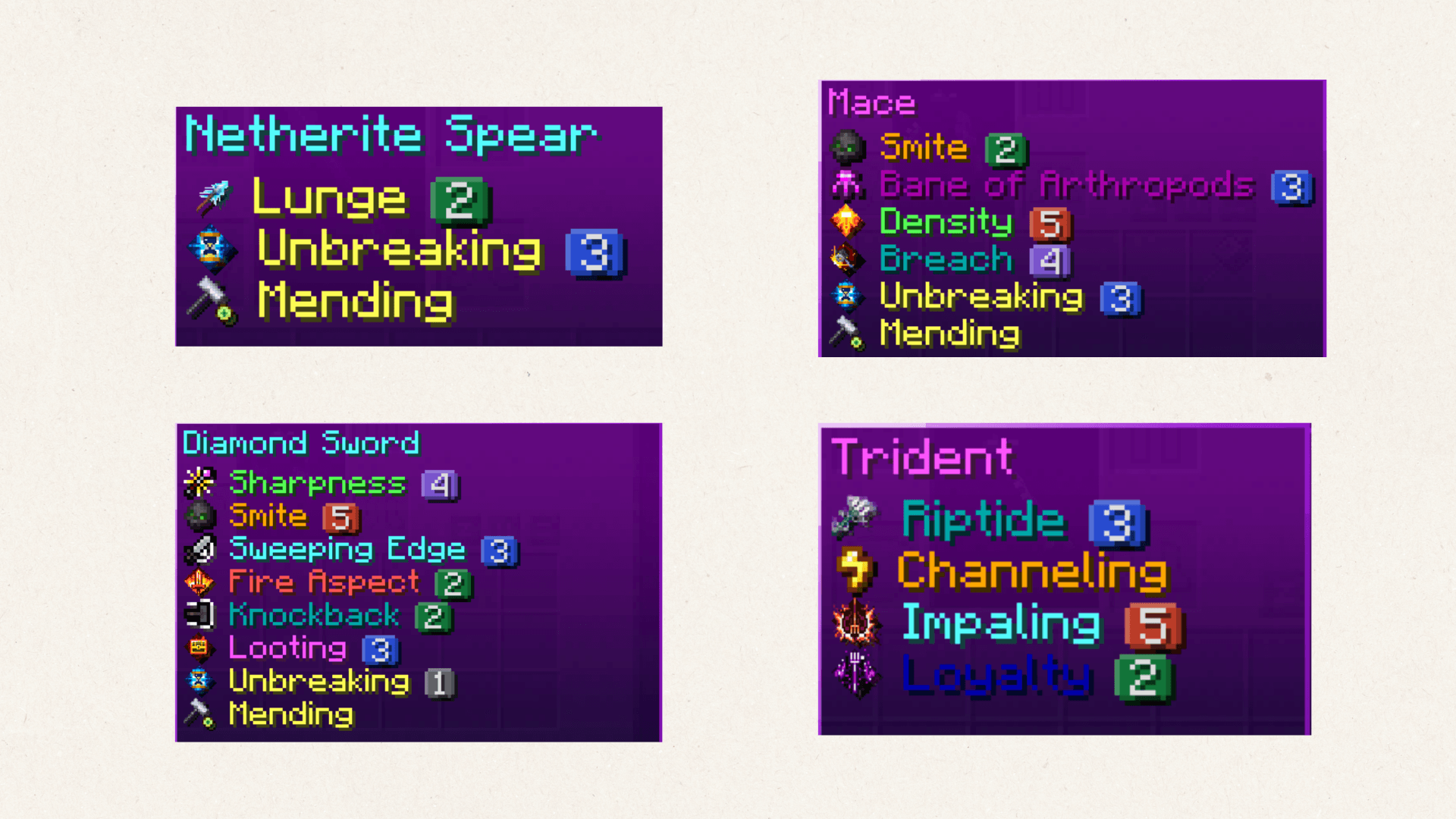
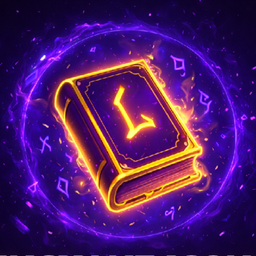
Adds unique icons, colors, and level symbols for every enchantment. Makes enchanted books and items visually clear, vibrant, and magical : all while staying fully vanilla-friendly.
by Darkshadowx21
Download Claim this project
Add a badge to your pageLink to Enchant Icons Reforged from a README, website or forum post.
Preview: Badge

Badges update automatically and link to the resource pack page on MineUniverse.

11,551 downloads
0 likes
0 followers
Updated Oct 14, 2026
0 hypes
Follow0
16x Font Packs Miscellaneous Traditional
Advertisement Remove ads with Premium →

Enchant Icons Reforged

Bring your enchantments to life with Enchant Icons Reforged — a complete visual overhaul of Minecraft’s enchantment system.
Every enchantment now has its own unique icon, colored name, and level icon, making your enchanted gear and books instantly recognizable and beautifully immersive.

alt text

✨ Features

  • Custom enchantment icons for all enchants
  • Distinct level icons for enchantment tiers
  • Color-coded names for quick readability
  • Works with enchanted books, tools, and armor
  • Fully vanilla-friendly — no mods required

Perfect for players who love clean visuals, magical flair, and improved clarity in every enchantment.

Enchant Icons Reforged 26.1.2.zip
MC 1.16.3, 1.16-Snapshot, 1.17.1, 1.21.2-Snapshot, 1.21, 1.21.6-snapshot, 1.16.1, 1.18.1, 1.20.2-Snapshot, 1.20.5-Snapshot, 1.16, 1.19-Snapshot, 1.21.1-Snapshot, 1.16.5, 1.19.3, 1.20.2
Release 2026-06-05 Get
Enchant Icons Reforged.zip
MC 1.21.2-Snapshot, 1.21, 1.21.6-snapshot, 1.18.1, 1.20.2-Snapshot, 1.20.5-Snapshot, 1.19-Snapshot, 1.21.1-Snapshot, 1.19.3, 1.20.2, 1.19.4, 1.21.8, 1.19.4-Snapshot, 1.20.5, 1.21.5
Release 2026-04-10 Get
Enchant Icons Reforged v1.3
MC 1.16-Snapshot, 1.17.1, 1.16.3, 1.19.3, 1.20.2, 1.21.2-Snapshot, 1.21, 1.21.6-snapshot, 1.16.1, 1.18.1, 1.19.4-Snapshot, 1.20.5, 1.21.5, 1.17, 1.20.2-Snapshot, 1.20.5-Snapshot, 1.16
Release 2025-11-06 Get
Enchant Icons Reforged v1.2
MC 1.16-Snapshot, 1.17.1, 1.16.3, 1.19.3, 1.20.2, 1.21.2-Snapshot, 1.21, 1.21.6-snapshot, 1.16.1, 1.18.1, 1.19.4-Snapshot, 1.20.5, 1.21.5, 1.17, 1.20.2-Snapshot, 1.20.5-Snapshot, 1.16
Release 2025-11-04 Get
Enchant Icons Reforged v1.1
MC 1.16-Snapshot, 1.17.1, 1.16.3, 1.19.3, 1.20.2, 1.21.2-Snapshot, 1.21, 1.21.6-snapshot, 1.16.1, 1.18.1, 1.19.4-Snapshot, 1.20.5, 1.21.5, 1.17, 1.20.2-Snapshot, 1.20.5-Snapshot, 1.16
Release 2025-11-03 Get
Enchant Icons Reforged
MC 1.16-Snapshot, 1.17.1, 1.16.3, 1.19.3, 1.20.2, 1.21.2-Snapshot, 1.21, 1.21.6-snapshot, 1.16.1, 1.18.1, 1.19.4-Snapshot, 1.20.5, 1.21.5, 1.17, 1.20.2-Snapshot, 1.20.5-Snapshot, 1.16
Release 2025-10-31 Get

Requirements & install

How to use this resource pack in Minecraft
Resolution
16x
Minecraft
1.20.5-Snapshot – 1.21.8
Install folder
.minecraft/resourcepacks

How to install resource packs

  1. Download the resource pack .zip file (do not extract it).
  2. In Minecraft open Options → Resource Packs → Open Pack Folder.
  3. Drop the .zip into the resourcepacks folder (.minecraft/resourcepacks).
  4. Move the pack to the Selected column and click Done.
Browse more: 16x resource packs 32x resource packs 64x resource packs 128x resource packs 256x resource packs 512x+ resource packs Resource Packs for 1.21.8 All resource packs

More from Darkshadowx21

Advertisement Remove ads with Premium →

You Might Also Like