Mineuniverse
Resource Packs
Dragonsteel Bone Swords

Dragonsteel Bone Swords

RESOURCE PACK
Simple retexture of the coated Dragon Bone swords from Ice and Fire to look like they are partially made of Dragonsteel.
by inpaladin
Download Claim this project
Add a badge to your pageLink to Dragonsteel Bone Swords from a README, website or forum post.
Preview: Badge

Badges update automatically and link to the resource pack page on MineUniverse.

1,286 downloads
0 likes
0 followers
Updated Oct 14, 2026
0 hypes
Follow0
16x Miscellaneous Mod Support
Advertisement Remove ads with Premium →

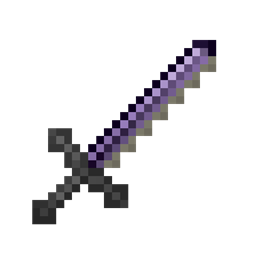
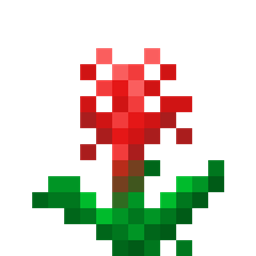
Simple retexture of the coated Dragon Bone swords to look like they are partially made of Dragonsteel.  The "potion glimmer" effect applied to all of said swords makes it kind of hard to distinguish between the fire and lightning swords in game so if I can figure out how to remove it using the resource pack I'll be sure to update.  There's two versions of this resource pack, one with recycled Dragonsteel Sword textures and one with original textures modeled after the Dragonsteel color palette.


Custom Original textures:

Lightning Dragon Bone Sword


Flamed Dragon Bone Sword 


Iced Dragon Bone Sword 


Custom Original textures in game:

Lightning Dragon Bone Sword 


Flamed Dragon Bone Sword 


Iced Dragon Bone Sword 


Recycled Dragonsteel textures

Lightning Dragon Bone Sword 


Flamed Dragon Bone Sword 


Iced Dragon Bone Sword 


Recycled Dragonsteel textures in game

Lightning Dragon Bone Sword 


Flamed Dragon Bone Sword 

Iced Dragon Bone Sword 


Original textures by Raptorfarian

Dragonsteel Bone Swords v1.2(Custom Original Textures)
MC 1.16.3, 1.16.1, 1.15.2, 1.16.2
Release 2020-10-10 Get

Requirements & install

How to use this resource pack in Minecraft
Resolution
16x
Minecraft
1.15.2 – 1.16.3
Install folder
.minecraft/resourcepacks

How to install resource packs

  1. Download the resource pack .zip file (do not extract it).
  2. In Minecraft open Options → Resource Packs → Open Pack Folder.
  3. Drop the .zip into the resourcepacks folder (.minecraft/resourcepacks).
  4. Move the pack to the Selected column and click Done.
Browse more: 16x resource packs 32x resource packs 64x resource packs 128x resource packs 256x resource packs 512x+ resource packs Resource Packs for 1.16.3 All resource packs

More from inpaladin

Advertisement Remove ads with Premium →

You Might Also Like