Mineuniverse
Resource Packs
Dam Dam Didi Didi

Dam Dam Didi Didi

RESOURCE PACK
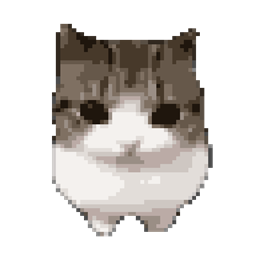
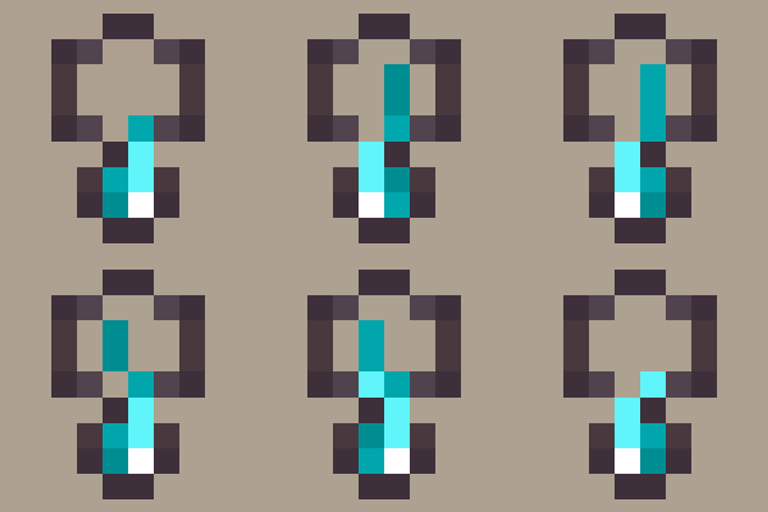
Replaces the Totem of Undying with the popular Dam Dam Didi Didi cat! 😼
by chmonyasik
Download Claim this project
2,326 downloads
0 likes
Updated Oct 14, 2026
0 hypes
64x Animated Miscellaneous
Advertisement Remove ads with Premium →

This resource pack comes in three versions: CIT, Global and Vanilla.

  • CIT - Changes the Totem of Undying's texture only after it has been renamed. Also supports regex.
  • Global - Completely replaces the Totem of Undying and its sound.
  • Vanilla - Works the same as the CIT version, but does not support regex and is limited to supported Minecraft versions.

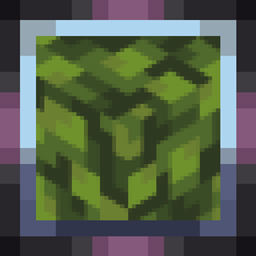
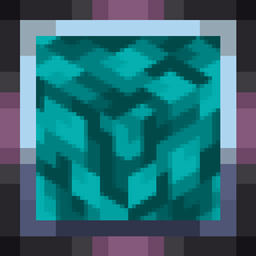
For CIT / Vanilla all you need is an anvil and the item (the example uses a Carved Pumpkin, but this resource pack uses a Totem of Undying):
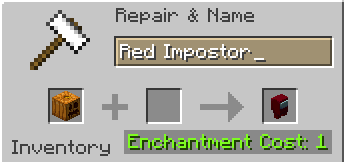
preview2

Rename the Totem of Undying to "damdamdidididi" using an anvil

  • Before snapshot 25w03a, using CIT, you could write things like "DamDamDidiDidi", or even "123 damdamdidididi 123" (regex)

After renaming, the item will automatically turn into its custom version

Have fun! 🐈


1.0-Vanilla
MC 1.21.6-snapshot, 1.21.8, 1.21.5, 1.21.5-Snapshot, 1.21.6, 1.21.7, 1.21.9-snapshot, 1.21.9, 1.21.10, 1.21.11-snapshot, 1.21.11, 26.1-snapshot, 26.1, 26.1.1, 26.1.2, 26.2
Release 2026-07-23 Get
1.0-Global
MC 1.5.3, 1.16.3, 1.13.1, 1.9.3, 1.8.7, 1.7.4, 1.7.7, 1.7.6, 1.16-Snapshot, 1.17.1, 1.9.1, 1.21.2-Snapshot, 1.21, 1.21.6-snapshot, 1.15-Snapshot, 1.7.5, 1.4.6, 1.6.1, 1.0, 1.16.1
Release 2026-07-23 Get
1.0-CIT
MC 1.5.3, 1.16.3, 1.13.1, 1.9.3, 1.8.7, 1.7.4, 1.7.7, 1.7.6, 1.16-Snapshot, 1.17.1, 1.9.1, 1.21.2-Snapshot, 1.21, 1.21.6-snapshot, 1.15-Snapshot, 1.7.5, 1.4.6, 1.6.1, 1.0, 1.16.1
Release 2026-07-23 Get

Requirements & install

How to use this resource pack in Minecraft
Resolution
64x
Minecraft
1.21.10 – 26.2
Install folder
.minecraft/resourcepacks

How to install resource packs

  1. Download the resource pack .zip file (do not extract it).
  2. In Minecraft open Options β†’ Resource Packs β†’ Open Pack Folder.
  3. Drop the .zip into the resourcepacks folder (.minecraft/resourcepacks).
  4. Move the pack to the Selected column and click Done.
Browse more: 16x resource packs 32x resource packs 64x resource packs 128x resource packs 256x resource packs 512x+ resource packs Resource Packs for 26.2 All resource packs

More from chmonyasik

Advertisement Remove ads with Premium →

You Might Also Like