Mineuniverse
Resource Packs
Custom 3D Totem

Custom 3D Totem

RESOURCE PACK
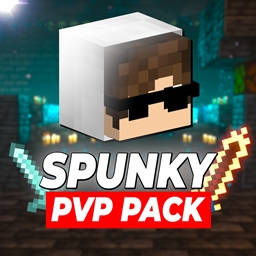
Customizable 3D Totem resource pack that lets you use your own skin as the Totem of Undying
by Spunkyinsaan
Download Claim this project
Add a badge to your pageLink to Custom 3D Totem from a README, website or forum post.
Preview: Badge

Badges update automatically and link to the resource pack page on MineUniverse.

1,147 downloads
0 likes
0 followers
Updated Oct 14, 2026
0 hypes
Follow0
64x Miscellaneous Traditional
Advertisement Remove ads with Premium →

Replace the boring default Totem of Undying with your very own Minecraft skin! The Spunky Custom Totem 3D Resourcepack lets you carry a miniature version of yourself every time you hold or use the Totem of Undying.


✨ Features

  • Works with Minecraft 1.16 → 1.21.8 (and newer updates).
  • Converts your skin into a 3D Totem of Undying.
  • Lightweight and lag-free perfect for any world or server.
  • Quick setup, no coding or modeling needed.

📸 Preview

3D Totem Screenshot

Replace this with a description


How to Use

  1. Install the texture pack and put it in your resourcepacks folder
  2. Download your skin in .png format
  3. Rename the skin png to totem_of_undying.png
  4. Open the resource pack and go to assets/minecraft/textures/item
  5. Replace the file in there with the one you downloaded

📌 Notes

  • Works on both singleplayer and multiplayer.
  • Compatible with most other resourcepacks.
  • Update-proof for future Minecraft versions.

Support

If you want to suggest anything, report a bug, or vote on future packs, then join my discord and you can message me in there. I will usually respond very quickly.

Spunky Custom Totem - 3D 1.16.x.zip
MC 1.16.3, 1.16.1, 1.16, 1.16.5, 1.16.4, 1.16.2
Release 2025-09-09 Get

Requirements & install

How to use this resource pack in Minecraft
Resolution
64x
Minecraft
1.16 – 1.16.5
Install folder
.minecraft/resourcepacks

How to install resource packs

  1. Download the resource pack .zip file (do not extract it).
  2. In Minecraft open Options → Resource Packs → Open Pack Folder.
  3. Drop the .zip into the resourcepacks folder (.minecraft/resourcepacks).
  4. Move the pack to the Selected column and click Done.
Browse more: 16x resource packs 32x resource packs 64x resource packs 128x resource packs 256x resource packs 512x+ resource packs Resource Packs for 1.16.5 All resource packs

More from Spunkyinsaan

Advertisement Remove ads with Premium →

You Might Also Like