Mineuniverse
Resource Packs
Spunky PVP Pack

Spunky PVP Pack

RESOURCE PACK
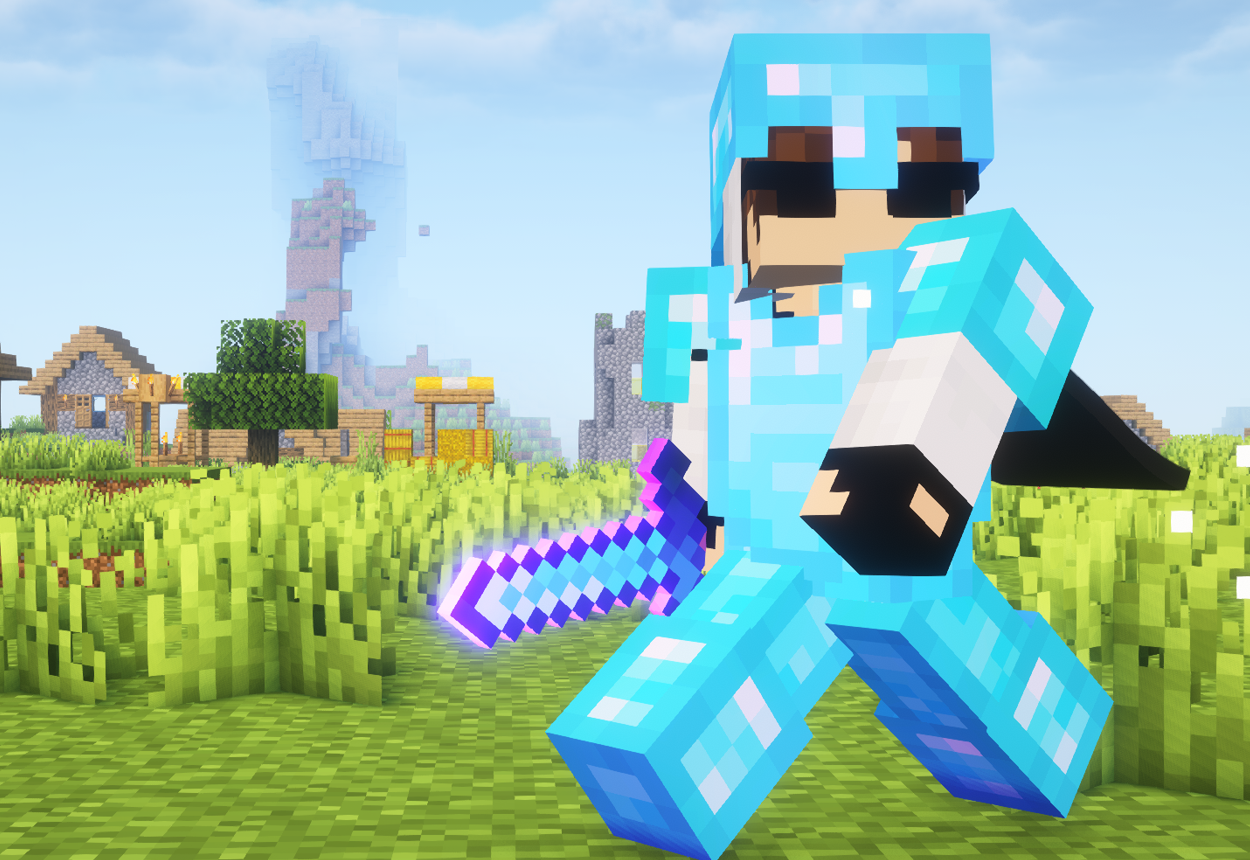
A custom PvP texture pack by Spunky Insaan, designed to enhance your Minecraft PvP experience.
by Spunkyinsaan
Download Claim this project
75,195 downloads
0 likes
Updated Oct 14, 2026
0 hypes
64x Animated
Advertisement Remove ads with Premium →

Do you love playing PvP in Minecraft? Want your game to look super cool while staying smooth? The Spunky Insaan Animated (SPA) PvP Texture Pack is perfect for you!

This pack is designed to make your game look better and feel faster during battles. It adds amazing animations, clear visuals, and makes everything look exciting.


Features

• FPS-Friendly Design Even with high-quality animations, this pack is optimized for low-end PCs, ensuring smooth gameplay without lag.

• Crystal-Clear Particles Enjoy sharp, vibrant particles during battles that don’t clutter your screen but enhance your combat experience.

• Minimalistic Yet Stylish GUI The custom GUI is simple, clean, and easy to navigate, letting you focus on what matters most—winning your PvP fights!

• Customized Blocks for PvP Blocks like ores and chests have a more refined look to help you stay efficient and prepared during battles.

Epic Sword Designs Each sword is uniquely styled with sharp edges and glowing animations to make your gear look as dangerous as your skills!

Spunky Pack Classic.zip
MC 1.16.3, 1.17.1, 1.21, 1.16.1, 1.18.1, 1.16, 1.16.5, 1.19.3, 1.20.2, 1.19.4, 1.21.8, 1.17, 1.20.5, 1.21.5, 1.18, 1.21.4, 1.20.1, 1.20, 1.20.6, 1.21.1, 1.21.6, 1.21.3, 1.21.7
Release 2025-07-01 Get
Spunky Pack Animated
MC 1.21, 1.21.6-snapshot, 1.20.2, 1.21.8, 1.20.5, 1.21.5, 1.21.4, 1.21.5-Snapshot, 1.20.1, 1.20, 1.20.6, 1.21.1, 1.21.6, 1.21.3, 1.21.7, 1.20.4, 1.20.3, 1.21.2, 1.21.9-snapshot
Release 2025-01-25 Get

Requirements & install

How to use this resource pack in Minecraft
Resolution
64x
Minecraft
1.21.4 – 1.21.9-snapshot
Install folder
.minecraft/resourcepacks

How to install resource packs

  1. Download the resource pack .zip file (do not extract it).
  2. In Minecraft open Options → Resource Packs → Open Pack Folder.
  3. Drop the .zip into the resourcepacks folder (.minecraft/resourcepacks).
  4. Move the pack to the Selected column and click Done.
Browse more: 16x resource packs 32x resource packs 64x resource packs 128x resource packs 256x resource packs 512x+ resource packs Resource Packs for 1.21.9-snapshot All resource packs

More from Spunkyinsaan

Advertisement Remove ads with Premium →

You Might Also Like