Mineuniverse
Resource Packs
Better Visible Ancient Debris

Better Visible Ancient Debris

RESOURCE PACK
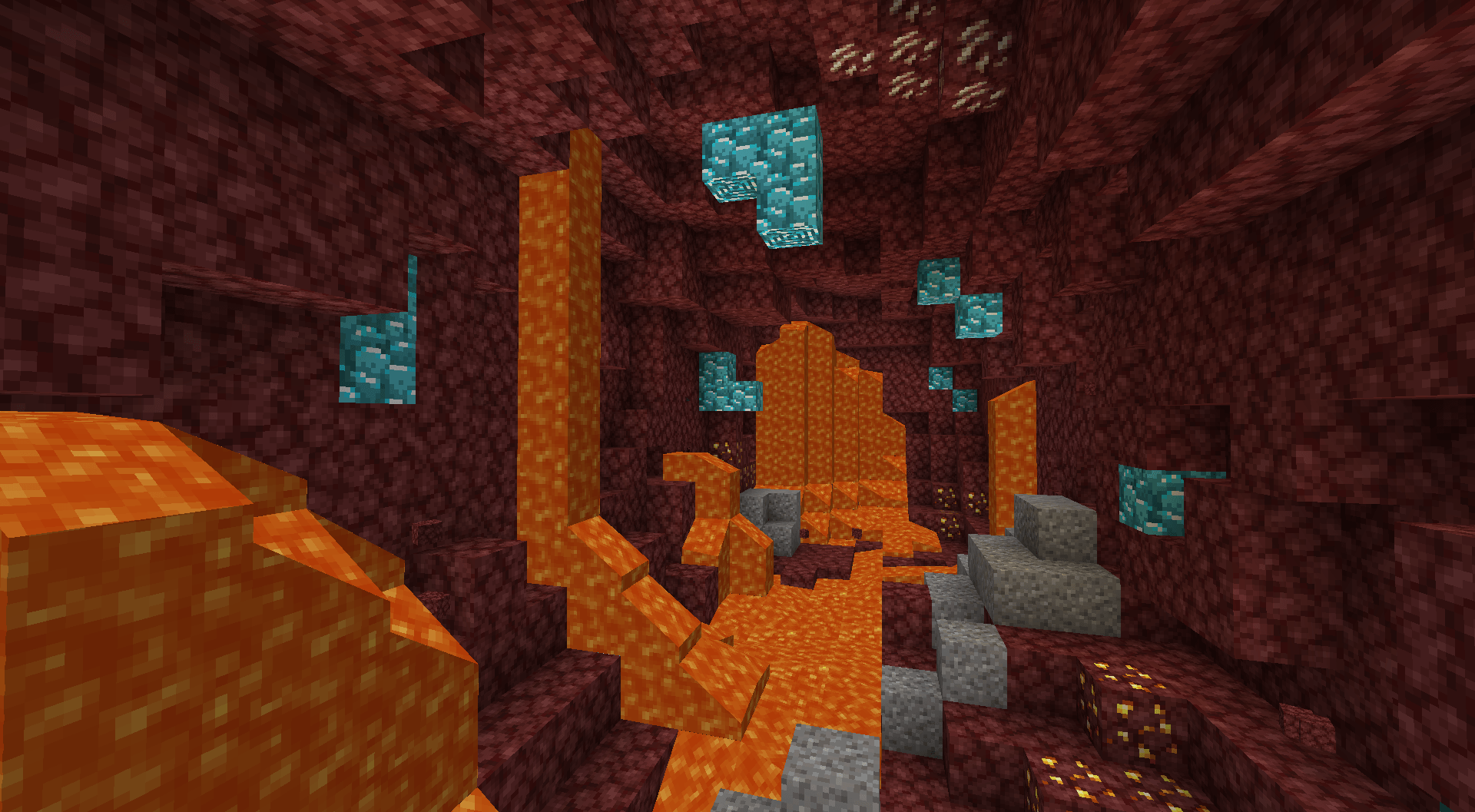
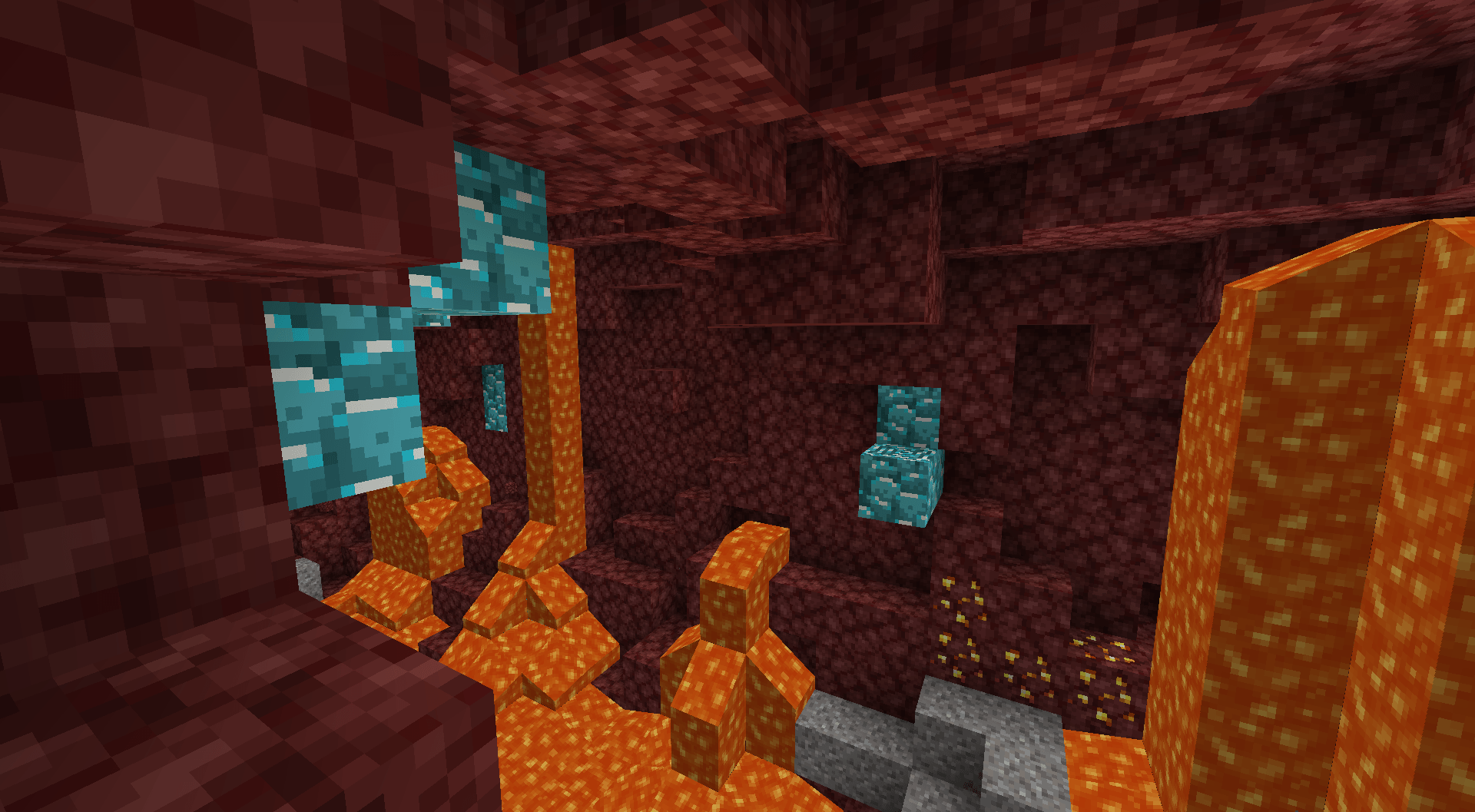
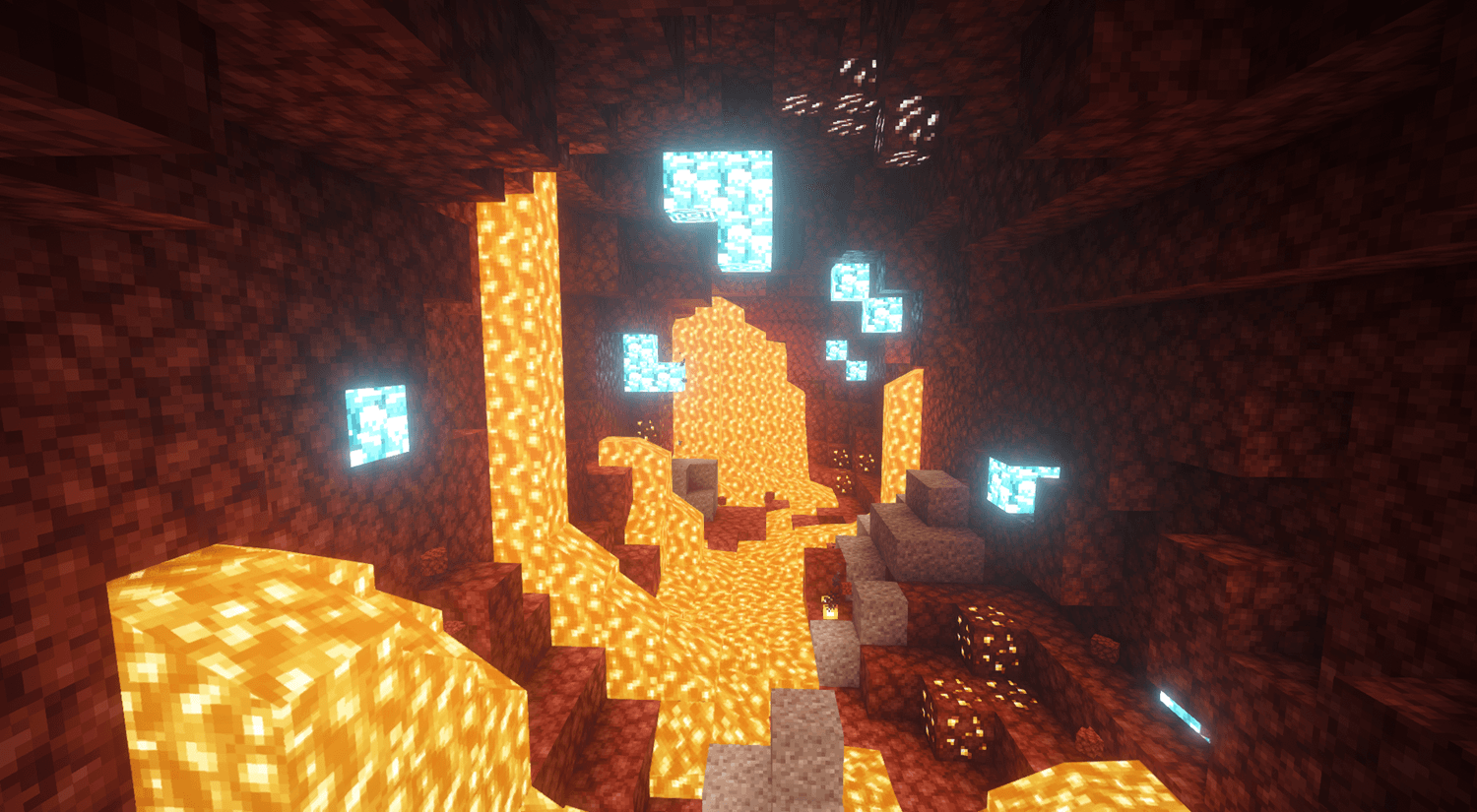
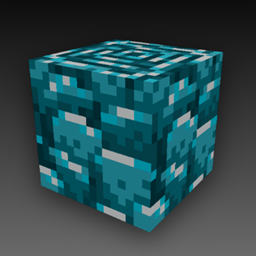
This resource pack replaces the texture of Ancient Debris with a bright blue color, making it much easier to spot while mining in the Nether
by JLM_125
Download Claim this project
11,435 downloads
0 likes
0 followers
Updated Oct 14, 2026
0 hypes
Follow0
16x
Advertisement Remove ads with Premium →

Better Visible Ancient Debris

Never miss Ancient Debris again!

This resource pack replaces the texture of Ancient Debris with a bright blue color, making it much easier to spot while mining in the Nether. Whether you're branch mining, using TNT, or blasting with beds, the vibrant texture stands out against the surrounding Netherrack so you can find Ancient Debris faster.

Features

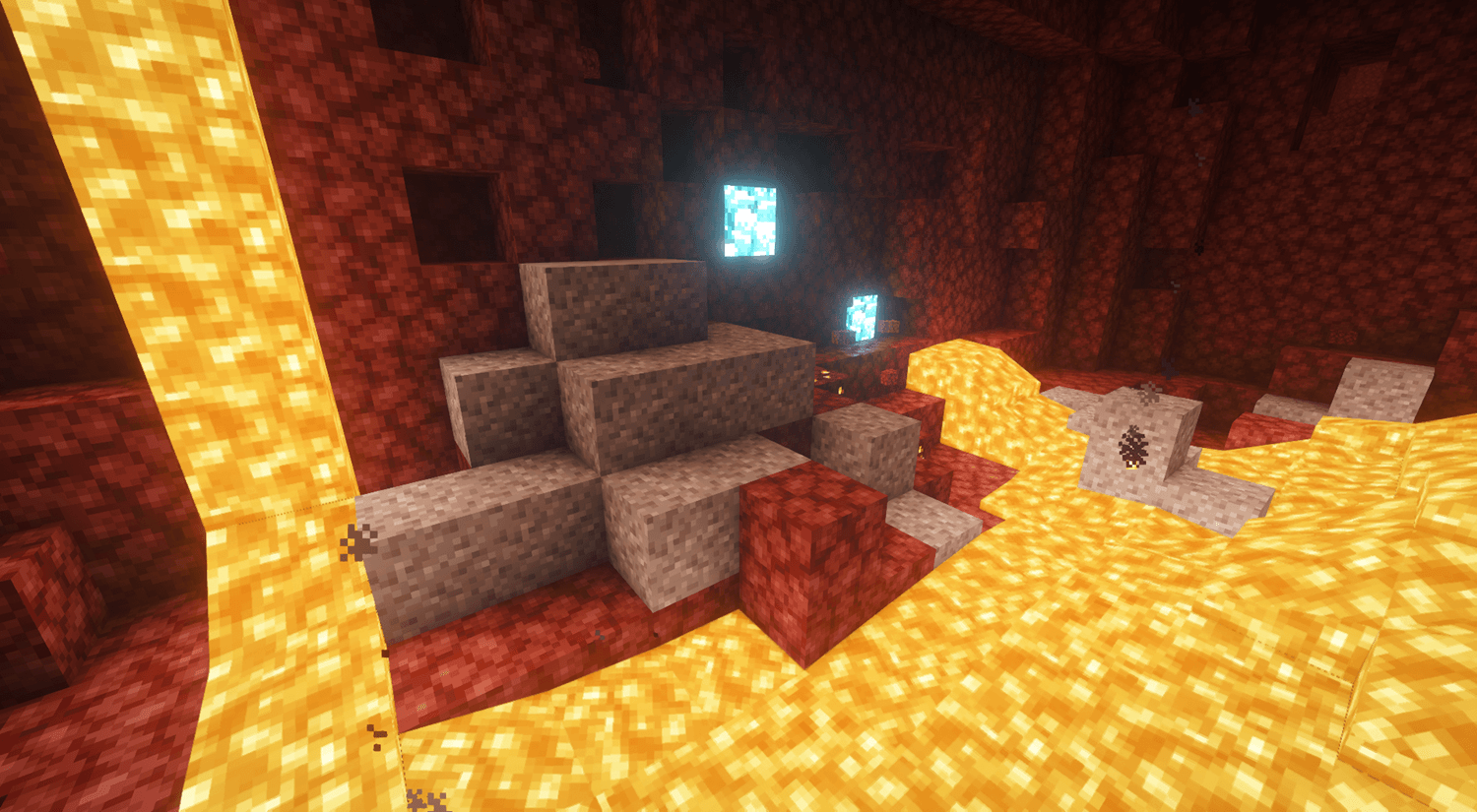
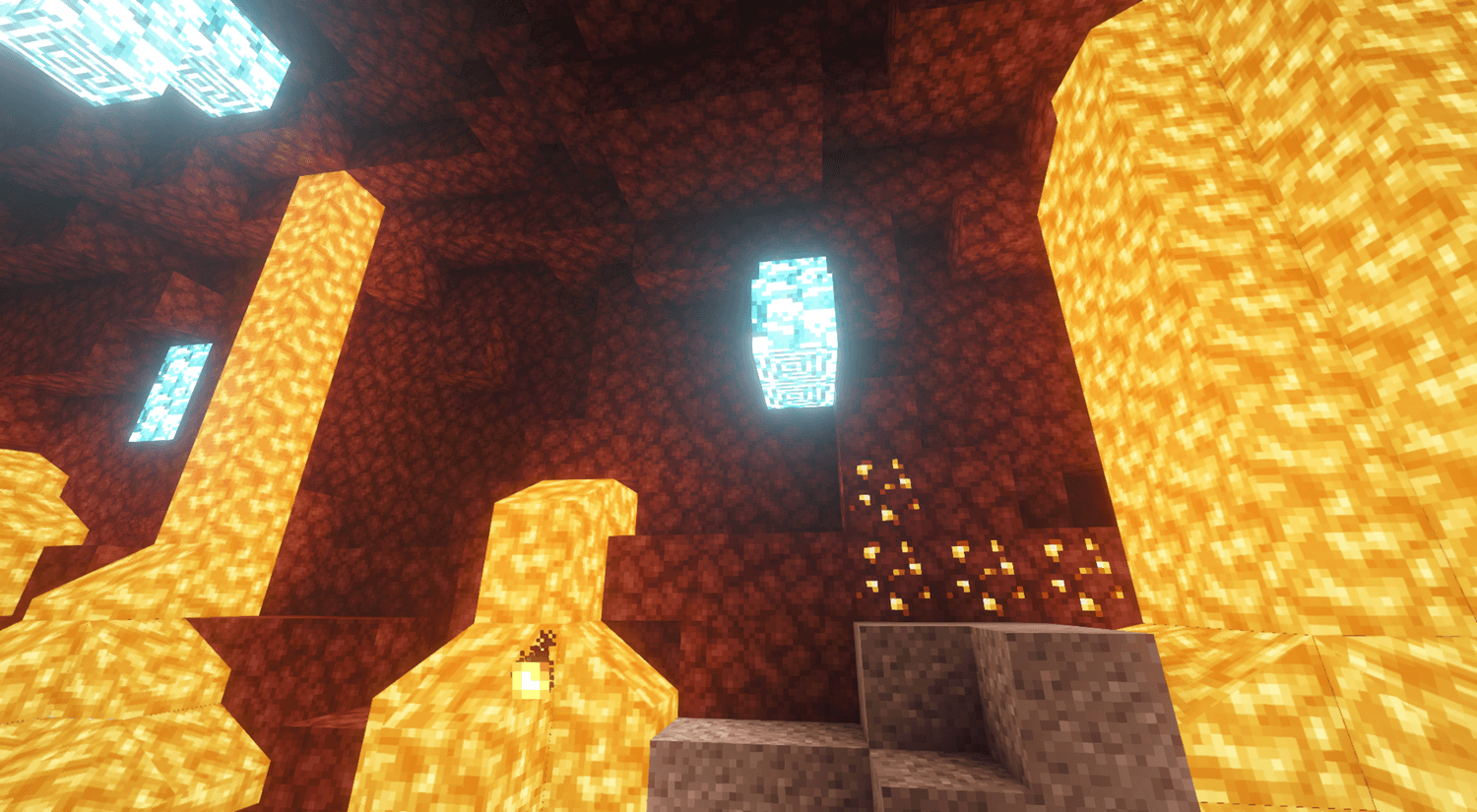
  • 🔴 Blue Ancient Debris texture (Glows when using Shaders)
  • ⛏️ Makes Ancient Debris much easier to see
  • 🌋 Perfect for Nether branch mining and explosion mining
  • 🎨 Lightweight visual change with no gameplay modifications
  • ✅ Compatible with most resource packs (as long as they don't also change the Ancient Debris texture)

Spend less time searching and more time collecting Ancient Debris with this simple but effective visibility enhancement!

Better Visible Ancient Debris
MC 26.3
Release 2026-09-22 Get
Cyan Ancient Debris
MC 1.20.1, 1.20
Release 2026-07-16 Get
Better Visible Ancient Debris
MC 1.20.5, 1.20.6
Release 2026-07-16 Get
Better Visible Ancient Debris
MC 1.21, 1.21.1
Release 2026-07-16 Get
Better Visible Ancient Debris
MC 1.21.4
Release 2026-07-16 Get
Better Visible Ancient Debris
MC 1.21.5
Release 2026-07-16 Get
Better Visible Ancient Debris
MC 1.21.8, 1.21.7
Release 2026-07-16 Get
Better Visible Ancient Debris
MC 1.21.9, 1.21.10
Release 2026-07-16 Get
Better Visible Ancient Debris
MC 1.21.11
Release 2026-07-16 Get
Better Visible Ancient Debris
MC 26.1
Release 2026-07-16 Get
Better Visible Ancient Debris
MC 26.2
Release 2026-07-16 Get

Requirements & install

How to use this resource pack in Minecraft
Resolution
16x
Minecraft
1.21.7 – 26.3
Install folder
.minecraft/resourcepacks

How to install resource packs

  1. Download the resource pack .zip file (do not extract it).
  2. In Minecraft open Options → Resource Packs → Open Pack Folder.
  3. Drop the .zip into the resourcepacks folder (.minecraft/resourcepacks).
  4. Move the pack to the Selected column and click Done.
Browse more: 16x resource packs 32x resource packs 64x resource packs 128x resource packs 256x resource packs 512x+ resource packs Resource Packs for 26.3 All resource packs

More from JLM_125

Advertisement Remove ads with Premium →

You Might Also Like