Mineuniverse
Resource Packs
Bedrock Map Item

Bedrock Map Item

RESOURCE PACK
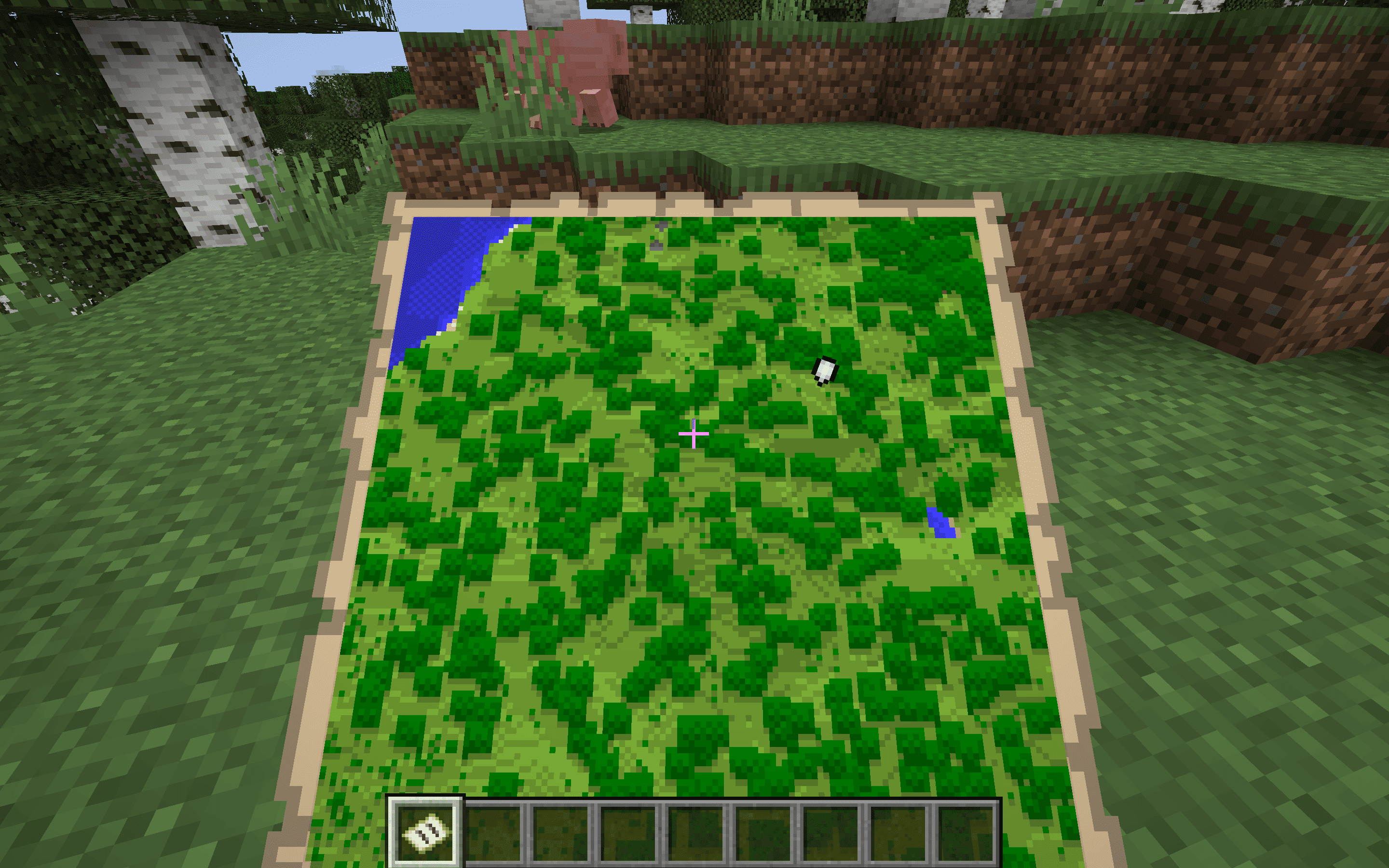
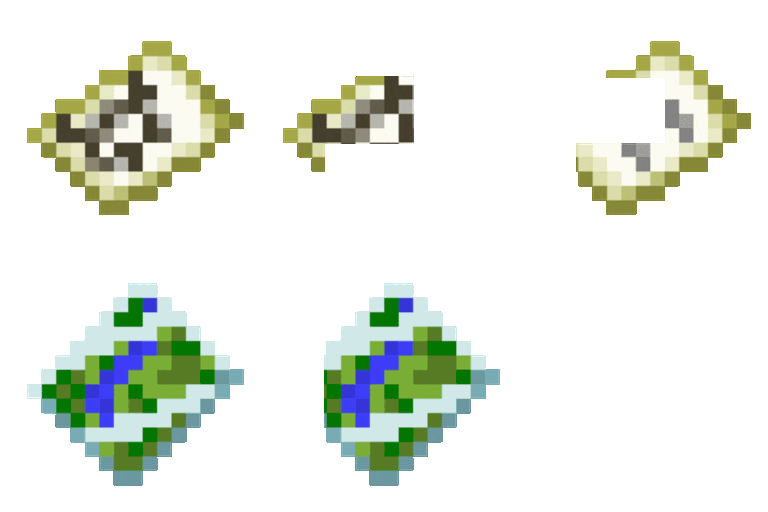
Bedrock Map Item updates the texture of the map item in Minecraft Java Edition to match the sleek and modern appearance of the Bedrock Edition, improving visual clarity and enhancing the overall mapping and navigation experience.
by dihogenn
Download Claim this project
15,908 downloads
0 likes
Updated Oct 14, 2026
0 hypes
16x Miscellaneous Photo Realistic Traditional
Advertisement Remove ads with Premium →

Navigate with Style: Bedrock Map Item


Modernize Your Minecraft Maps

The Bedrock Map Item texture pack updates the classic map item in Minecraft Java Edition to resemble its counterpart from the Bedrock Edition. This change introduces a sleeker, more modern look to the map interface, enhancing both its aesthetic appeal and readability.

Download Bedrock Map Item Texture Pack


Features Include:

  • Visual Enhancement: Enjoy a refreshed map design that aligns with the modern visuals of Minecraft's Bedrock Edition.
  • Improved Readability: The updated texture makes map details clearer and easier to read, aiding navigation during your adventures.
  • Seamless Integration: Compatible with existing mods and resource packs, ensuring that the new map texture integrates flawlessly into your Minecraft experience.

Upgrade your exploration tools with Bedrock Map Item for a superior navigation experience!

Join Now


This texture pack is ideal for players seeking a refined look for their navigational aids within the game.

Bedrock Map Item.zip
MC 1.7.6, 1.16-Snapshot, 1.17.1, 1.9.1, 1.5.3, 1.16.3, 1.13.1, 1.9.3, 1.8.7, 1.7.4, 1.7.7, 1.19.3, 1.20.2, 1.21.2-Snapshot, 1.21, 1.15-Snapshot, 1.7.5, 1.4.6, 1.6.1, 1.16.1
Release 2025-01-20 Get

Requirements & install

How to use this resource pack in Minecraft
Resolution
16x
Minecraft
1.16-Snapshot – 1.21.2-Snapshot
Install folder
.minecraft/resourcepacks

How to install resource packs

  1. Download the resource pack .zip file (do not extract it).
  2. In Minecraft open Options → Resource Packs → Open Pack Folder.
  3. Drop the .zip into the resourcepacks folder (.minecraft/resourcepacks).
  4. Move the pack to the Selected column and click Done.
Browse more: 16x resource packs 32x resource packs 64x resource packs 128x resource packs 256x resource packs 512x+ resource packs Resource Packs for 1.21.2-Snapshot All resource packs

More from dihogenn

Advertisement Remove ads with Premium →

You Might Also Like