Mineuniverse
Resource Packs
Bedrock Dragon Fire Ball

Bedrock Dragon Fire Ball

RESOURCE PACK
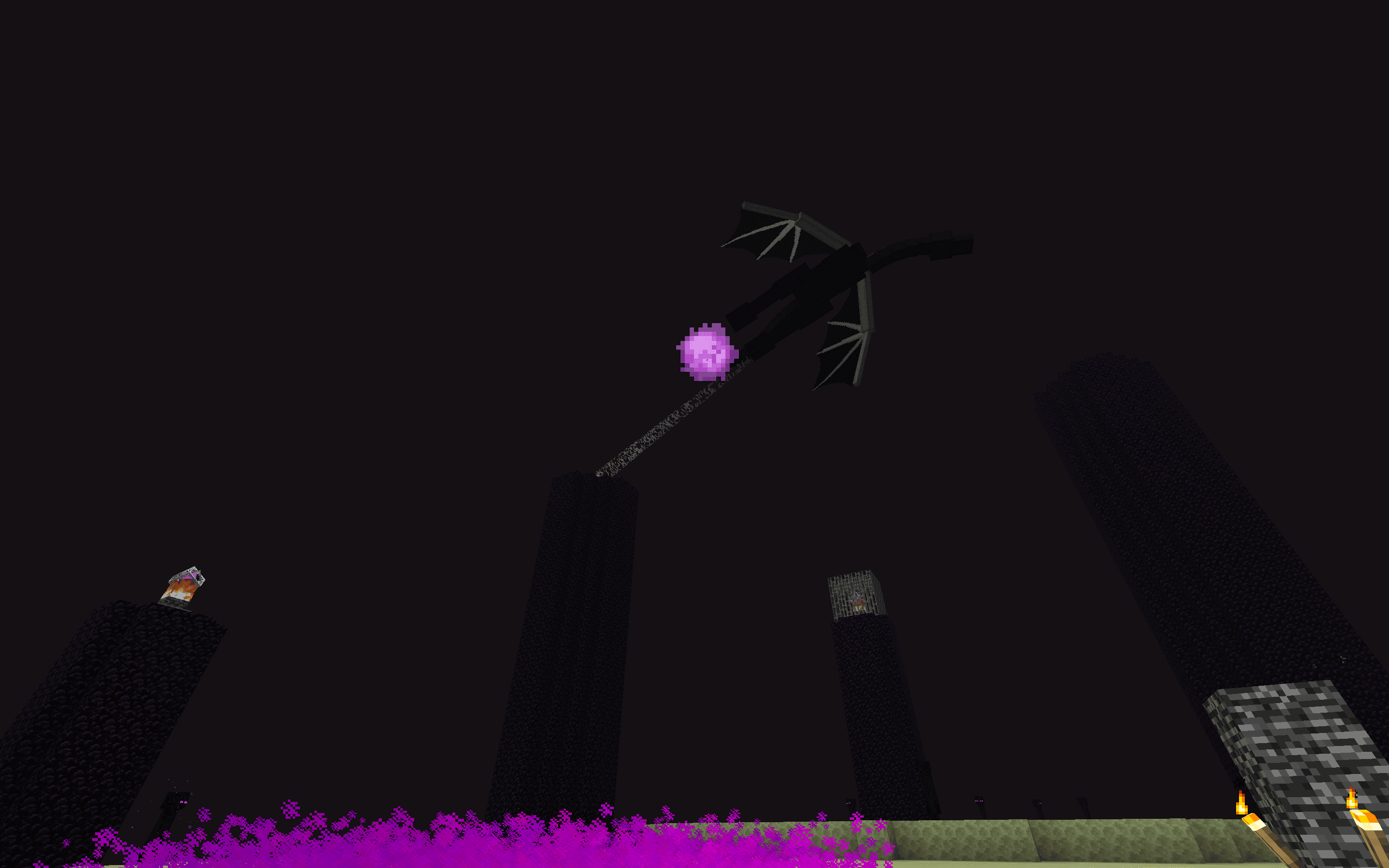
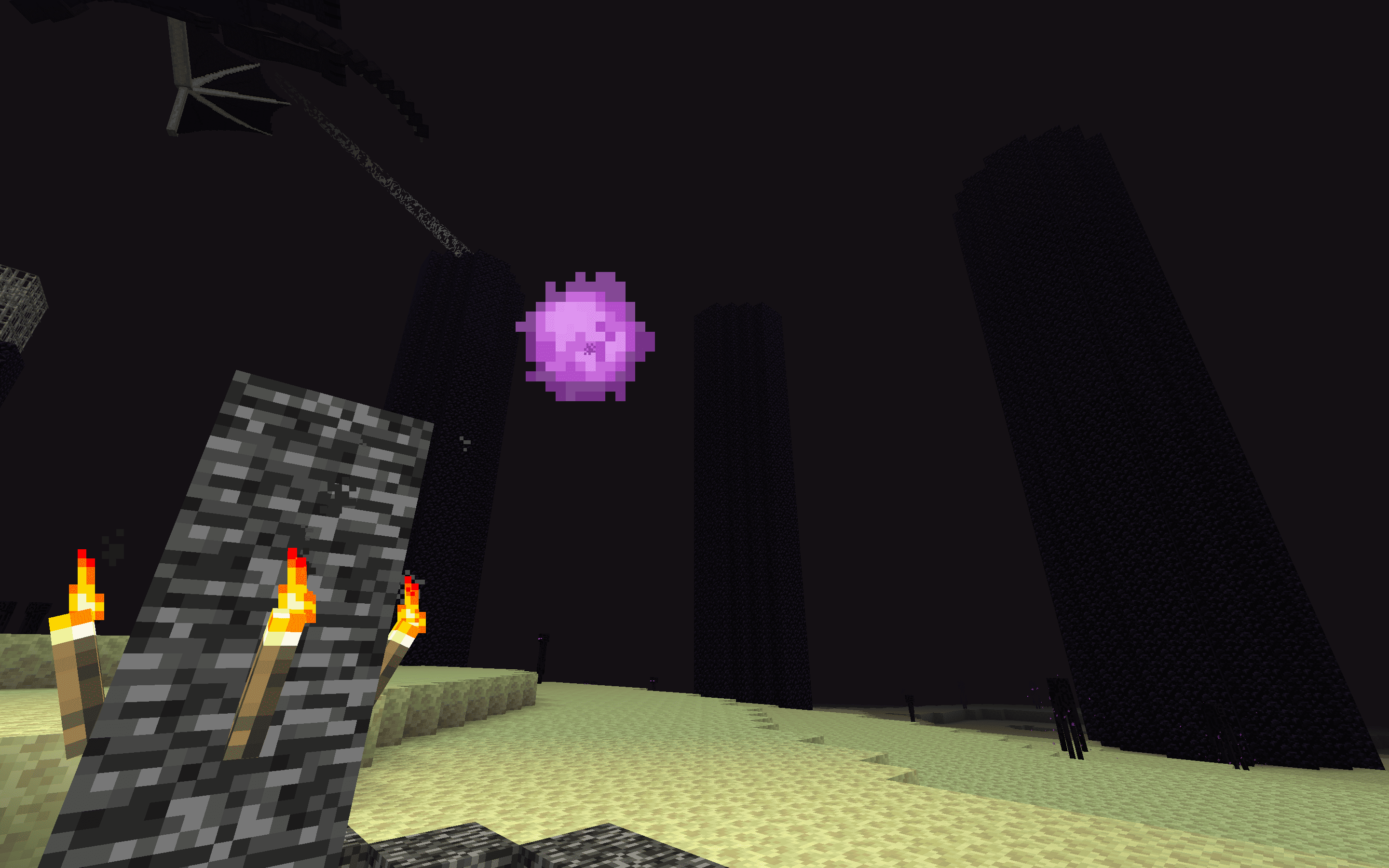
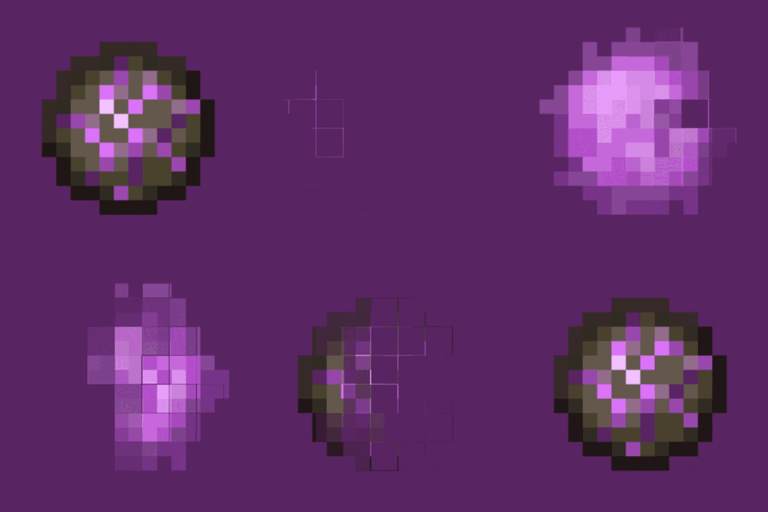
Bedrock Dragon Fire Ball alters the fireball texture of the Ender Dragon in Minecraft Java Edition to mirror the appearance found in the Bedrock Edition, providing a refreshed visual experience that enhances the drama.
by dihogenn
Download Claim this project
15,993 downloads
0 likes
0 followers
Updated Oct 14, 2026
0 hypes
Follow0
16x Animated Miscellaneous Modern Traditional
Advertisement Remove ads with Premium →

Experience the Power with Bedrock Dragon Fire Ball


Transform Your Ender Dragon Encounters

The Bedrock Dragon Fire Ball texture pack changes the appearance of the fireballs shot by the Ender Dragon to match those found in the Bedrock edition of Minecraft. This minor modification brings a fresh visual style to the dragon's attacks, enhancing the overall intensity and excitement of the final battle.

Download Bedrock Dragon Fire Ball Texture Pack


Features Include:

  • Visual Upgrade: Experience the Ender Dragon's fireballs with the visually striking Bedrock texture, adding a new layer of aesthetics to your gameplay.
  • Enhanced Battle Atmosphere: The new fireball texture increases the epic feel of the battle with the Ender Dragon, making each encounter more memorable and cinematic.
  • Universal Compatibility: This texture pack is designed to work seamlessly with any existing Minecraft mods and versions, ensuring a smooth integration.

Revamp your final showdown with the Ender Dragon with Bedrock Dragon Fire Ball, and enhance your visual gaming experience!

Join Now


Bring a piece of Bedrock edition to your Java game with this simple yet impactful texture upgrade.

Bedrock Dragon Fire Ball.zip
MC 1.16-Snapshot, 1.17.1, 1.9.1, 1.16.3, 1.13.1, 1.9.3, 1.8.7, 1.19.3, 1.20.2, 1.21.2-Snapshot, 1.21, 1.15-Snapshot, 1.16.1, 1.18.1, 1.19.4-Snapshot, 1.20.5, 1.21.5, 1.10-Snapshot
Release 2025-01-20 Get

Requirements & install

How to use this resource pack in Minecraft
Resolution
16x
Minecraft
1.18.1 – 1.21.5
Install folder
.minecraft/resourcepacks

How to install resource packs

  1. Download the resource pack .zip file (do not extract it).
  2. In Minecraft open Options → Resource Packs → Open Pack Folder.
  3. Drop the .zip into the resourcepacks folder (.minecraft/resourcepacks).
  4. Move the pack to the Selected column and click Done.
Browse more: 16x resource packs 32x resource packs 64x resource packs 128x resource packs 256x resource packs 512x+ resource packs Resource Packs for 1.21.5 All resource packs

More from dihogenn

Advertisement Remove ads with Premium →

You Might Also Like