Mineuniverse
Resource Packs
Awesome Skies

Awesome Skies

RESOURCE PACK
Resource/Sky Pack for Fabricskyboxes
by ProfessrMC
Download Claim this project
Add a badge to your pageLink to Awesome Skies from a README, website or forum post.
Preview: Badge

Badges update automatically and link to the resource pack page on MineUniverse.

19,063 downloads
0 likes
0 followers
Updated Oct 14, 2026
0 hypes
Follow0
512x and Higher Photo Realistic
Advertisement Remove ads with Premium →

Please note the latest release (v1.5+) requires FSB 0.6.0+. If the top sky looks weird, update FabricSkyboxes.


This is a skypack designed for Fabricskyboxes. The skys will NOT work with Optifine.

Features

  • Day (my local sky)
  • Night (Carnia Nebula)
  • Day/Night rain
  • Custom sun/moon
  • High resolution


Each image is also large resolution (which is why the pack is over 100MB), but this allows for no pixelization. 


Screenshots:

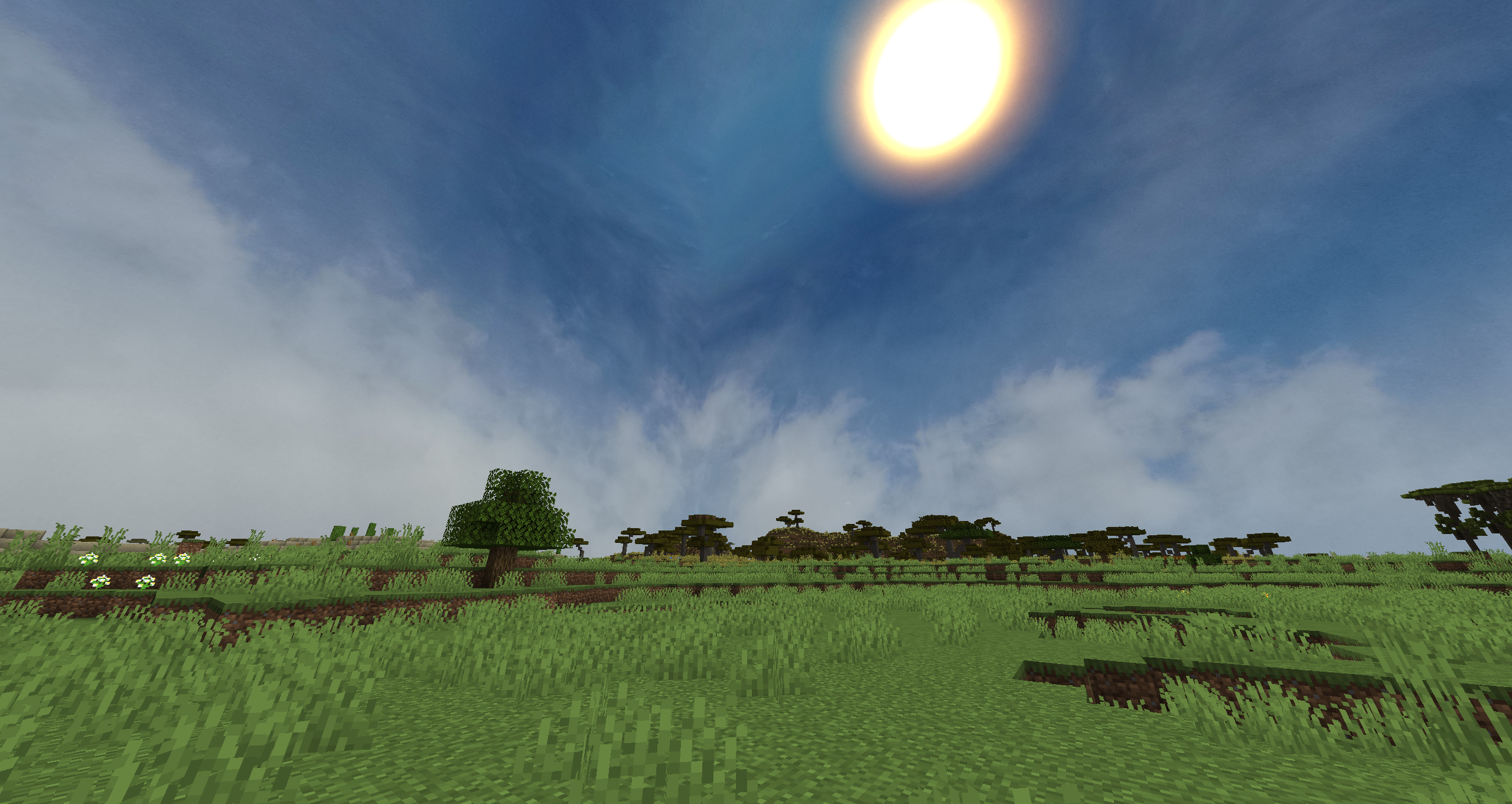
Day:

Day sky

Sunset:

Sunset

Night:

Night

Night Rain:

Night Rain

Day Rain:

Day Rain


If you're a speedrunner and you'd like FabricSkyboxes for 1.16.1, click here to download my port.


 If you notice any bugs please let me know with either the issues tab or a comment.


License:

You are allowed to use and modify this pack for your own use. Edits are allowed only if credited, and no money shall be made off of said edit.


 

Awesome Skies v1.5 for FSB 0.6.0+
MC 1.19.3, 1.19-Snapshot, 1.19.2, 1.19.1, 1.19
Release 2022-11-06 Get
Awesome-Skies-v1.1-0.5.6.zip
MC 1.19-Snapshot, 1.19
Release 2022-06-19 Get
Awesome Skies v1.0 (FSB 0.5.0)
MC 1.16.3, 1.16.1, 1.17, 1.16, 1.16.5, 1.16.4, 1.16.2
Release 2021-05-07 Get
Awesome-Skies-v1.0.zip
MC 1.16.3, 1.16.1, 1.16.5, 1.16.4, 1.16.2
Release 2021-04-20 Get
Awesome-Skies.zip
MC 1.16-Snapshot, 1.16.3, 1.16.1, 1.16, 1.16.5, 1.16.4, 1.16.2
Release 2021-03-17 Get

Requirements & install

How to use this resource pack in Minecraft
Resolution
512x+
Minecraft
1.16.4 – 1.19.3
Install folder
.minecraft/resourcepacks

How to install resource packs

  1. Download the resource pack .zip file (do not extract it).
  2. In Minecraft open Options → Resource Packs → Open Pack Folder.
  3. Drop the .zip into the resourcepacks folder (.minecraft/resourcepacks).
  4. Move the pack to the Selected column and click Done.

512x packs need a strong GPU and at least 4 GB of RAM for Minecraft; a performance mod such as Sodium is strongly recommended.

Browse more: 16x resource packs 32x resource packs 64x resource packs 128x resource packs 256x resource packs 512x+ resource packs Resource Packs for 1.19.3 All resource packs

More from ProfessrMC

Advertisement Remove ads with Premium →

You Might Also Like