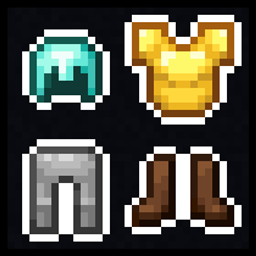
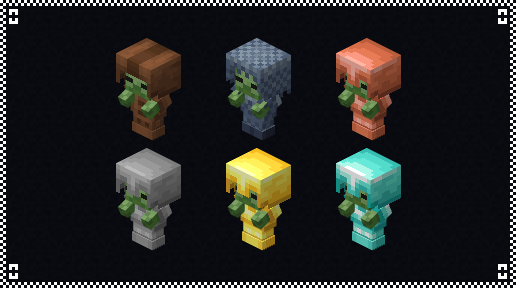
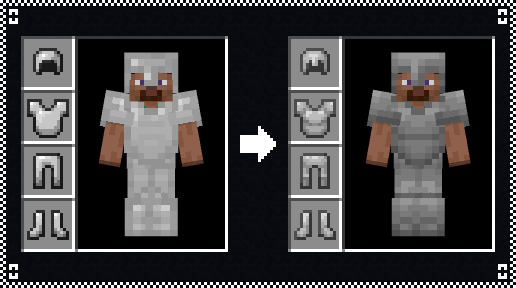
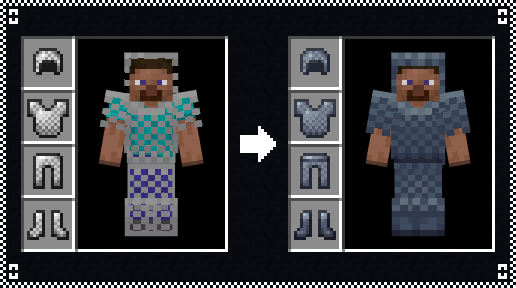
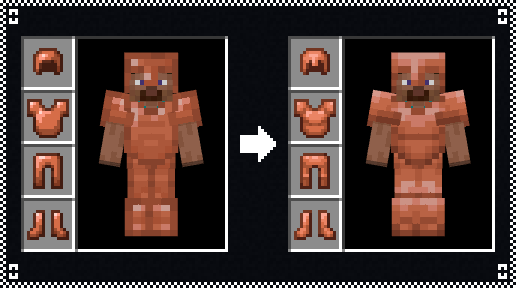
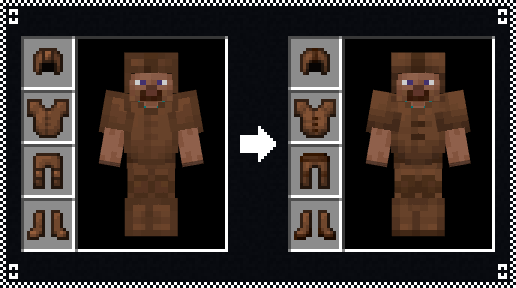
This pack changes leather, copper, chainmail, iron, gold and diamond armors. Serving as a companion piece to Amaro's Toolbox.
The following is a description of the changes for each armor tier:
- Leather armor has been retextured to no longer have the border effect on its edges. The cap's icon now sports a thinner brown stripe, the tunic's buttons are now undyeable brown (same as other pieces of the set), the icon of leather pants now has brown belt seen in its model and smaller knee pads, and the brown soles are now higher on the boots to reflect its sprite.
- Copper armor has been retextured to no longer have the border effect on its edges. The helmet's icon now sports the nose piece seen the model, the chesplate has been segmented into an upper and lower sections. Copper leggings are now detailed with knee pads, and the boots now sport darker soles.
- Chainmail armor now sports a grayish blue coloration to be reminiscent of iron chains, and all of its pieces no longer have holes in between the licks to give the armor a more cohesive look. It also now sports details such as a belt on the leggings and dark blue boots.
- Iron armor has its color changed to be the same as iron horse armor, and the same detailing as previously mentioned for copper armor.
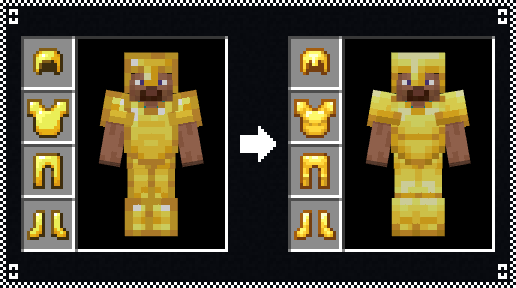
- Gold armor has its palette changed to that of gold horse armor, and the same detailing as previously mentioned for copper armor.
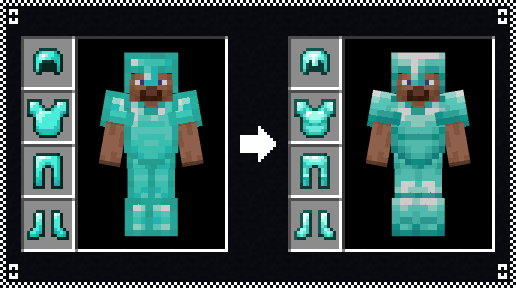
- Diamond armor has its palette changed to that of diamond horse armor, and the same detailing as previously mentioned for copper armor.
I decided to keep the shared style between copper, iron, gold and diamond to remain somewhat close to vanilla's approach and as a means to not overdetail the armors, as simpler designs work better in combination with trims.