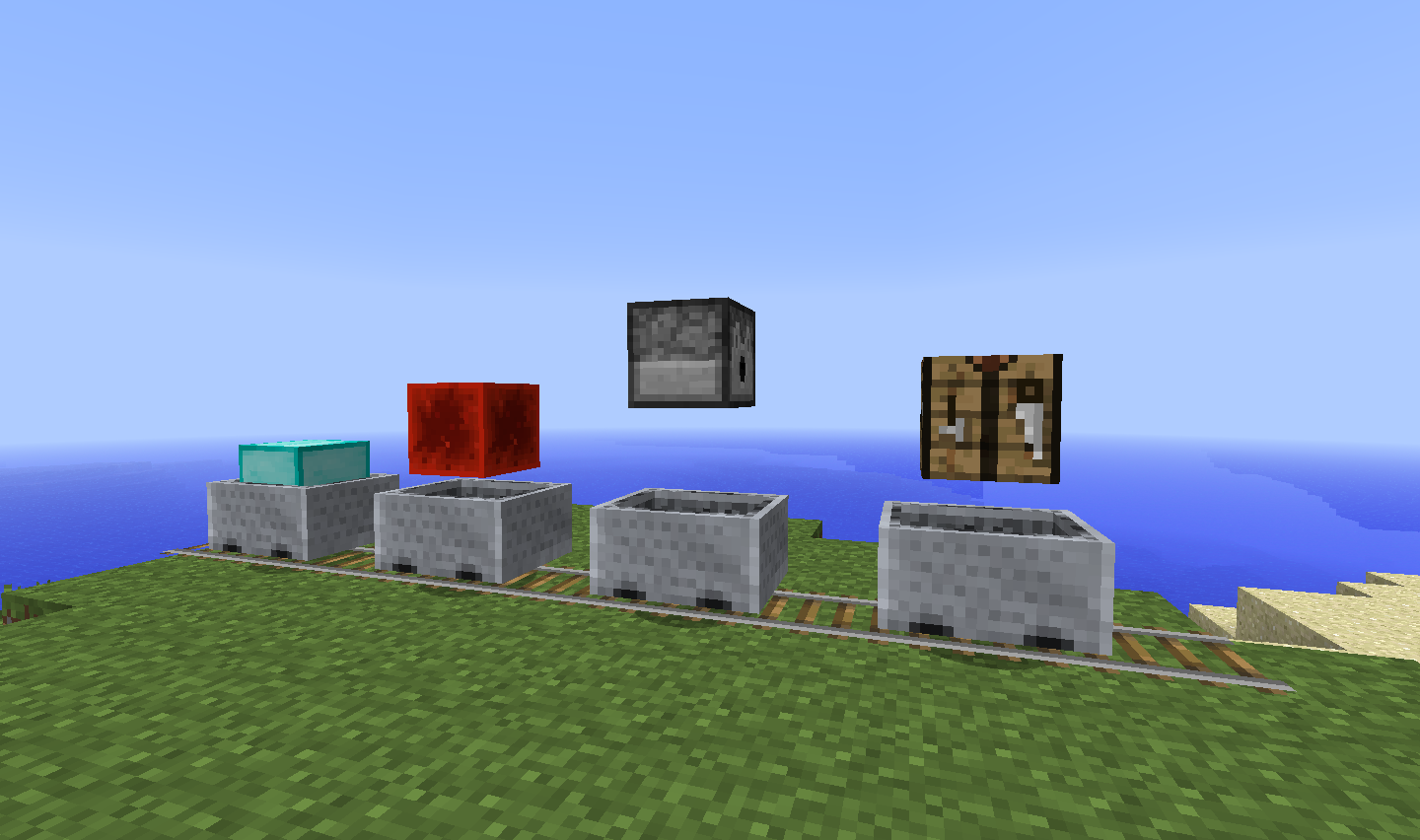
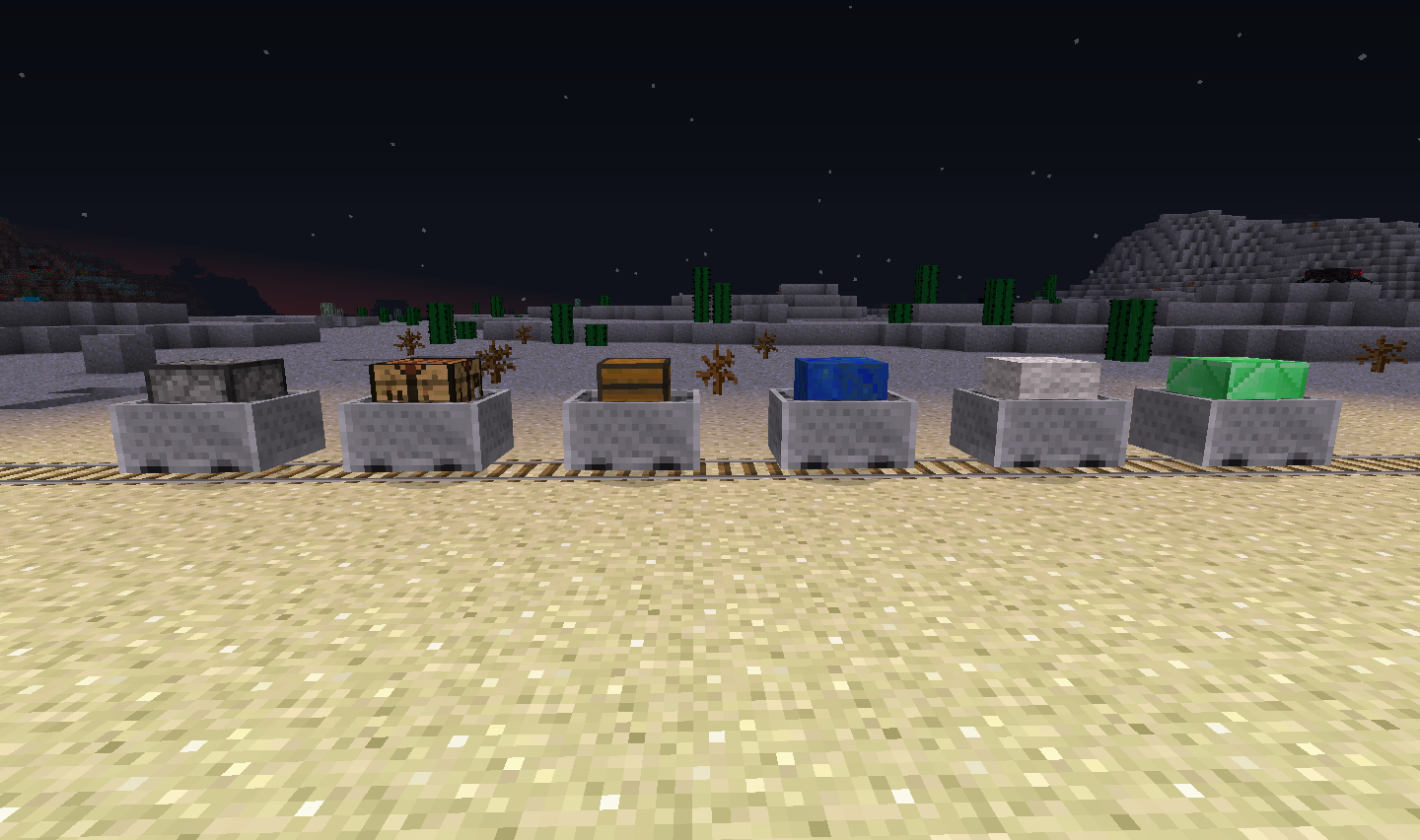
MoreMinecarts lets you add any block you want to a minecart and change the blocks distance from the mine cart. This can be used to create rotated blocks! You can add anything from a diamond block to a dispenser. Some blocks also have functionality when placed in a minecart, for example if you place a crafting table in a minecart every time you right click the minecart it will open a crafting table. Dispensers can also be shot while in a minecart, just right click the dispenser cart to fill it and every time it runs over a powered activator rail the dispenser will shoot out its contents!

To place blocks into minecarts simply shift-right click the minecart with a block in hand. The same can be done to remove the block from a mine cart, just shift-right click the minecart with the block in it.
To change the y of the block inside a mine cart simply shift-left click the mine cart and then while holding shift move your cursor up and down to change the y.
To create diagonal blocks, change the y of the block in the minecart to far below or above the minecart then push the minecart around a bend in a track or down a slope! Wolla, diagonal blocks! there is no more need for you to go into an external world editor like mc-edit to create diagonal or rotated blocks!
Installing this plugin is same as ever, simply drag the downloaded jar file into your servers plugins folder.
Below is a list of all the blocks that have functionality and what they do.
just fill out the form below and i will look into adding it. Also note, that blocks will be able to be turned off in the config, for example you could turn off crafting tables in minecarts from working.
Block: <block/blocks that you want to add functionality to>
Function: <What do you want the block to do?>
Note: i cannot add blocks that create light without severely lagging the server and chewing up the users bandwidth.
MoreMinecarts contains an automatic updating system that will automatically download the latest versions of the plugin for you. If you would like to turn off this feature simply go into the config file and change the value "AutoUpdate: true" to "AutoUpdate: false".
Below is the default config that you will find in the moreMinecarts data folder in your plugins folder. If you have an outdated config file for example missing some of the new functionality blocks simply return to this page where all the defaults will be listed.
AutoUpdate: true
AllowRidingMinecartWithBlock: false
UseBlockWhiteList: false
EnabledBlocks:
  - workbench
  - dispenser
  - wool
UseBlockBlackList: false
DisabledBlocks:
  - wool
  - torch
Enabled_Functionality:
  - WorkBench
  - Dispenser
  - Dropper
  - Redstone_Block
So what do these values do?
AutoUpdate - This value specifies whether or not to automatically update the plugin when there is a new version
AllowRidingMinecartWithBlock - This value specifies whether or not you are allowed to ride minecarts which contain blocks.
UseBlockWhiteList - This value specifies whether or not to use the enabledBlocks list to control blocks allowed in minecarts.
EnabledBlocks - The list of blocks that are able to be placed into minecarts. Name of item or id can be used.
UseBlockBlackList - This value specifies whether or not to use the disabledBlocks list to control blocks allowed in minecarts.
DisabledBlocks - The list of blocks that are not able to be placed into minecarts. Name of item or id can be used.
Enabled_Functionality - The list of blocks with functionality, simply remove one to remove its functionality. Name of item or id can be used.
Note: do not count the semicolon( : ) in the permission it is just there to show that the information after it is relating to that permission
permissions:
    moreminecarts.*:
        description: Gives access to all MoreMinecart permissions
        children:
            moreminecarts.create: true
            moreminecarts.use: true
    moreminecarts.create:
        description: Allows you to place blocks into minecarts
        default: true
    moreminecarts.use:
        description: Allows you to use the abilities of minecarts
        default: true
V0.20
V0.12
V0.11:
V0.1:
Donating helps me find time to update this plugin! although not necessary donating is greatly appreciated! a donate button can be found in the top right of the page if you would like to help me out!