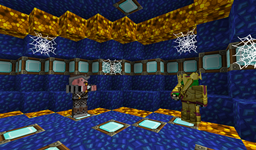
PlayerTrails introduces amazing trail effects left behind players locations if they have permission! Includes head tails which fire every 5 ticks and feet trails which fire when you move!
* 21 unique trails
* head trails which fire every 5 ticks
* feet trails which fire when you move
* per-world trails
* easy item menu to choose trail - /trail to set feet trail, /trail head to set head trail
* set players trails using command blocks! /trail (player) (type) or /trail head (player) (type). you can use @p or @r in the command block also, i have not tested @a.
* trail (type) - Sets your feet trail
* trail head (type) - Sets your head trail
* trail - Opens item menu to set feet trail
* trail head - Opens item menu to set head trail
* trail (player) (type) - Set another players feet trail
* trail head (player) (type) - Set another players head trail
* trail list - Shows you a list of the trails.
* trail help - Displays the help page.
* trail off - Turns your feet trail off
* trail head off - Turns your head trail off
Note - when using the item menu to pick your trail, if you choose a trail that requires an argument it will send you a message saying "=== Please Enter Arguments ==". You then just have to enter what argument you want, just say it no commands. so you could say for mob trail "slime" or "zombie".
* trail.off.other - Permission to turn someone else's trail off
* trail.help - Permission for the help page
* trail.reload - Permission to reload config
* trail.list - Permission to list trails
* trail.other - Permission to set other players trails
* trail.(trailName) - Permission for the given trail name
* ONLY IF THE TRAIL TAKES ARGUMENTS - trail.(trailName).(arg) - Permission for the specific argument for the given trail
This plugin uses an updating api to automatically download updated from bukkitdev. the auto-updater page can be found: Here Auto-Updating can be turned off by opening the file "/plugins/updater/config.yml" and changing "disable: false" to "disable: true".
This plugin uses metrics to record data. If you wish to turn this off simply go to your plugins folder then into the PluginMetrics folder and then open the file config.yml and change opt-out: false to opt-out: true. Metrics is helpful to see stats about how your plugin is going, like how many servers are using it.
Examples of what data Metrics collects:
* Server Type / Version
* Java Version
* Minecraft Version
* Metrics version!
* Amount of players
* Operating system & version
* Auth mode
What data metrics does not collect:
* IPs
* Nicknames
Here is one of the graphs that metrics generates:
The source for playertrails can be found within the playertrails jar file.
Everything in this video still currently works however some new features have been added since its creation.
Donating helps me find time to update this plugin! although not necessary donating is greatly appreciated! a donate button can be found in the top right of the page if you would like to help me out!