FastStorage is a smart storage sorting plugin.
Instead of using a wand, command, or client mod, players can craft and place a special FastStorage Plate.
Once containers are linked, players simply walk over the plate and matching items from their inventory are automatically sorted into their storage.
FastStorage is designed to be simple for players, safe for servers, and useful for survival, SMP, team bases, and large storage rooms.
/fs leaveFastStorage uses a very simple idea:
Only matching items are sorted.
For example, if a chest already contains iron ingots, more iron ingots from your inventory can be moved into that chest.
FastStorage first fills existing stacks and then uses free slots inside matching containers.
This keeps sorting predictable and prevents random storage filling.
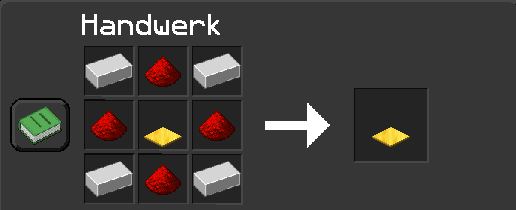
The recipe creates the custom FastStorage Plate.
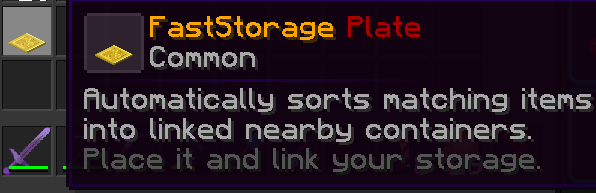
The plate can be given by command or crafted if the recipe is enabled.
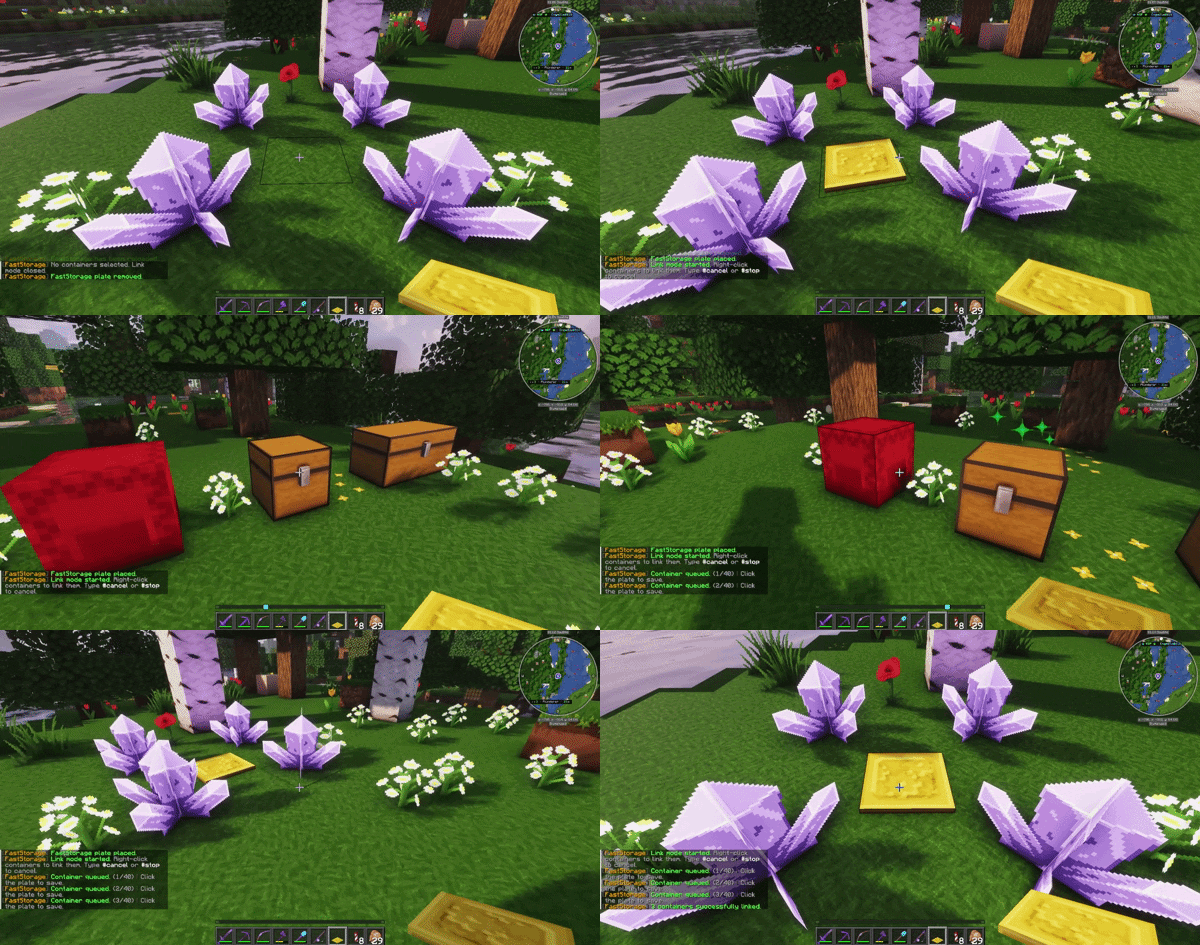
After placing a FastStorage Plate, the link mode starts automatically.
Right-click containers to queue them.
Click the FastStorage Plate again to save the linked containers.
You can cancel the link process with:
#cancel
#stop
Cancelled links are not saved.
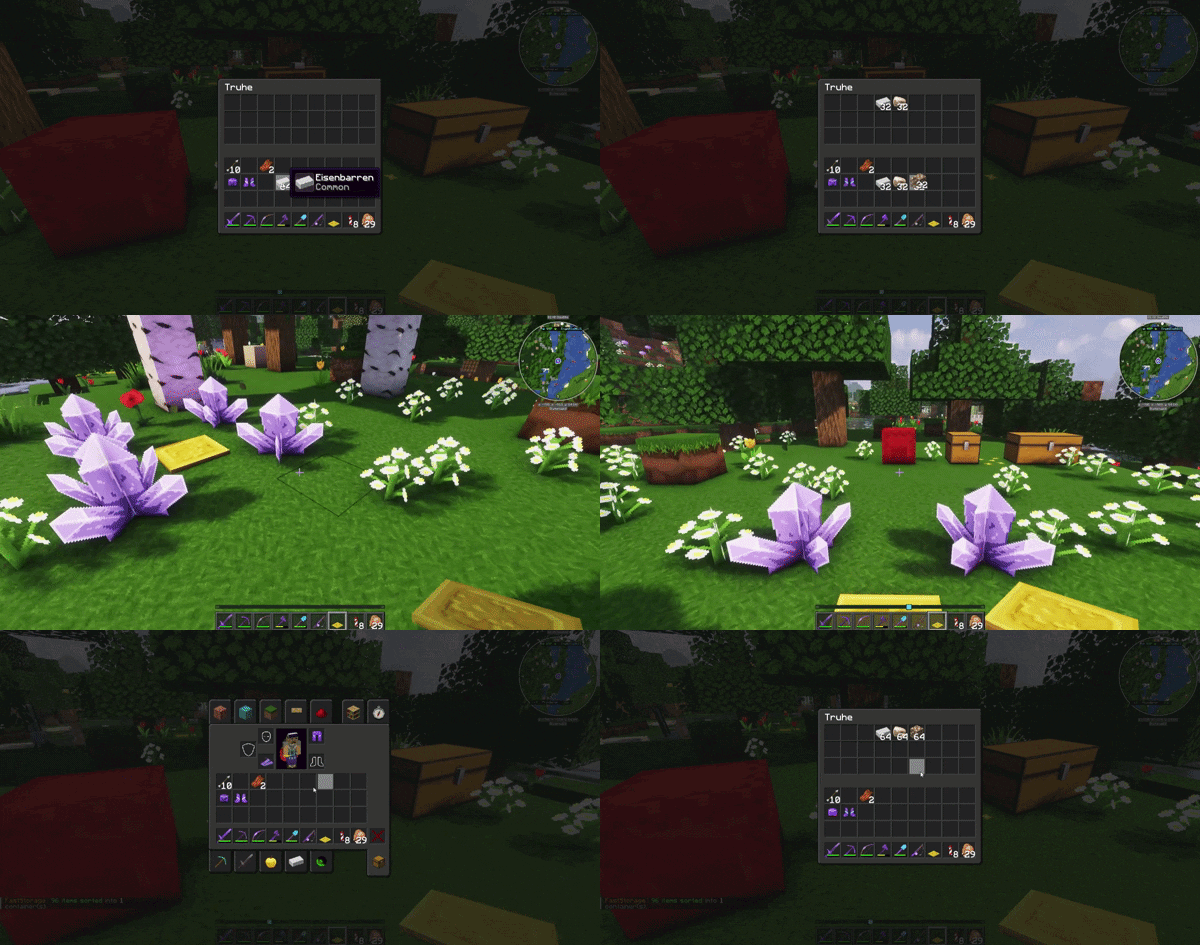
Once containers are linked, just walk over the plate.
Matching items from your inventory will be moved into the linked containers.
The default mode.
Only the plate owner and trusted players can use the plate.
Linked containers belong to the owner.
Useful for teams.
Trusted players can use the same plate, but each player can link their own containers.
This allows multiple players to use one shared FastStorage Plate without mixing their storage links.
Experimental mode.
Easy mode can be enabled in the config.
It does not require manual linking and scans nearby loaded containers instead.
For public servers, OWNER mode is recommended as the default.
FastStorage uses a safe trust request system.
When a plate owner wants to trust another player, the target player receives a request and must accept it manually.
/fs trust <player>
/fs accept
/fs deny
German shortcuts are also supported:
/fs ja
/fs nein
Requests expire after 120 seconds.
A trusted player can remove themselves from a plate at any time:
/fs leave
This prevents hidden or unwanted trust access.
/fs help
Shows the command overview.
/fs link start
Starts linking containers to the plate.
/fs unlink
Starts unlink mode.
/fs mode <owner|shared|easy>
Changes the plate mode.
/fs trust <player>
Sends a trust request to another player.
/fs accept
/fs deny
/fs ja
/fs nein
Accepts or denies a trust request.
/fs trustlist
Shows trusted players for the selected plate.
/fs leave
Removes yourself from a plate.
/fs info
Shows information about a plate.
/fs give <player> [amount]
Gives FastStorage Plates.
/fs reload
Reloads the plugin configuration and language files.
</details>faststorage.use
Allows using FastStorage.
faststorage.link
Allows linking and unlinking containers.
faststorage.trust
Allows trusting, untrusting, and viewing trusted players.
faststorage.give
Allows giving FastStorage Plates.
faststorage.reload
Allows reloading FastStorage.
faststorage.admin
Includes all FastStorage permissions.
</details>FastStorage is configurable but intentionally kept clean.
You can configure:
Example defaults:
settings:
  language: en-US
  default-mode: OWNER
  allow-easy-mode: false

range:
  default-player: 12
  default-op: 24
  hard-max: 32

limits:
  linked-containers:
    default-player: 10
    default-op: 40
    hard-max: 80
Missing config and language keys are automatically added on reload or plugin update.
FastStorage supports optional protection hooks:
Protection checks are used when linking containers, using plates, and transferring items.
FastStorage trust and claim permissions are separate systems.
If a player should no longer use a plate, remove them with:
/fs untrust <player>
or the player can remove themselves with:
/fs leave
FastStorage works especially well together with my plugin NearbyCraft+.
FastStorage keeps your storage organized by sorting matching items into linked containers.
NearbyCraft+ then lets you craft directly from nearby containers.
For survival servers, SMP bases, and storage rooms, both plugins together create a very comfortable workflow without requiring any client-side mods.
Use FastStorage to sort your items.
Use NearbyCraft+ to craft from your storage.
NearbyCraft+:
https://modrinth.com/plugin/nearbycraft+
FastStorage includes:
English is the default language.
FastStorage uses bStats to collect anonymous usage statistics.
No personal data is collected.
You can disable bStats globally in the bStats config folder.
FastStorage was built for modern Paper servers and tested on Minecraft 1.21.x.
Wiki: https://www.mcpacks.de/wiki.php Website: https://www.mcpacks.de
FastStorage is designed as a clean replacement for classic quick-stash tools.
Instead of sorting with a wand, players use a physical storage plate in their base.
This keeps the feature immersive, visible, and easy to understand for everyone on the server.