Mineuniverse
Shaders
CRT Shader

CRT Shader

SHADER
A stylized shader aimed to make your game look retro!
by BouncingElf100
Download Claim this project
60,293 downloads
0 likes
Updated Oct 14, 2026
0 hypes
Fantasy Vanilla
Advertisement Remove ads with Premium →

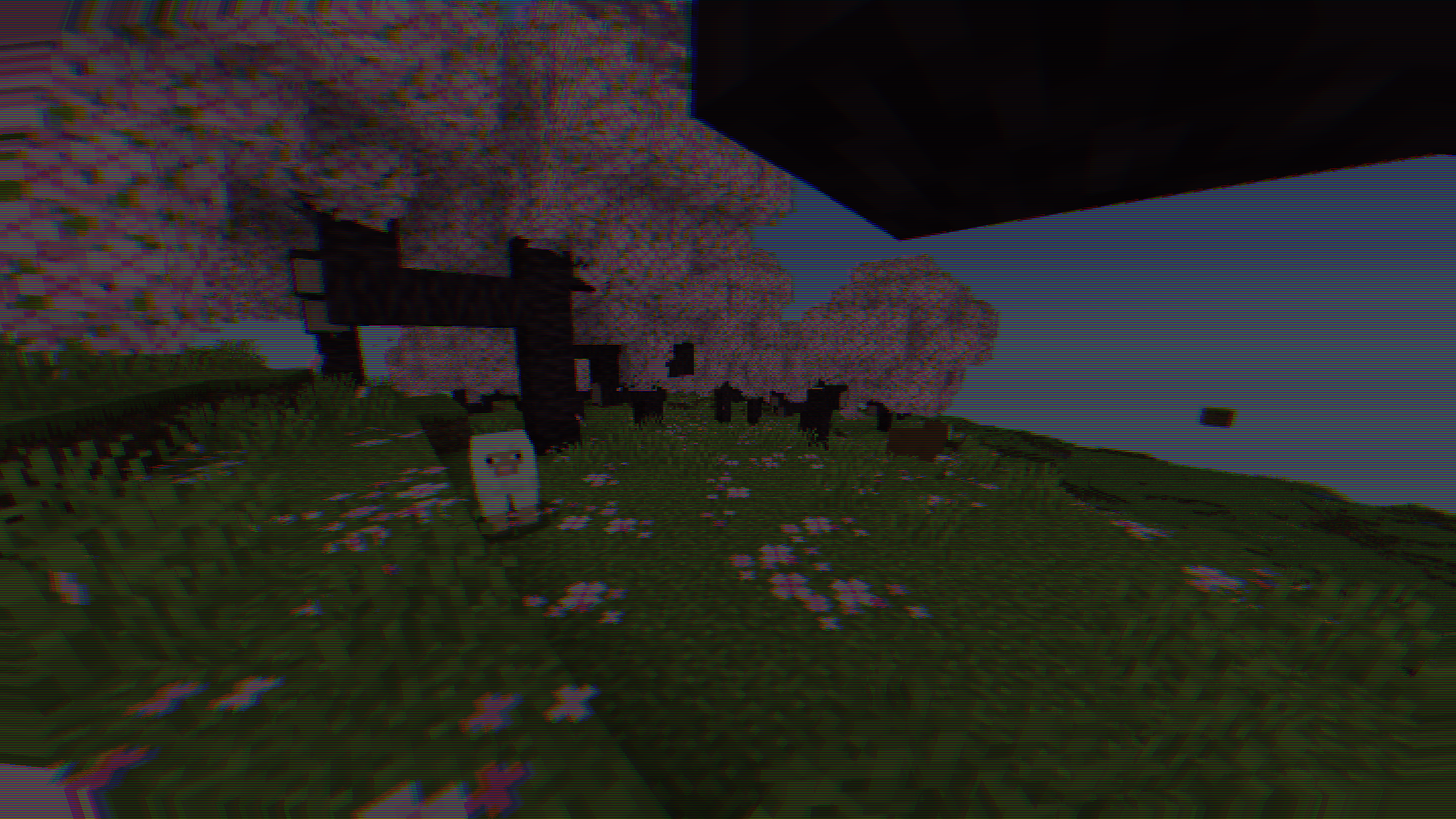
CRT Shader aiming to give Minecraft a retro style!

Current features include:

  • Imitating Pixels
  • Lens Distortion
  • Chromatic Aberration and Bleed
  • Posterization
  • Scan Line

Customization

While there still are limitied options I aimed to add as much customibitlity as possible giving you the ability to tweak most features to your liking :D

Warnings

This shader should work with Optifine and Iris from 1.8.9 - 1.20.1, if you encounter any issues you can allways report them :D

Also from experience this shader does strain your eyes if you play with it on for hours on end.

The appearance may not be the best in images as it is best experienced in game.

Installation

  • First you need to install either OptiFine or the Iris mod to be able to load shaderpacks. (Choose Iris if you are unsure)
  • Then you need to launch the game, and get to the Shaderpacks/Shaders menu in Video Settings.
  • Open the shaderpacks folder by clicking the button in the menu.
  • Download the CRT Shader and put it in the shaderpacks folder.
  • Get back in the game, and choose CRT_Shader in the shaderpacks menu. (Refresh the menu if it doesn't appear)
CRT_Shader_V1.1
MC 1.17.1, 1.9.1, 1.16.3, 1.13.1, 1.9.3, 1.19.3, 1.16.1, 1.18.1, 1.9.4, 1.9.2, 1.14.4, 1.14.1, 1.12.1, 1.17, 1.12, 1.14.3, 1.15, 1.16, 1.13, 1.19.4, 1.16.5, 1.10.2, 1.11
Release 2024-08-18 Get

Requirements & install

How to use this shader in Minecraft
Shader loader
Iris or OptiFine
Minecraft
1.16.1 – 1.19.4
Install folder
.minecraft/shaderpacks

How to install shaders

  1. Install a shader loader for your Minecraft version: Iris (with Sodium) or OptiFine.
  2. Download the shader pack .zip file (do not extract it).
  3. Put the .zip into the shaderpacks folder (.minecraft/shaderpacks).
  4. In game open Options → Video Settings → Shader Packs, select the pack and apply it.
Browse more: Iris shaders OptiFine shaders Shaders for 1.19.4 All shaders

More from BouncingElf100

Advertisement Remove ads with Premium →

You Might Also Like