Combat Indicators | Health Bars & Damage Numbers
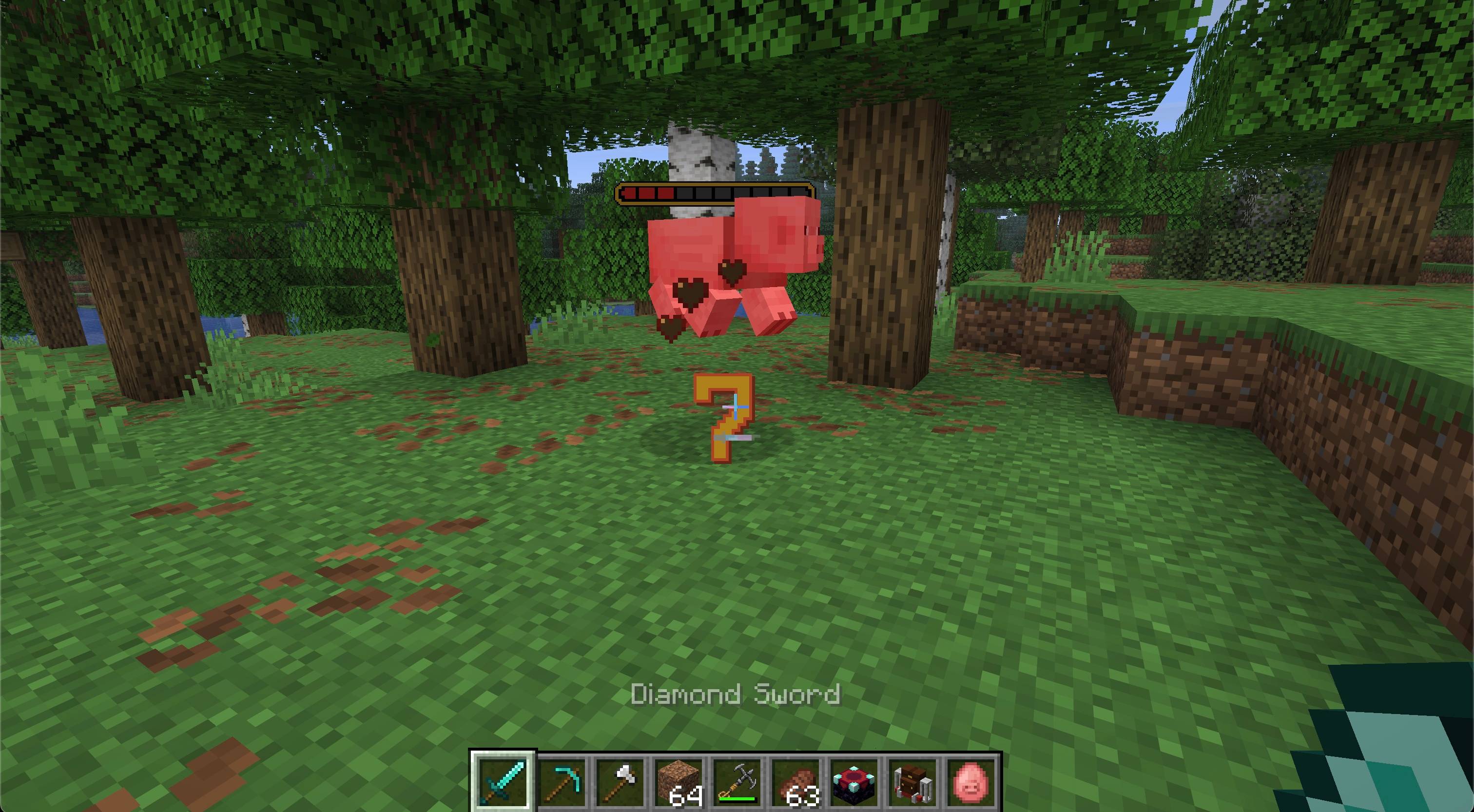
Make every hit easier to read without filling the world with persistent display entities. Combat Indicators adds configurable health bars above living targets and floating damage numbers that stay where each hit landed before rising and fading away.
Features
- Shows world-space health bars for mobs and, optionally, players
- Offers Golden and Classic health-bar styles
- Shows health bars after a hit or keeps them visible while targets are loaded
- Optionally displays current and maximum health
- Reports the damage actually applied after armor, shields, resistance, and absorption
- Keeps each damage number anchored at the original hit location while it rises and fades
- Distinguishes melee, projectile, explosion, fire, magic, environmental, and other damage
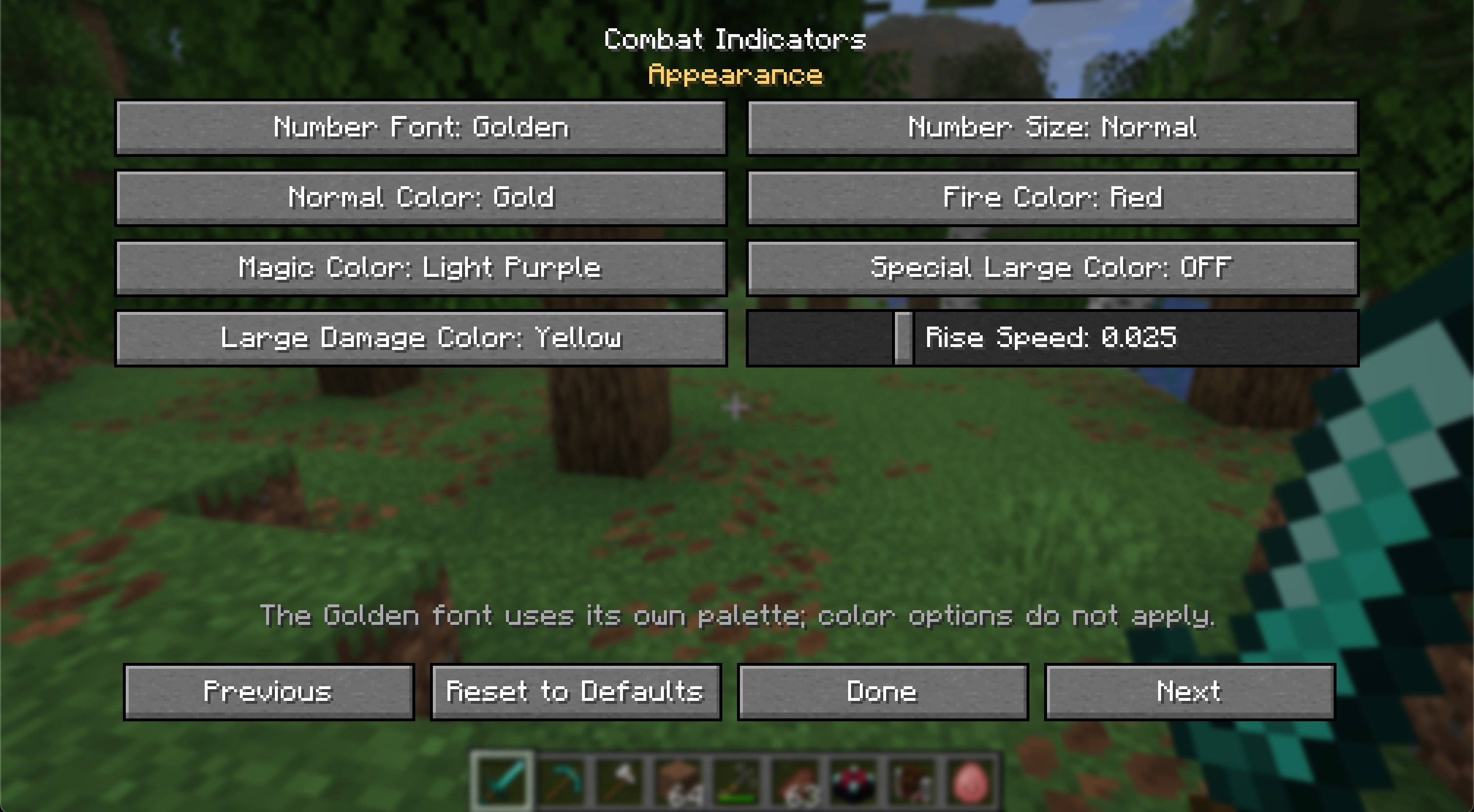
- Offers Minecraft and Golden number styles, three sizes, configurable colors, lifetimes, and rise speed
- Spreads rapid hits apart so their numbers remain readable
- Provides separate visibility controls for mobs, players, and damage categories
- Stores visual preferences locally for each Minecraft installation
- Opens its settings with
/combat-indicators or /ci
- Includes English and Russian translations
- Works in single-player, integrated servers, and dedicated-server multiplayer
- Dedicated Fabric and NeoForge builds
Installation
Install Combat Indicators and Zero Lib builds matching your mod loader and Minecraft version. Architectury API is also required; Fabric installations additionally require Fabric API.
The mod and its dependencies must be installed on both the client and server. The server provides authoritative damage information, while each player controls how indicators look on their own client.
Requirements
- Minecraft Java Edition 26.2
- Java 25 or newer
- Zero Lib 1.0.3 or newer
- Architectury API
- Fabric API on Fabric
License
Copyright © 2026 Zero Team. All rights reserved. Personal play, multiplayer servers, and free modpacks distributed through CurseForge or Modrinth are permitted under the license included with the mod. Rehosting or redistributing the files elsewhere requires prior written permission.