<h1><strong>ChatMod - Advanced Server Messaging & Info</strong></h1>
<p><strong>ChatMod</strong> transforms your server's communication! This powerful server-side Fabric mod provides administrators with robust tools to engage players, deliver announcements, and manage server information efficiently. Enhance server interaction through highly customizable broadcast messages, dynamic MOTD, user-definable info commands, interactive chat replacements, and more.</p>
<details>
<summary>📧 Contact Me & Support Information (Click to expand)</summary>
<br>
<h3>💬 Primary Support Channel (Preferred)</h3>
<p><strong>All general questions, feature requests, and non-urgent bug reports should be posted in the appropriate channels on our <a href="https://discord.gg/48sZCbdHzJ">Discord Server</a>.</strong> We actively monitor the server and will respond as soon as possible. This ensures that the whole community can benefit from the discussion and solutions.</p>
<h3>🆘 Urgent Private Messaging (PM) Policy</h3>
<p>While we prefer all issues to be handled via the Discord server first, you are welcome to PM me directly under <strong>specific urgent circumstances</strong>:</p>
<ul>
<li><strong>Allowed Reason:</strong> Your server is <strong>crashing</strong> or experiencing <strong>critical, game-breaking errors</strong> directly related to one of my mods/plugins.</li>
<li><strong>Requirement:</strong> You must be the <strong>owner</strong> of the server.</li>
<li><strong>Time Zone:</strong> I am operating in the <strong>(CET/CEST) Time Zone</strong>.</li>
<li><strong>PM Hours:</strong> Please only send private messages between <strong>10:00 AM and 10:00 PM (Brussels Time)</strong>.</li>
</ul>
<p>I will endeavor to answer your PM as soon as I can to be helpful and see what I can do to resolve your urgent issue. However, please understand that immediate responses are not guaranteed, and <strong>private messaging is a professional courtesy, not an entitlement.</strong> Thank you for your understanding and cooperation!</p>
</details>
<hr />
<h2>Features</h2>
<h3>Dynamic Message of the Day (MOTD)</h3>
<ul>
<li>Greet players with <strong>personalized welcome messages</strong> upon joining.</li>
<li>Utilize a rich set of <strong>placeholders</strong> (player name, playtime, last login, server stats).</li>
<li>Fully customizable message content with <strong>Minecraft color codes</strong> (&c), <strong>hex colors</strong> (&#RRGGBB), text formatting, and <strong>interactive elements</strong> (hover/click).</li>
<li>Enable or disable via <code>chatmod.json</code>.</li>
</ul>
<h3>Scheduled & Ad-Hoc Global Broadcasts</h3>
<ul>
<li><strong>Multiple Broadcast Types:</strong> Send messages as standard <code>CHAT</code>, <code>ACTION_BAR</code>, prominent <code>TITLE</code> (with subtitle), or dynamic <code>BOSSBAR</code> (with custom color/style).</li>
<li><strong>Predefined Broadcasts:</strong> Create named templates (e.g., "vote_reminder") in <code>predefined_broadcasts.json</code> for easy reuse.</li>
<li><strong>Ad-Hoc Broadcasts:</strong> Send one-off global messages directly with <code>/chatmod bcnow <message></code>.</li>
<li><strong>Advanced Scheduling:</strong>
<ul>
<li><strong>Delayed Single Broadcast:</strong> Send once after a delay (e.g., <code>/chatmod time 10m bc promo_event</code>).</li>
<li><strong>Repeating Broadcasts:</strong> Schedule broadcasts to repeat over a total duration. (Example: <code>/chatmod time 30m often 5 bc event_promo</code>).</li>
</ul>
</li>
<li><strong>Placeholder Support:</strong> Use <code>%online_players%</code>, <code>%time%</code>, <code>%date%</code>, <code>%countdown%</code>, and more.</li>
</ul>
<h3>Customizable Info Commands (e.g., /rules, /help)</h3>
<ul>
<li>Create <strong>unlimited custom commands</strong> that display text from dedicated JSON files.</li>
<li><strong>Rich Content:</strong> Supports multiple pages, full formatting, and <strong>clickable actions</strong> (run command, open URL, etc.).</li>
<li><strong>Dynamic Management:</strong> Commands are generated automatically. Includes subcommands for aliases and permissions.</li>
</ul>
<h3>Custom Placeholders & Chat Replacements</h3>
<ul>
<li><strong>Custom Triggers:</strong> Define keywords in <code>placeholders.json</code> (e.g., <code>[spawn]</code>) that transform into formatted text or links.</li>
<li><strong>Predefined Items:</strong>
<ul>
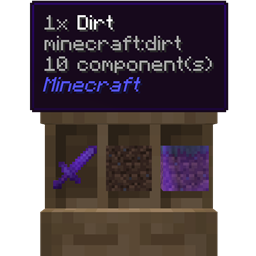
<li><code>[item]</code>: Displays the item in your main hand.</li>
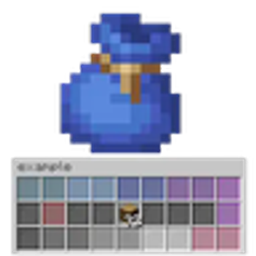
<li><code>[item:#]</code>: Displays a predefined item from admin-configured slots (1-54).</li>
</ul>
</li>
</ul>
<h3>Player Tagging & Mentions</h3>
<ul>
<li><strong>@PlayerName:</strong> Highlights the name and plays a <strong>ping sound</strong> for the target.</li>
<li><strong>@everyone:</strong> Notify and ping all online players.</li>
<li><strong>Dedicated Tag Command:</strong> Use <code>/tag <player> <message></code> for specific notifications.</li>
</ul>
<hr />
<h2>Commands</h2>
<ul>
<li><code>/chatmod</code>, <code>/cm</code> - Main help interface</li>
<li><code>/chatmod reload</code> - Reloads all configurations</li>
<li><code>/chatmod create <filename></code> - Creates a new custom info file</li>
<li><code>/chatmod items</code> - Opens the GUI for managing predefined items</li>
<li><code>/tag <player> <message></code> - Sends a tagged message</li>
</ul>
<hr />
<h2>Permissions</h2>
<details>
<summary>Click to view all permission nodes</summary>
<ul>
<li><code>chatmod.modinfo</code>: Access to base /chatmod help.</li>
<li><code>chatmod.reload</code>: Access to /chatmod reload.</li>
<li><code>chatmod.create</code>: Access to /chatmod create.</li>
<li><code>chatmod.tag.command</code>: Access to the /tag command.</li>
<li><code>chatmod.items.edit</code>: Edit access to /chatmod items GUI.</li>
<li><code>chatmod.chatitem</code>: Use [item] placeholder.</li>
<li><code>chatmod.player.tag.everyone</code>: Tag everyone with @everyone.</li>
<li><code>chatmod.chat.colors</code>: Use color codes in chat.</li>
</ul>
</details>
<hr />
<h2>Modpack Policy</h2>
<ul>
<li>You <strong>ARE PERMITTED</strong> to include ChatMod in any modpack.</li>
<li>The modpack itself <strong>must not be sold</strong>.</li>
<li>Please do not modify the mod's JAR file directly.</li>
</ul>