Mineuniverse
Shaders
Abyss

Abyss

SHADER
A dark, atmospheric shader for you
by xsoras
Download Claim this project
644 downloads
0 likes
Updated Oct 14, 2026
0 hypes
Fantasy Realistic
Advertisement Remove ads with Premium →

Partner image

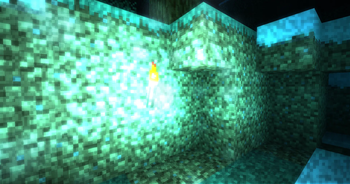
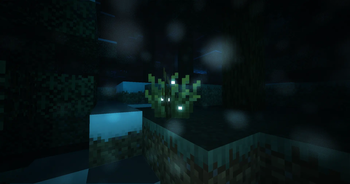
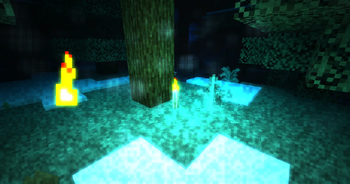
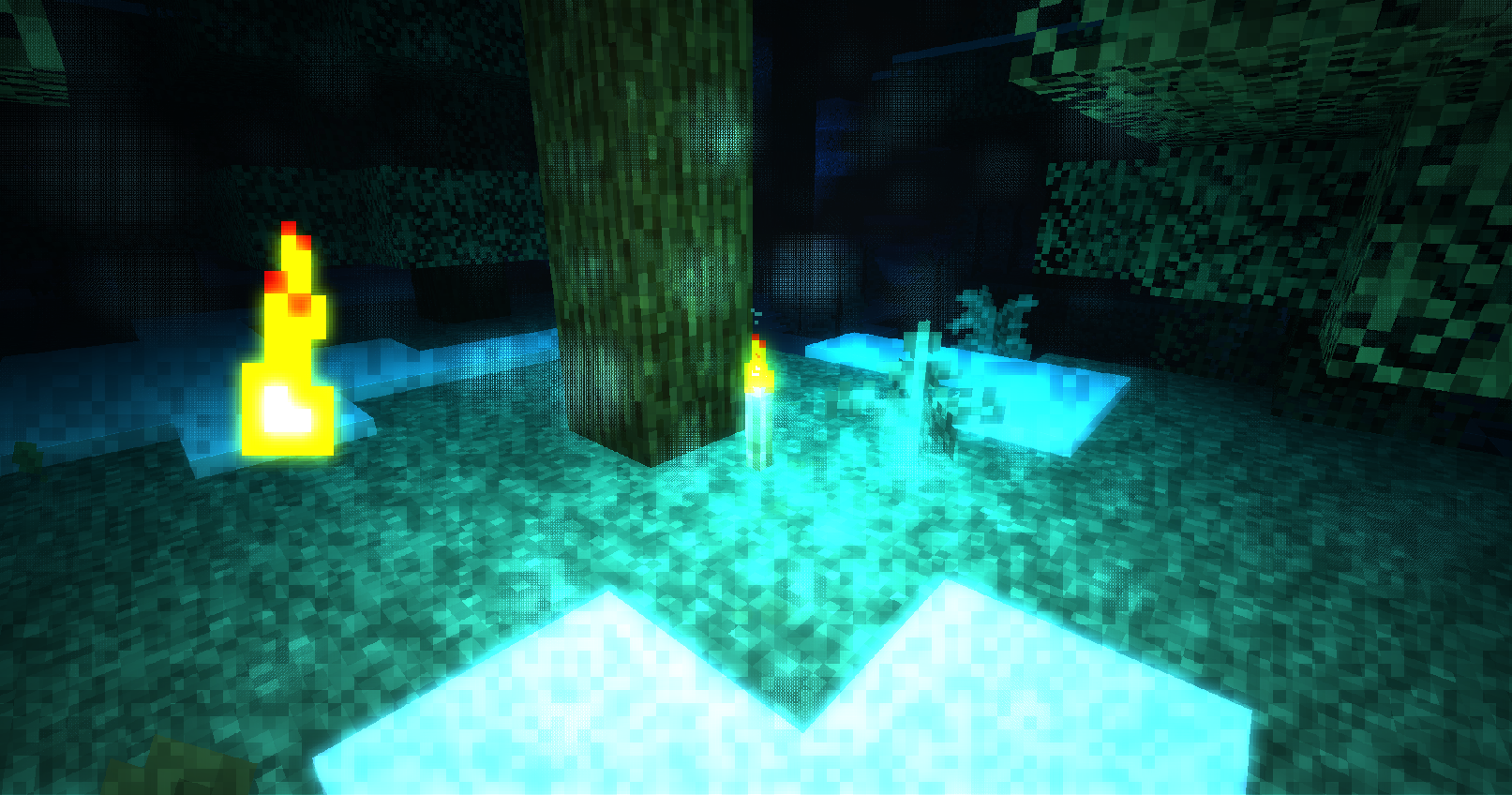
Abyss is an underwater shaderpack built around the atmosphere of the deep ocean.
E1

Light fades quickly, colors disappear with distance, and most of the world is only visible through your lamp or the things glowing around you. The shader includes underwater light absorption, bioluminescent patches, marine snow, backscatter, glow, and several presets for different deep-sea environments.

You can adjust the water, lamp, bioluminescence, marine snow, and post processing directly from the shader settings.

Includes:

  • Deep water light absorption
  • Adjustable headlamp with backscatter
  • Bioluminescent environments
  • Marine snow with depth and movement
  • Custom glow and pressure vignette
  • Bathyal, Midnight, Trench, Brine Pool, and Kelp Night presets
  • Iris and OptiFine support
Abyss-1.0
MC 1.16.3, 1.13.1, 1.9.3, 1.8.7, 1.7.4, 1.7.7, 1.7.6, 1.16-Snapshot, 1.17.1, 1.9.1, 1.21.2-Snapshot, 1.21, 1.21.6-snapshot, 1.15-Snapshot, 1.7.5, 1.16.1, 1.18.1, 1.20.2-Snapshot
Release 2026-09-21 Get

Requirements & install

How to use this shader in Minecraft
Shader loader
Iris or OptiFine
Minecraft
1.16.1 – 1.21.6-snapshot
Install folder
.minecraft/shaderpacks

How to install shaders

  1. Install a shader loader for your Minecraft version: Iris (with Sodium) or OptiFine.
  2. Download the shader pack .zip file (do not extract it).
  3. Put the .zip into the shaderpacks folder (.minecraft/shaderpacks).
  4. In game open Options → Video Settings → Shader Packs, select the pack and apply it.
Browse more: Iris shaders OptiFine shaders Shaders for 1.21.6-snapshot All shaders

More from xsoras

Advertisement Remove ads with Premium →

You Might Also Like