Mineuniverse
Data Packs · Vanilla-friendly

Minecraft Data Packs

Browse 11 data packs for Minecraft

RANDOM DROPS

RANDOM DROPS

Each block and mob drops completely random items. No two drops are the same. Complete Minecraft using only luck.

61.1K
DOWNLOADS
0
LIKES
Download
Auto Breeding+

Auto Breeding+

by joranne

Automatic breeding for vanilla breedable animals

6.3K
DOWNLOADS
0
LIKES
Download
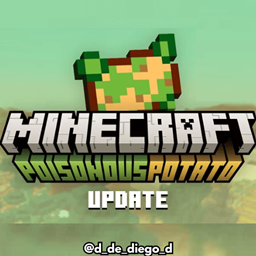
Poisoned Potato

Poisoned Potato

This DataPack contains the Minecraft 1.20.5 Aprils Fools snapshot

3.3K
DOWNLOADS
0
LIKES
Download
Clear Day

Clear Day

simple Minecraft data pack that sets your world to perpetual daytime and clear weather.
3.4K
DOWNLOADS
0
LIKES
Download
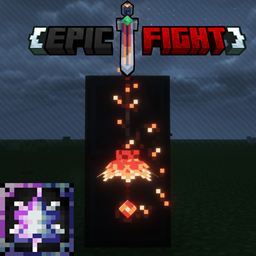
Hazen 'n Stuff Epicfight Compatibility

Hazen 'n Stuff Epicfight Compatibility

A Datapack That Compats HNS and EF

3.3K
DOWNLOADS
0
LIKES
Download
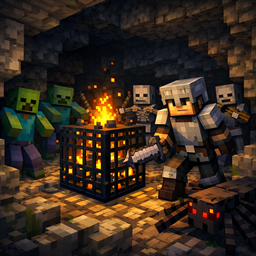
Dangerous Nights

Dangerous Nights

by joranne

Every night without sleep makes the world more dangerous. Survive growing monster hordes, defeat minibosses, and earn stronger rewards as your streak…

1.2K
DOWNLOADS
0
LIKES
Download
Stackable Potions

Stackable Potions

This Datapack makes potions can stack to 16.

890
DOWNLOADS
0
LIKES
Download
Boosted Spawners - 50 Block Activation

Boosted Spawners - 50 Block Activation

by joranne

Boosted Spawners

591
DOWNLOADS
0
LIKES
Download
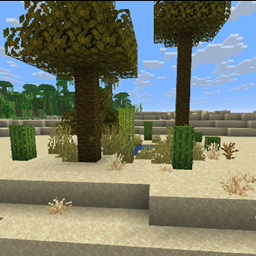
Oasis Reborn – Desert Oasis Worldgen

Oasis Reborn – Desert Oasis Worldgen

by RedeN

Adds naturally generating oases to desert biomes for a more vibrant and diverse world.
145
DOWNLOADS
0
LIKES
Download
NetCraft (just a project view the GitHub)

NetCraft (just a project view the GitHub)

A modular web browser and HTTP server for CC:Tweaked (Minecraft) featuring HTML rendering, a Rednet-based DNS, sandboxed Lua app execution, and a cus…

38
DOWNLOADS
0
LIKES
Download
[MGG] Unbreaking 5

[MGG] Unbreaking 5

A simple vanilla-friendly tweak for players who want stronger gear without adding unnecessary complexity.

49
DOWNLOADS
0
LIKES
Download
How to install data packs
  1. Download the data pack .zip file (do not extract it).
  2. New world: click Data Packs on the world creation screen and drop the .zip in. Existing world: open .minecraft/saves/<world>/datapacks.
  3. Put the .zip into the datapacks folder of the world (servers: world/datapacks).
  4. Run /reload in game (or rejoin the world) and check it with /datapack list.