Mineuniverse
Data Packs
NetCraft (just a project view the GitHub)

NetCraft (just a project view the GitHub)

DATA PACK
A modular web browser and HTTP server for CC:Tweaked (Minecraft) featuring HTML rendering, a Rednet-based DNS, sandboxed Lua app execution, and a custom net:// navigation protocol.
by luilautre
Download Claim this project
38 downloads
0 likes
Updated Oct 14, 2026
0 hypes
Tech Utility
Advertisement Remove ads with Premium →

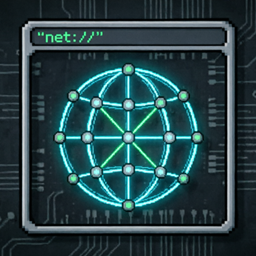
NetCraft is a fully modular web browser and HTTP server suite built for CC:Tweaked (ComputerCraft Tweaked) on Minecraft. It brings a complete client–server web experience to in-game computers: browse pages using the custom net:// protocol, render HTML directly on the terminal, execute dynamic Lua applications on the server side, and resolve friendly hostnames through a Rednet-powered DNS — all without manual ID configuration.

Highlights

  • 🌐 Custom net:// protocol — a clean request/response abstraction layer over Rednet for web-style navigation.
  • 🖥️ Terminal HTML engine — a DOM parser and renderer supporting headings, paragraphs, links, forms, images (NFP) and embedded Lua scripts.
  • 📡 Rednet-based DNS — automatic hostname resolution with caching and a local hosts file fallback.
  • 🔐 Sandboxed script execution — remote Lua scripts run in a restricted environment for safe client-side execution.
  • 🚀 Dynamic Lua apps — serve executable .lua applications with GET/POST support and automatic form-data parsing.
  • 💾 Quality-of-life features — persistent history, bookmarks, HTTP-style caching, and access/error logs.
  • 🛠️ Public developer API — a simple api.lua for building your own networked applications.

Whether you want to host a personal wiki, serve dynamic pages across your base network, or simply explore in-game web technologies, NetCraft provides a robust, fully commented and extensible foundation.

1.0.0
MC 1.16.3, 1.13.1, 1.17.1, 1.21, 1.16.1, 1.18.1, 1.14.3, 1.15, 1.16, 1.13, 1.16.5, 1.19.3, 1.20.2, 1.19.4, 1.21.8, 1.14.4, 1.14.1, 1.17, 1.20.5, 1.21.5, 1.18, 1.21.4, 1.20.1
Beta 2026-08-06 Get

Requirements & install

How to use this data pack in Minecraft
Mods needed
None, works in vanilla
Minecraft
1.19.4 – 1.21.8
Install folder
saves/<world>/datapacks

How to install data packs

  1. Download the data pack .zip file (do not extract it).
  2. New world: click Data Packs on the world creation screen and drop the .zip in. Existing world: open .minecraft/saves/<world>/datapacks.
  3. Put the .zip into the datapacks folder of the world (servers: world/datapacks).
  4. Run /reload in game (or rejoin the world) and check it with /datapack list.
Browse more: Data Packs for 1.21.8 All data packs
Advertisement Remove ads with Premium →

You Might Also Like





