Mineuniverse
Data Packs
Woolcutter

Woolcutter

DATA PACK
Recolor wool, banners, beds and carpets in the stonecutter — no dye needed
by Azerxim
Download Claim this project
752 downloads
0 likes
Updated Oct 14, 2026
0 hypes
Miscellaneous Utility
Advertisement Remove ads with Premium →

Download on CurseForge Download on Modrinth

Woolcutter

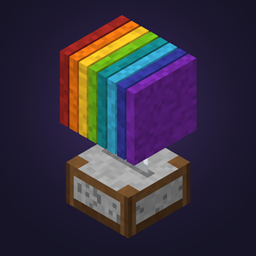
Ever dyed a whole sheep's worth of wool just to fix one wrong color? Woolcutter adds stonecutter recipes to instantly swap between wool colors, banner colors, bed colors, carpets, wool slabs and cushions — no dye, no crafting table juggling.

Features

Stonecutter

Banners Swap a banner to another color using the matching colored wool, or trade directly between two colored banners.

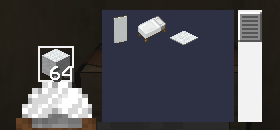
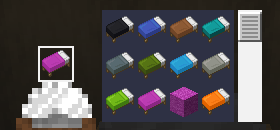
Beds Swap a bed to another color using the matching colored wool, or trade directly between two colored beds.

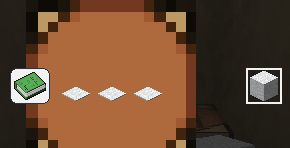
Carpet Turn colored wool into 3x matching colored carpet.

Wool slabs Turn colored wool into 2x matching colored wool slabs, or turn any wool slab or cushion into a wool slab of any color.

Cushions Swap a cushion to another color using the matching colored wool, or trade directly between two colored cushions.

Crafting table

A few extra banner pattern shortcuts:
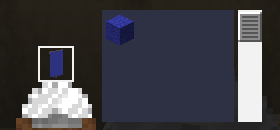
  • Paper + Map -> Globe Banner Pattern
  • Paper + Golden Apple -> Mojang Banner Pattern
  • Paper + Gold Block -> Piglin Banner Pattern
  • Paper + Skeleton Skull -> Skull Banner Pattern
  • 3x Carpet -> 1 White Wool
  • 2x Wool Slab -> 1 White Wool

Wool

Banner

Bed

Carpet

📦 Compatibility

Minecraft versions 1.19.x · 1.20.x · 1.21.x · 26.1 · 26.2 · 26.3
Type Data Pack (no mods required)
License MIT

📥 Installation

Like any data pack: drop the downloaded folder into .minecraft/saves/<your_world>/datapacks/, then run /reload or restart the world.

Woolcutter 4.0: Slabs & Cushions
MC 26.3
Release 2026-09-27 Get
Version 3.1
MC 1.21.8, 1.21.5, 1.21.4, 1.21.6, 1.21.3, 1.21.7, 1.21.2, 1.21.9, 1.21.10, 1.21.11, 26.1, 26.1.1, 26.1.2
Release 2024-10-26 Get
Version 2.1
MC 1.20.5, 1.20.6
Release 2024-08-30 Get
Version 3.0
MC 1.21, 1.21.1
Release 2024-08-30 Get
Version 1.0
MC 1.19.3, 1.19.4, 1.19.2, 1.19.1, 1.19
Release 2024-08-29 Get
Version 2.0
MC 1.20.2, 1.20.3, 1.20.1, 1.20, 1.20.4
Release 2024-08-29 Get

Requirements & install

How to use this data pack in Minecraft
Mods needed
None, works in vanilla
Minecraft
1.21.8 – 26.3
Install folder
saves/<world>/datapacks

How to install data packs

  1. Download the data pack .zip file (do not extract it).
  2. New world: click Data Packs on the world creation screen and drop the .zip in. Existing world: open .minecraft/saves/<world>/datapacks.
  3. Put the .zip into the datapacks folder of the world (servers: world/datapacks).
  4. Run /reload in game (or rejoin the world) and check it with /datapack list.
Browse more: Data Packs for 26.3 All data packs

More from Azerxim

Advertisement Remove ads with Premium →

You Might Also Like