UltimateMultiTool
The ultimate Minecraft MultiTool datapack (and resourcepack)
Get the resourcepack here.
Features
- Allows combining any combination of tools
- Discoverable recipes for the vanilla recipe book
- Tiered recipes based on how many tools are combined
- Slight durability increase for combined tools (tier 1 increases by 10%, tier 2 by 20%, tier 3 by 30%)
- Upgrading your diamond tools via the smithing table works
- Enchantments and item renaming works. Everything with an axe can additionally receive damage enhancing enchantments
- Secondary tool functions partially preserved. The priority for which tool's secondary functions are retained is: axe, shovel, hoe
- Easy to use commands to give the items outright:
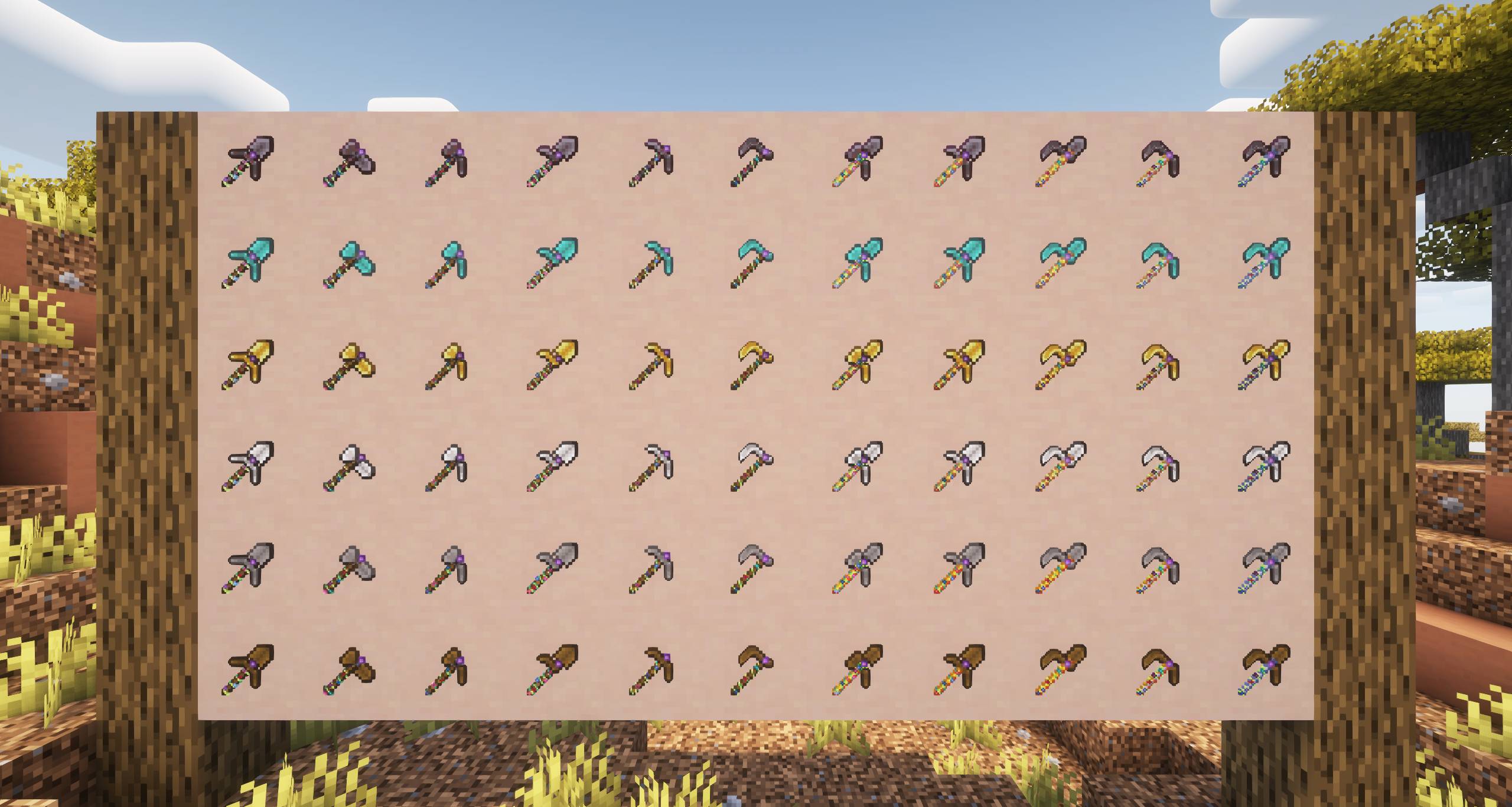
/loot give @s loot umultitool:<material>_<tool> (example: /loot give @s loot umultitool:netherite_paxeloe)
- Only one continuously running command with a predicate in place to further reduce the impact (required for the netherite upgrading logic)
Screenshots

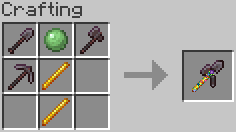
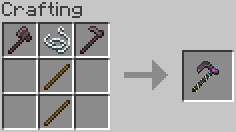
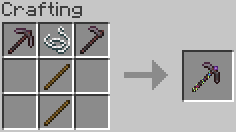
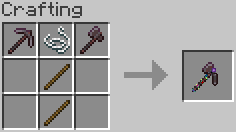
Recipes
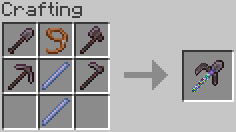
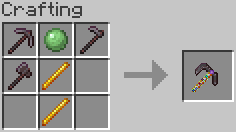
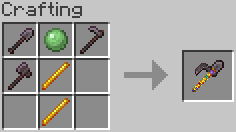
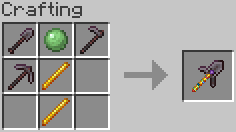
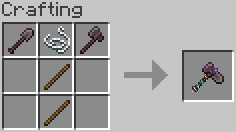
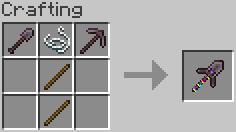
These recipes work with all materials and the tools are interchangeable.
| Tool |
Recipe |
| Povel |
|
| Shaxe |
|
| Paxe |
|
| Hovel |
|
| Poe |
|
| Haxe |
|
| Paxel |
|
| Poveloe |
|
| Shaxoe |
|
| Paxoe |
|
| Paxeloe |
|