Mineuniverse
Data Packs
Subpixel Cushions

Subpixel Cushions

DATA PACK
Restores subpixel cushion placement.
by Smidul
Download Claim this project
11 downloads
0 likes
Updated Oct 14, 2026
0 hypes
Miscellaneous Utility
Advertisement Remove ads with Premium →

Subpixel Cushions

What it does

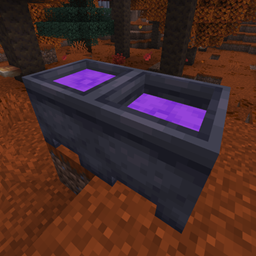
Minecraft changed cushion placement on cauldrons, hoppers, and composters to use their collision shapes, removing some of the weird subpixel placements you could do before.

This datapack restores the old behavior by just cleaning the #minecraft:cushion_uses_collision_shape tag... that's it.
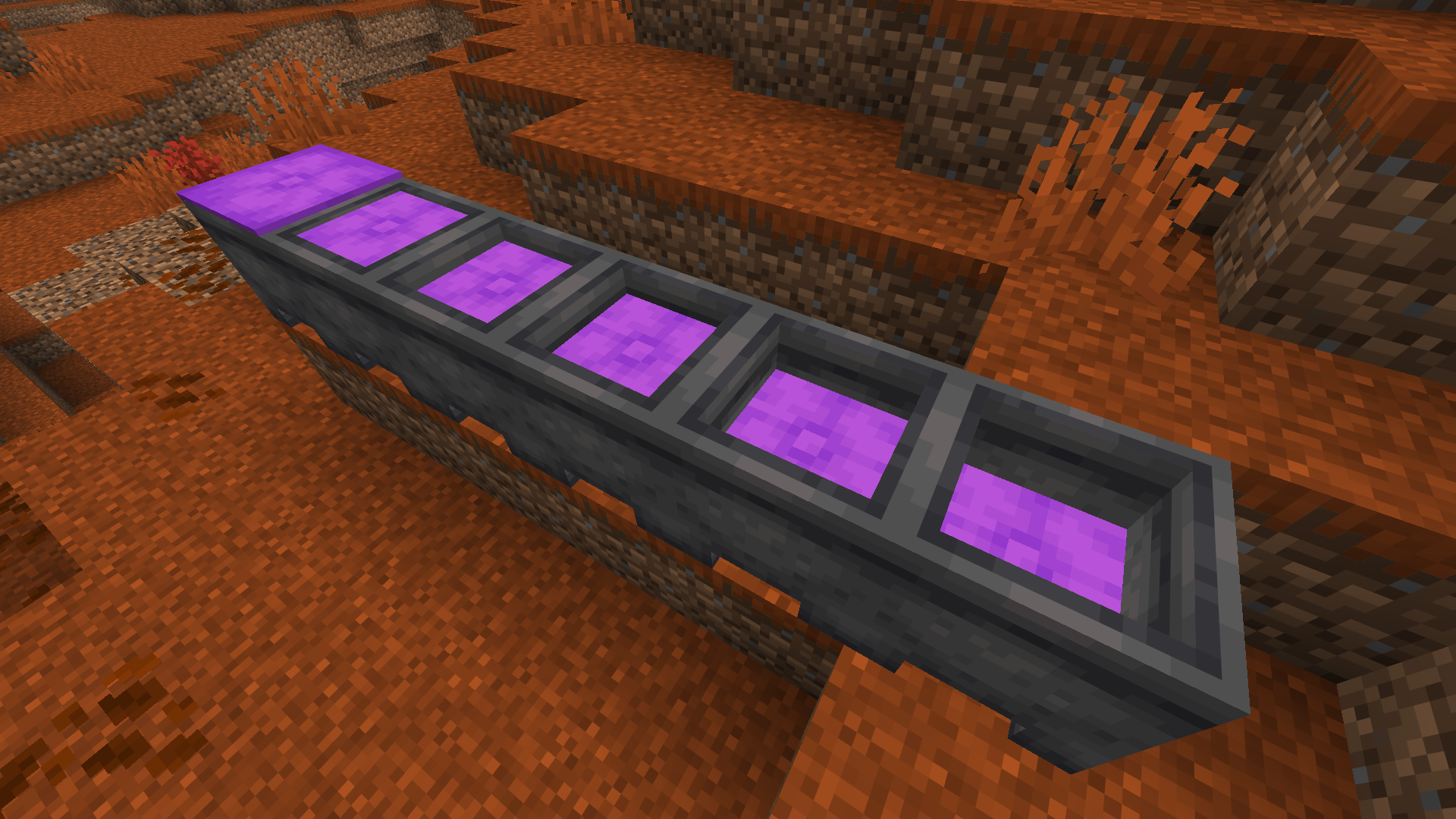

An example of purple cushions placed in subpixels using cauldrons.

v1.0.0
MC 26.3
Release 2026-09-18 Get

Requirements & install

How to use this data pack in Minecraft
Mods needed
None, works in vanilla
Minecraft
26.3
Install folder
saves/<world>/datapacks

How to install data packs

  1. Download the data pack .zip file (do not extract it).
  2. New world: click Data Packs on the world creation screen and drop the .zip in. Existing world: open .minecraft/saves/<world>/datapacks.
  3. Put the .zip into the datapacks folder of the world (servers: world/datapacks).
  4. Run /reload in game (or rejoin the world) and check it with /datapack list.
Browse more: Data Packs for 26.3 All data packs

More from Smidul

Advertisement Remove ads with Premium →

You Might Also Like