Mineuniverse
Data Packs
Restate

Restate

DATA PACK
Instantly dye or bleach placed blocks, and strip fences and walls connections.
by Smidul
Download Claim this project
5 downloads
0 likes
0 followers
Updated Oct 14, 2026
0 hypes
Follow0
Miscellaneous Utility
Advertisement Remove ads with Premium →

Restate

What it does

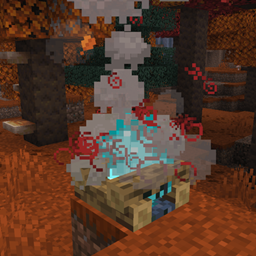
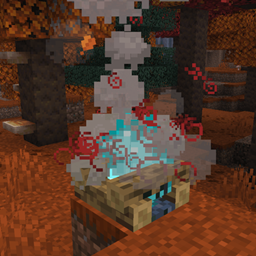
Restate uses the latest block_transformer component added in 26.3 to allow you to instantly dye or bleach placed blocks, and strip fences and walls connections.

  • Dyeing and Bleaching: Right-click placed colored blocks with any dye to change their color. Use a piece of paper to instantly bleach them back to their original white or clear color.
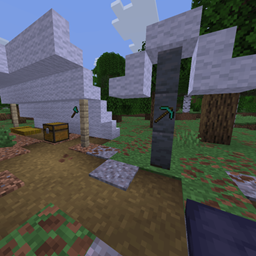
  • Fence and Wall Stripping: Use an axe to strip all wooden fences' connections. Or use a pickaxe to do the same for walls.
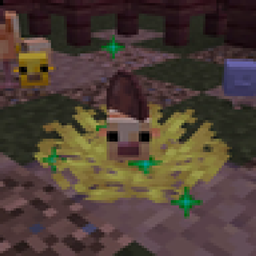
  • Auto-Replanting Harvester: Hoes are upgraded with harvester functionality. Right-click wheat, carrots, potatoes, or beetroots to harvest and automatically replant them.

Compatibility

This data pack is not guaranteed to be compatible with mods or other data packs that modify the same item interactions. Restate adds custom block_transformer components to tools and related items, so any pack that changes those items may conflict with it.

Uninstallation

If you ever need to remove the datapack, run /function restate:uninstall to revoke its advancements and access the optional item cleanup.

Note: Item cleanup only scans direct slots belonging to online players. It does not scan offline players, containers, nested items, or dropped items.

v1.0.4
MC 26.3
Release 2026-09-18 Get

Requirements & install

How to use this data pack in Minecraft
Mods needed
None, works in vanilla
Minecraft
26.3
Install folder
saves/<world>/datapacks

How to install data packs

  1. Download the data pack .zip file (do not extract it).
  2. New world: click Data Packs on the world creation screen and drop the .zip in. Existing world: open .minecraft/saves/<world>/datapacks.
  3. Put the .zip into the datapacks folder of the world (servers: world/datapacks).
  4. Run /reload in game (or rejoin the world) and check it with /datapack list.
Browse more: Data Packs for 26.3 All data packs

More from Smidul

Advertisement Remove ads with Premium →

You Might Also Like