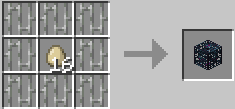
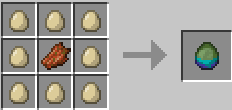
All Spawn Egg Recipe is a Minecraft datapack designed to expand survival progression by making every spawn egg obtainable through crafting rather than relying on creative mode or commands. The datapack introduces balanced and thematic recipes that reflect each mob’s nature, using items connected to their behavior, biome, or drops, so the crafting process still feels immersive and fair within survival gameplay. Hostile mobs typically require dangerous materials such as mob drops or rare resources, while passive and utility mobs use more accessible ingredients, creating a natural progression from early-game farming to late-game mob control.
This datapack transforms mob management into a gameplay system of its own, allowing players to build custom farms, zoos, arenas, or automated resource systems with full control over mob spawning. It is especially useful for map makers, technical players, and modpack creators who want more freedom without breaking survival balance. By turning spawn eggs into craftable goals, exploration, combat, and farming all gain extra purpose, because nearly every mob drop can become part of a larger crafting chain. The result is a more sandbox-oriented survival experience where players are rewarded with creative control through effort, not cheats.