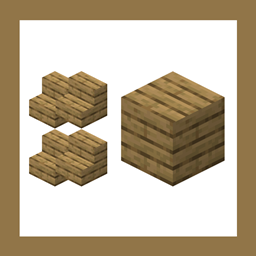
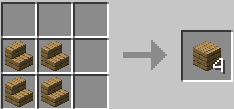
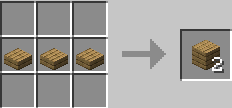
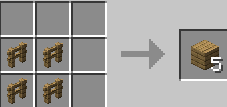
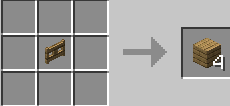
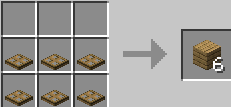
This datapack adds a “Back to Block” crafting system that allows players to convert many block variants back into their original full block form. Stairs, slabs, walls, fences, and other cut or shaped blocks made from materials like stone, wood, deepslate, bricks, sandstone, quartz, blackstone, and more can now be recycled instead of going to waste. It is especially useful for builders who make crafting mistakes, redesign structures, or recover materials from old builds.
The recipes are designed to feel fair and survival-friendly, keeping a balanced conversion ratio so the system does not become an exploit. Instead of creating new resources, this datapack simply returns materials to their base state, making resource management more flexible while preserving vanilla progression. Exploration, mining, and gathering are still important, but players gain more control over how their materials are used.
Lightweight and compatible with most worlds, this datapack fits naturally into vanilla gameplay and is perfect for players who enjoy building, remodeling, and efficient resource use without unnecessary material loss.
This is my unfinished version