Mineuniverse
Data Packs
Shopkeeper Universal selling

Shopkeeper Universal selling

DATA PACK
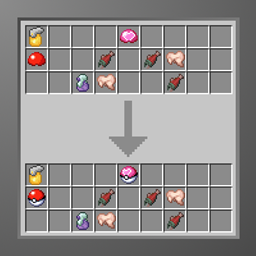
Be able to sell Pixelmon items to any Shopkeeper
by SlimeyBoi123
Download Claim this project
2,237 downloads
0 likes
Updated Oct 14, 2026
0 hypes
Mod Support Utility
Advertisement Remove ads with Premium →

Overview

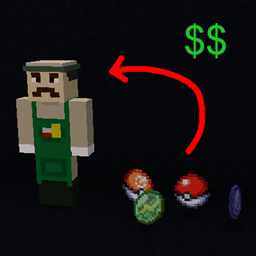
After the npc overhaul in pixelmon 1.20.2-1.21.1, you could only sell certain items to certain shopkeepers, instead of being limited to only selling to certain shopkeepers, this datapack allows you to sell any of the already sellable items to any shopkeeper

Warning

This datapack is incompatible with any other datapack that edits the npc shopkeepers, if you want to create your own custom shopkeepers feel free to edit this datapack

If you want somthing like this for an existing shopkeeper datapack or if theres missing items, head over to the Official Pixelmon Discord and ask @SlimeyBoi123

Installation:

Head over to the files tab, pick the latest version for your pixelmon version and download it, if there isnt any for your exact version pick the newest version that is lower than your pixelmon version

During world creation:

  1. After clicking "Create New World"
  2. Head over to the "More" tab at the top of your screen
  3. Click on the "Datapacks" button
  4. Click "Open Pack Folder"
  5. Drag and drop the ZIP file into the folder you opened in the previous step, DO NOT UNZIP
  6. Close the folder, enable the datapack, click done and continue with world creation


In an existing world or server:

  1. Head on over to your game/packs files, where you find the files depends on which launcher you use though most have a simple button you can press right within the launcher to open its files
  2. Go into your saves/<worldname>/datapacks folder
  3. Place the ZIP file into that folder, DO NOT UNZIP
  4. Close the world and rejoin or restart the server


Universal Selling 1.1-9.3.10-9.4.0
MC 1.21.1
Release 2025-11-23 Get
Universal Selling 1.0-9.3.8-9.3.9
MC 1.21.1
Release 2025-09-03 Get

Requirements & install

How to use this data pack in Minecraft
Mods needed
None, works in vanilla
Minecraft
1.21.1
Install folder
saves/<world>/datapacks

How to install data packs

  1. Download the data pack .zip file (do not extract it).
  2. New world: click Data Packs on the world creation screen and drop the .zip in. Existing world: open .minecraft/saves/<world>/datapacks.
  3. Put the .zip into the datapacks folder of the world (servers: world/datapacks).
  4. Run /reload in game (or rejoin the world) and check it with /datapack list.
Browse more: Data Packs for 1.21.1 All data packs

More from SlimeyBoi123

Advertisement Remove ads with Premium →

You Might Also Like