Mineuniverse
Data Packs
More Heads

More Heads

DATA PACK
Adds survival-friendly access to mob heads and player heads, using intentional hoe-based drops to avoid farm pollution and preserve vanilla progression.
by nwrenger
Download Claim this project
2,806 downloads
0 likes
Updated Oct 14, 2026
0 hypes
Miscellaneous Tech Utility
Advertisement Remove ads with Premium →

More Heads

➜ The mod version of this data pack can be found here

Adds survival-friendly access to mob heads and player heads, using intentional hoe-based drops to avoid farm pollution and preserve vanilla progression.

Expands head collecting by making mob and player heads a deliberate survival reward, not an automatic byproduct.

Why use this data pack/mod?

  1. All-in-one solution: Combines mob heads and player heads in one data pack/mod, keeping head collecting consistent.

  2. Preserves farms and grinders: Hoe-based drops keep farms and grinders from filling up with unwanted head drops.

  3. Vanilla-style items: Heads use fitting note block sounds, clean names, and subtle tooltip styling so they feel like part of the game.

  4. Lightweight and passive: Built around loot tables and pack overlays, without ticking functions, command-heavy systems, or extra runtime overhead.

  5. Flexible installation: Works as either a world-specific data pack or packaged mod, making it easy to use in singleplayer, servers, vanilla, and modded setups.

Installation

After adding the data pack/mod to your world or server, you can open the about panel with:

/function more_heads:about
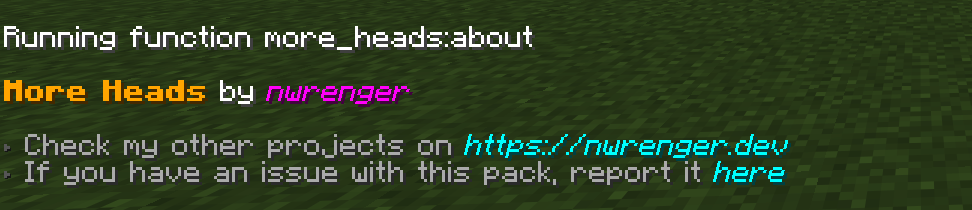
about_panel

Mob Heads

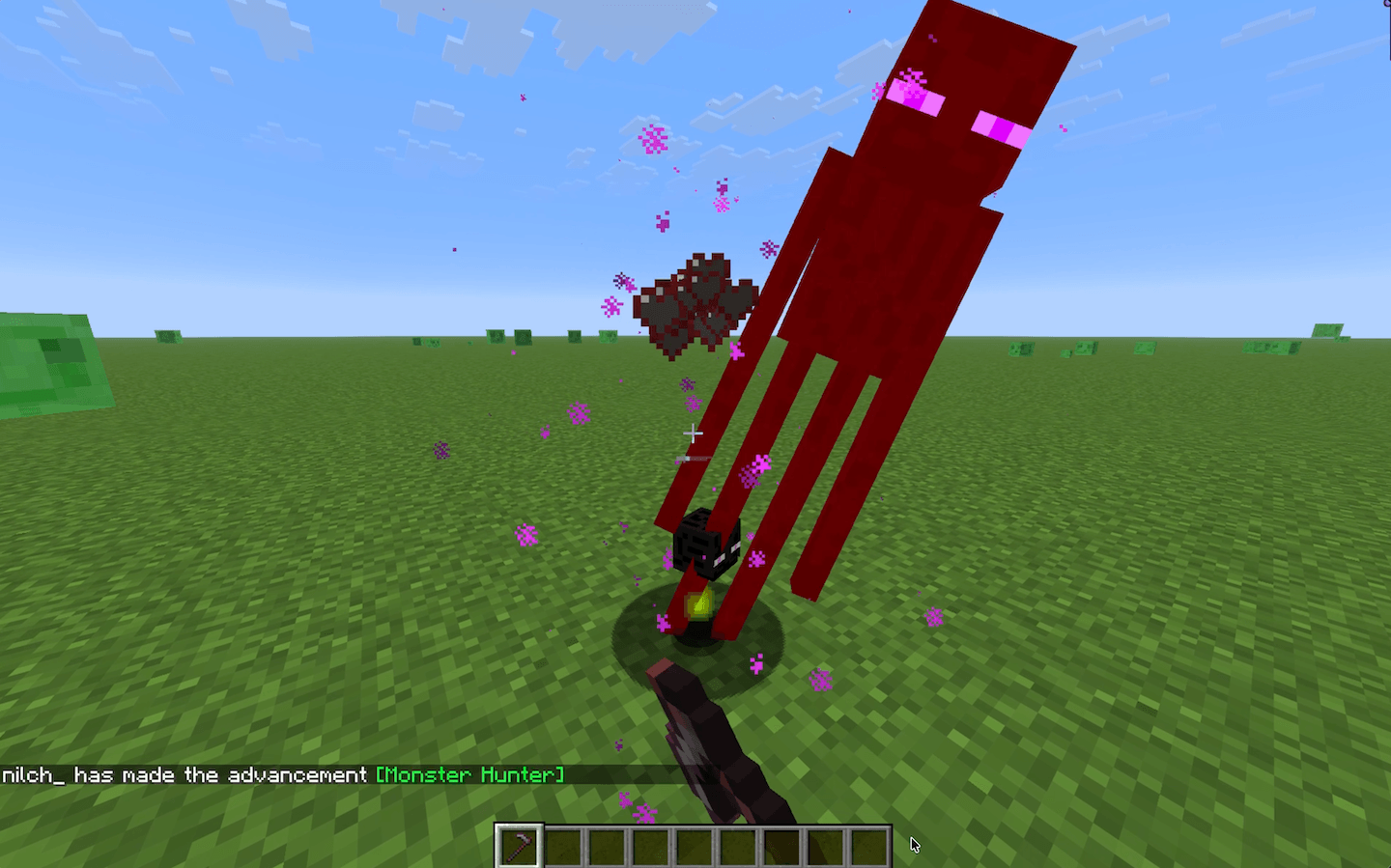
Mobs drop their heads when killed with a hoe. The Wither Skeleton and Ender Dragon are excluded, keeping their vanilla progression intact.

Enderman Head Drop

enderman-killed-by-hoe

Player Heads

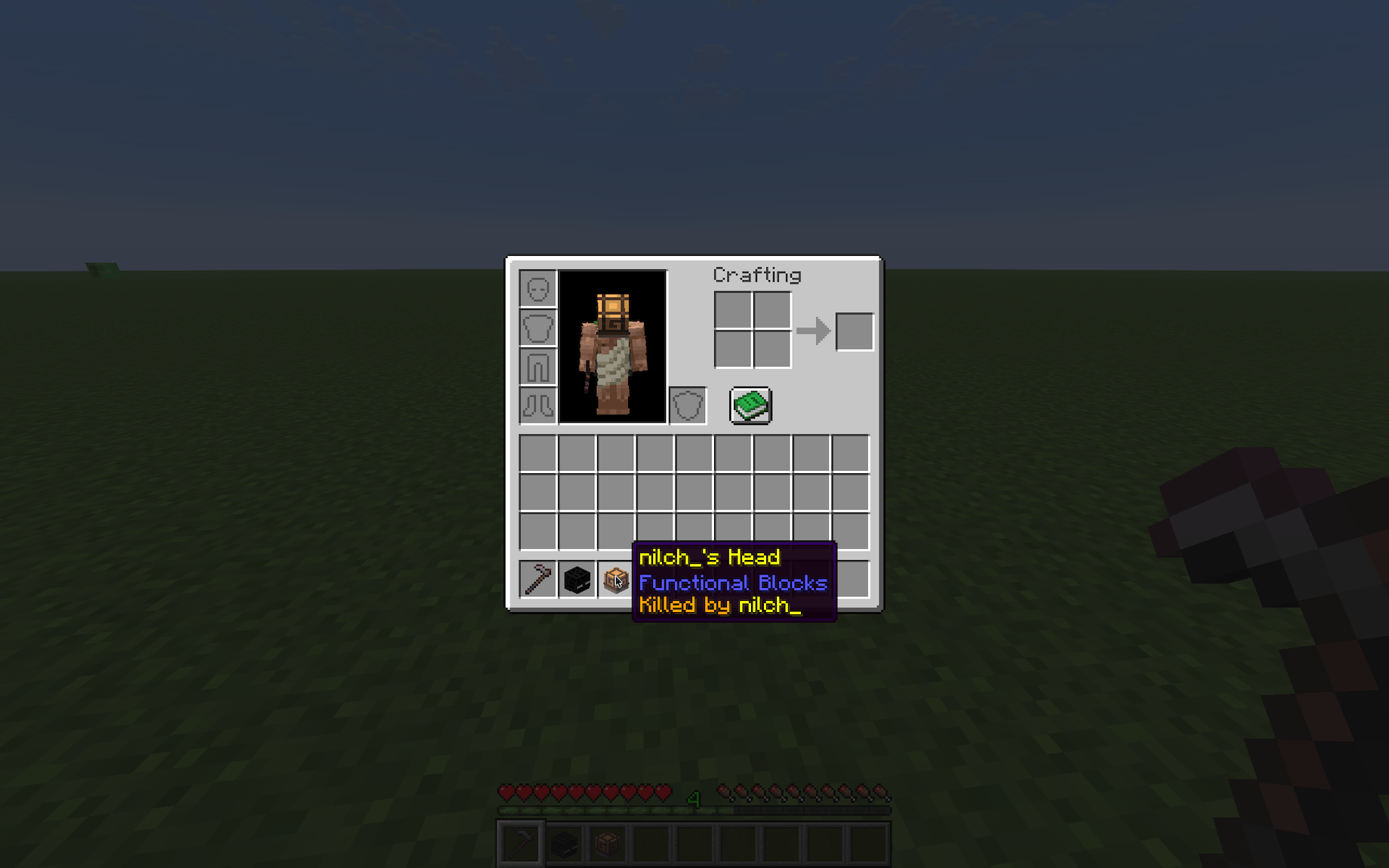
Players drop their heads when killed by another player. The killer is shown on the head's tooltip.

Player Head Tooltip

player-head-tooltip

Contributing & Issues

I warmly welcome:

  • Bug reports
  • Feature requests
  • Pull requests

Please open issues or PRs on GitHub.

License

This project is licensed under the LGPLv3 License. See LICENSE for details.

More Heads 0.6.0
MC 1.21.2-Snapshot, 1.21, 1.21.6-snapshot, 1.21.1-Snapshot, 1.21.8, 1.21.5, 1.21.4, 1.21.5-Snapshot, 1.21.1, 1.21.6, 1.21.3, 1.21.7, 1.21.4-Snapshot, 1.21.2, 1.21.9-snapshot, 1.21.9
Release 2026-09-16 Get
More Heads 0.5.0
MC 1.21.2-Snapshot, 1.21, 1.21.6-snapshot, 1.21.1-Snapshot, 1.21.8, 1.21.5, 1.21.4, 1.21.5-Snapshot, 1.21.1, 1.21.6, 1.21.3, 1.21.7, 1.21.4-Snapshot, 1.21.2, 1.21.9-snapshot, 1.21.9
Release 2026-06-17 Get
More Heads 0.4.0
MC 1.21.2-Snapshot, 1.21, 1.21.6-snapshot, 1.21.1-Snapshot, 1.21.8, 1.21.5, 1.21.4, 1.21.5-Snapshot, 1.21.1, 1.21.6, 1.21.3, 1.21.7, 1.21.4-Snapshot, 1.21.2, 1.21.9-snapshot, 1.21.9
Release 2026-05-29 Get
More Heads 0.3.1
MC 1.21.2-Snapshot, 1.21, 1.21.6-snapshot, 1.21.1-Snapshot, 1.21.8, 1.21.5, 1.21.4, 1.21.5-Snapshot, 1.21.1, 1.21.6, 1.21.3, 1.21.7, 1.21.4-Snapshot, 1.21.2, 1.21.9-snapshot, 1.21.9
Release 2026-05-16 Get
More Heads 0.3.0
MC 1.21.2-Snapshot, 1.21, 1.21.6-snapshot, 1.21.1-Snapshot, 1.21.8, 1.21.5, 1.21.4, 1.21.5-Snapshot, 1.21.1, 1.21.6, 1.21.3, 1.21.7, 1.21.4-Snapshot, 1.21.2, 1.21.9-snapshot, 1.21.9
Release 2026-05-14 Get
More Heads 0.2.0
MC 1.21, 1.21.8, 1.21.5, 1.21.4, 1.21.1, 1.21.6, 1.21.3, 1.21.7, 1.21.2, 1.21.9, 1.21.10, 1.21.11, 26.1, 26.1.1, 26.1.2
Release 2026-05-12 Get
More Heads 0.2.1
MC 1.21, 1.21.8, 1.21.5, 1.21.4, 1.21.1, 1.21.6, 1.21.3, 1.21.7, 1.21.2, 1.21.9, 1.21.10, 1.21.11, 26.1, 26.1.1, 26.1.2
Release 2026-05-12 Get
More Heads 0.1.1
MC 1.21, 1.21.8, 1.21.5, 1.21.4, 1.21.1, 1.21.6, 1.21.3, 1.21.7, 1.21.2, 1.21.9, 1.21.10, 1.21.11, 26.1, 26.1.1, 26.1.2
Release 2026-05-11 Get

Requirements & install

How to use this data pack in Minecraft
Mods needed
None, works in vanilla
Minecraft
1.21.8 – 26.1.2
Install folder
saves/<world>/datapacks

How to install data packs

  1. Download the data pack .zip file (do not extract it).
  2. New world: click Data Packs on the world creation screen and drop the .zip in. Existing world: open .minecraft/saves/<world>/datapacks.
  3. Put the .zip into the datapacks folder of the world (servers: world/datapacks).
  4. Run /reload in game (or rejoin the world) and check it with /datapack list.
Browse more: Data Packs for 26.1.2 All data packs

More from nwrenger

Advertisement Remove ads with Premium →

You Might Also Like