Mineuniverse
Data Packs
Mob Swords

Mob Swords

DATA PACK
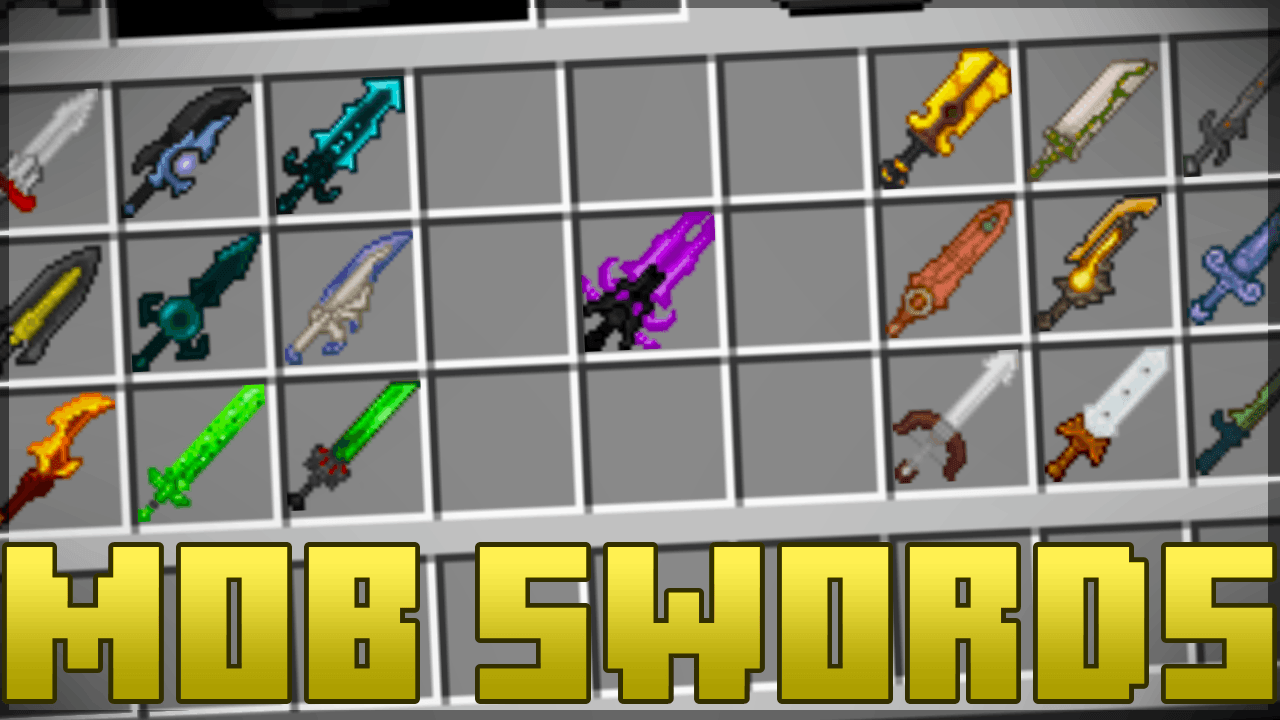
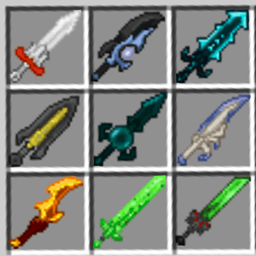
This Datapack adds 20 New Mob Based Swords to the game
by TheDuckInBlue
Download Claim this project
Add a badge to your pageLink to Mob Swords from a README, website or forum post.
Preview: Badge

Badges update automatically and link to the data pack page on MineUniverse.

389 downloads
0 likes
0 followers
Updated Oct 14, 2026
0 hypes
Follow0
Fantasy Magic
Advertisement Remove ads with Premium →

EACH MOB SWORD CAN ONLY BE CRAFTED ONCE (If more than one of the same mob sword is used at the same time, issues may orrur)

Each sword has 2 different unique abilities, each ability is based off the mob,
the more expensive the recipe, the more powerful the sword, all mob swords are equivalent to a Sharpness V diamond sword (every mob sword is unenchantable).

All Mob Sword recipes should show up in the recipe book (if not, run the command: /reload)

Commands:

/trigger index: opens a dialog with info about each mob sword and their abilities

/trigger knockback: Toggles kb 1 for all the mob swords for the current player

Requires a texturepack to see the custom swords - mediafire.com/file/guiowed3lldit6y/Mob Swords Texturepack.zip/file

Mob Swords Datapack 1.21.6 - 1.21.8.zip
MC 1.21.8, 1.21.7, 1.21.6
Release 2025-10-27 Get

Requirements & install

How to use this data pack in Minecraft
Mods needed
None, works in vanilla
Minecraft
1.21.6 – 1.21.8
Install folder
saves/<world>/datapacks

How to install data packs

  1. Download the data pack .zip file (do not extract it).
  2. New world: click Data Packs on the world creation screen and drop the .zip in. Existing world: open .minecraft/saves/<world>/datapacks.
  3. Put the .zip into the datapacks folder of the world (servers: world/datapacks).
  4. Run /reload in game (or rejoin the world) and check it with /datapack list.
Browse more: Data Packs for 1.21.8 All data packs

More from TheDuckInBlue

Advertisement Remove ads with Premium →

You Might Also Like