Mineuniverse
Data Packs
Minipurge

Minipurge

DATA PACK
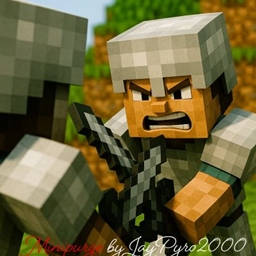
The Ultimate Minecraft Multiplayer Event handler and framework so you can play Purge/Fortnite/Hunger Games style events on your server with minimal intervention and maximum flexibility.
by JayPyro2000
Download Claim this project
304 downloads
0 likes
Updated Oct 14, 2026
0 hypes
Adventure Miscellaneous Utility
Advertisement Remove ads with Premium →

⚔️ Minipurge | 1-Command Multiplayer Events

Turn your Minecraft server into a massive Purge, Hunger Games, or Fortnite-style battle royale with a single command! Minipurge is an ultra-lightweight, highly customizable data pack designed to handle multiplayer PVP events with minimal admin intervention. Whether you are hosting a quick 5-player arena with friends or a massive 100-player server-wide event, Minipurge scales perfectly to your needs.


🏆 Three Dynamic Game Phases

The event flows automatically through three highly customizable stages:

  • 🕊️ Peace: PvP is strictly disabled. Players have time to scatter, gather resources, build defenses, and prepare for the battle ahead.
  • ⚔️ War: The grace period ends. PvP is enabled, and the hunt begins.
  • 🛑 Shrink: The world border relentlessly shrinks down to the center, forcing all remaining players into a final, chaotic showdown.

⚙️ Quick Setup Guide

  1. Install: Drop the Minipurge .zip file into the datapacks folder of your server world. (Note: We highly recommend using a fresh world or one you don't mind trashing, as the event modifies the world border and player inventories).
  2. Add Flavor (Optional): Install Minipurge Add-on Data Packs for custom loot, recipes, and events!
  3. Position: Teleport yourself to a random, unexplored area of the map to act as the center of the arena.
  4. Start the Event: Run the start command below!

🛠️ Configuration & Commands

Start your event using the following command. Every variable is fully customizable!

/function minipurge:start {lives:<int>, border:<int>, peace:<int>, war:<int>, shrink:<int>}

📊 Parameter Guide:

  • lives: The number of lives a player has.
    • Positive number: Players are kicked from the server when out of lives.
    • Negative number: Players switch to spectator mode when out of lives.
  • border: The starting border size (in blocks).
    • If set to 0: Automatically calculates a balanced border size based on your player count (~160,000 blocks per player).
  • peace: The length of the Peace (No-PvP) phase in minutes.
    • Positive: Locks the time of day at noon.
    • Negative: Allows the normal daylight cycle to progress.
    • If set to 0: Skips the Peace phase; players are scattered and PvP begins immediately.
  • war: The length of the War (PvP enabled) phase in minutes.
    • Positive: Turns the daylight cycle off.
    • Negative: Turns the daylight cycle on.
  • shrink: The time it takes for the border to shrink down to a 20-block radius, in minutes.
    • Positive: Turns the daylight cycle off.
    • Negative: Turns the daylight cycle on.
    • If set to 0: Disables border shrinking entirely.

⚠️ WARNING: Running the start command will immediately teleport all online players, clear their inventories, and wipe their ender chests! Make sure everyone is ready before executing.

💡 Example Start Command:

Want to test a quick 30-minute game with 3 lives? Copy and paste this: /function minipurge:start {lives:3, border:0, peace:10, war:15, shrink:5}


🔧 Admin Helper Commands

  • /function minipurge:reset - Safely resets the world mid-event or after an event finishes.
  • /function minipurge:pause - Pauses the event (Requires function-permission-level 4+).
  • /function minipurge:unpause - Resumes the event (Requires function-permission-level 4+).
  • /function minipurge:help - Displays the in-game help menu.

🤝 Community & Support

  • Create Your Own Add-ons: Minipurge is built to be modular! Check out the Wiki to learn how to create your own custom add-ons.
  • Feedback & Bugs: Have a suggestion or found a bug? Email me at [email protected].
  • Beta Testing: Want to try new features early? Help test experimental versions here!
  • Support the Project: If you enjoy the pack and want to help keep development going, consider supporting me on Patreon.

Let the games begin!

minipurge1.0.6.zip
MC 26.1.2, 26.2
Release 2026-06-03 Get
minipurge1.0.5.zip
MC 1.21.11
Release 2026-01-23 Get
minipurge1.0.4.zip
MC 1.21.11
Release 2026-01-08 Get
minipurge1.0.3.zip
MC 1.21.11
Release 2025-12-23 Get
minipurge1.0.2.zip
MC 1.21.8, 1.21.9, 1.21.10
Release 2025-08-27 Get
minipurge1.0.1.zip
MC 1.21.8
Release 2025-08-14 Get
minipurge1.0.0.zip
MC 1.21.8, 1.21.9, 1.21.10
Release 2025-08-05 Get

Requirements & install

How to use this data pack in Minecraft
Mods needed
None, works in vanilla
Minecraft
1.21.8 – 26.2
Install folder
saves/<world>/datapacks

How to install data packs

  1. Download the data pack .zip file (do not extract it).
  2. New world: click Data Packs on the world creation screen and drop the .zip in. Existing world: open .minecraft/saves/<world>/datapacks.
  3. Put the .zip into the datapacks folder of the world (servers: world/datapacks).
  4. Run /reload in game (or rejoin the world) and check it with /datapack list.
Browse more: Data Packs for 26.2 All data packs

More from JayPyro2000

Advertisement Remove ads with Premium →

You Might Also Like