SupremeMC Enchantments Data Pack
A Minecraft data pack that adds custom enchantments to enhance your gameplay experience.
Features
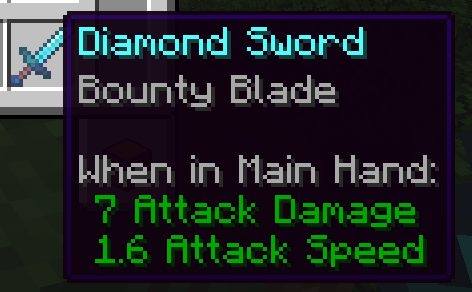
Bounty Blade Enchantment
- Type: Sword enchantment
- Max Level: I
- Rarity: Rare (weight: 2)
- Effect: When you defeat hostile mobs with a weapon enchanted with Bounty Blade, they have a chance to drop their head as a trophy
Affected Mobs
- Zombie → Zombie Head
- Skeleton → Skeleton Skull
- Wither Skeleton → Wither Skeleton Skull
- Creeper → Creeper Head
- Piglin → Piglin Head
Installation
- Download the data pack from the releases page or clone this repository
- Locate your Minecraft world's
datapacks folder (.minecraft/saves/[your_world]/datapacks/)
- Copy the
suprememc-enchantments folder into the datapacks folder
- Restart your world or run
/reload in-game
- The enchantment will now be available through enchanting tables, anvils, and villager trades
Compatibility
- Minecraft Version: 1.21.9 - 1.21.10
- Data Pack Format: 88
Usage
Obtain the Bounty Blade enchantment through:
- Enchanting table (rare)
- Anvil with enchanted books
- Trading with villagers
- Creative mode inventory
Once applied to a sword, simply defeat hostile mobs to collect their heads as trophies!
Credits
Created by SupremeMC
License
This data pack is provided as-is for use in Minecraft worlds.