Mineuniverse
Data Packs
Elkonia Deep Coral Ocean Biome

Elkonia Deep Coral Ocean Biome

DATA PACK
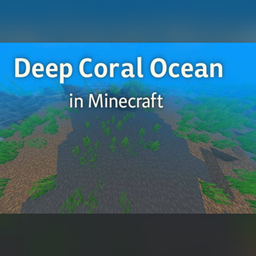
An ocean world with one biome over the whole Overworld. No land, just water down to a coral seabed of mud, sand and gravel, with sulfur caves in the rock below it.
by Elkidogz
Download Claim this project
Add a badge to your pageLink to Elkonia Deep Coral Ocean Biome from a README, website or forum post.
Preview: Badge

Badges update automatically and link to the data pack page on MineUniverse.

3 downloads
0 likes
0 followers
Updated Oct 14, 2026
0 hypes
Follow0
Adventure
Advertisement Remove ads with Premium →

An ocean world. One biome covers the whole Overworld, so there is no land anywhere, just water down to a seabed of mud, sand and gravel.

This was my first datapack. I made it for my spawn hub so I could drop an island into an empty ocean and use it as a hidden base in the lore. It works on its own too if you just want somewhere to swim.

What's down there

Coral grows out of the sea floor. Gardens, trees, claws and mushrooms. Kelp and seagrass are everywhere, and there are wet sponges tucked into the horn coral if you look for them.

Fish spawn in decent numbers. Cod, salmon and tropical fish, with dolphins up top and glow squid deeper down. Ocean monuments, shipwrecks and ruins still generate. Happy hunting :)

Sulfur caves

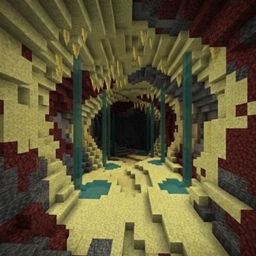
There are caves in the rock under the seabed. As of the 26.2 build they are sulfur caves, with sulfur and cinnabar in the walls and sulfur spikes on the floors and ceilings. You will also find the odd pocket of potent sulfur, which gasses the water around it. Don't swim into that one.

Which download

  • 1.23 is for Minecraft 26.2. This is the one with the sulfur caves.
  • 1.22 is for Minecraft 1.21.9 to 1.21.11.

Before you install

This replaces the Overworld generator, so it needs its own new world. It won't work alongside other worldgen packs in the same save.

elkonia_Deep_Coral_Ocean_26.2.zip
MC 26.2
Release 2026-09-21 Get

Requirements & install

How to use this data pack in Minecraft
Mods needed
None, works in vanilla
Minecraft
26.2
Install folder
saves/<world>/datapacks

How to install data packs

  1. Download the data pack .zip file (do not extract it).
  2. New world: click Data Packs on the world creation screen and drop the .zip in. Existing world: open .minecraft/saves/<world>/datapacks.
  3. Put the .zip into the datapacks folder of the world (servers: world/datapacks).
  4. Run /reload in game (or rejoin the world) and check it with /datapack list.
Browse more: Data Packs for 26.2 All data packs

More from Elkidogz

Advertisement Remove ads with Premium →

You Might Also Like