Mineuniverse
Data Packs
CustomZombieNight

CustomZombieNight

DATA PACK
you can make your ZombieNight map
by MCYejianCN
Download Claim this project
10 downloads
0 likes
Updated Oct 14, 2026
0 hypes
Utility
Advertisement Remove ads with Premium →

this datapack can make your own ZombieNight minigame,if you want to learn how to play it and use my finished world(download and playnow) you can go to this page Link


if you want to use guns,you should download this datapack Custom Guns datapack

otherwise,you can't use gun,and please set this datapack on top of the Custom Guns


How can you use it

use command

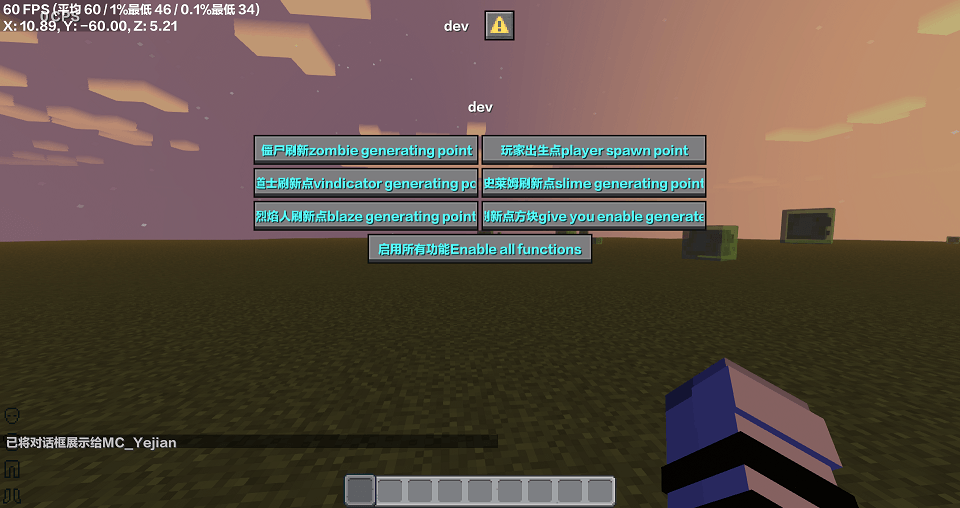
"dialog show @s czn:dev" to open dev menu

you can customize the mob generation points and player spawn points


but if you want to generate vindicator and slime,you should get block "enable generate point block"in the Dev dialog

player should stand on it to enable generating point


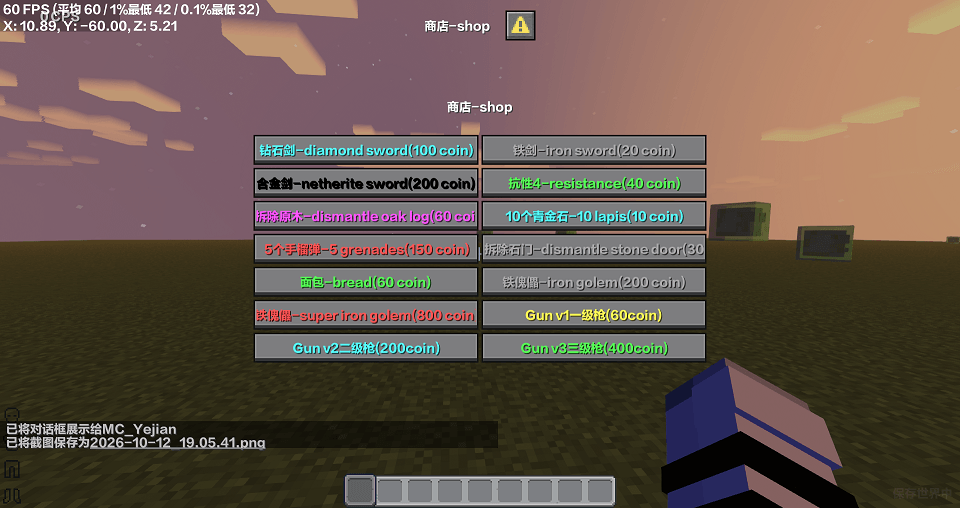
if you want to add more items in the shop,go to folder

datapack/CustomZombieNight/data/czn/dialog/shop.json

and go to https://minecraft.wiki/w/Dialog learn how to make dialog


scoreboard:

                  name objective       what can it do

                     jis          sm         time,Mob are generated every 600 ticks

          (your_name)   sm          coin

                      bc         sm          Generate mob quantity

tag:

                     name       what can it do

                       slime         Enable slime generation points

                       vind         Enable vindicator generation points



CustomZombieNight26.10.3.zip
MC 26.1, 26.1.1, 26.1.2, 26.2, 26.3
Release 2026-10-15 Get
CustomZombieNight26.10.2.zip
MC 26.1, 26.1.1, 26.1.2, 26.2, 26.3
Release 2026-10-12 Get
CustomZombieNight26.10.1.zip
MC 26.1, 26.1.1, 26.1.2, 26.2, 26.3
Release 2026-10-11 Get

Requirements & install

How to use this data pack in Minecraft
Mods needed
None, works in vanilla
Minecraft
26.1 – 26.3
Install folder
saves/<world>/datapacks

How to install data packs

  1. Download the data pack .zip file (do not extract it).
  2. New world: click Data Packs on the world creation screen and drop the .zip in. Existing world: open .minecraft/saves/<world>/datapacks.
  3. Put the .zip into the datapacks folder of the world (servers: world/datapacks).
  4. Run /reload in game (or rejoin the world) and check it with /datapack list.
Browse more: Data Packs for 26.3 All data packs

More from MCYejianCN

Advertisement Remove ads with Premium →

You Might Also Like